I created a simple drawing next to yours and did the selection as suggested from your video.
I was wondering, when you are within free-cad, how can you check within free-cad it self that the python script is effectively uploaded correctly?
Test_ ArchStairs_ code revision test_ 2d (1).fcstd (175 KB)
Thanks taking the time to test!
I can create Staircases ‘parts’ w/ the Command Buttons w/ some ‘bug’ found - though haven’t figure out exactly what is your current problem, it did show there should be some bug …(you can find the 3 parts are not all ‘housed’ in a ‘Master’ ArchStairs Object - supposedly it should be …)
ArchStairs.py Loaded?
I does not know any ‘orthodox’ way…you should have the ArchStairs.py loaded otherwise you wouldn’t have any icon…but…which ‘version’ (Original or my experimental ones) loaded is the question …
Check the ArchStairs Object you create - if there is in Data tab ‘Last Segment’, ‘Abs Top’, ‘Landing Depth’… you have my experimental ArchStair.py loaded…I look in you file, you should have my experimental ArchStairs.py… but can’t be sure if you have the one with the feature (select a collection of object and let ArchStair create a composite Staircase) you are testing was already there. Just sure it is not the Most Latest as you would have ‘ReturnLeft’, ‘ReturnRight’ in the Flight property / attribute.
Further Check
Make sure you download the ‘latest’ experimental ArchStairs.py in my most recent post and save in the …/Mod/Arch folder… close FC and reopen it to make sure (for some reason ‘reload(ArchStairs)’ in python does not always work)
It is also strange the ‘Stairs’ object you created have an empty ‘Base’ property - Make Sure you selected the correct and correct type of object (w/ Control pressed all the way) but clicking the ArchStairs button.
EDIT(It may be easier to choose the 3 objects in the Model Tree also…)
May also try following also to make sure you have at least some version of my experiment:
0. Select Stairs004 or Stairs006 (not Stair003)…
- Try select ‘At Center’ for the the Landings property
- Select ‘Straight’ in Flight property
- You should have an automatically created landing
- See if you have the LandingDepth property - changing it should change the landing length


Test_ ArchStairs_ code revision test_ 2d (1)_rev.fcstd (201 KB)
I hope i’m also in the right Mod folder
Here is folder path
/home/regis/Apps/squashfs-root/usr/lib/freecad-daily/Mod/Arch
Thanks After this step i think i have your experimental
This is the latest ArchStairs.py I have
https://forum.freecadweb.org/download/file.php?id=62676
Also as you can see from the screenshots, I have the
Data tab ‘Last Segment’, ‘Abs Top’, ‘Landing Depth’

Hi, just solve the Bug I find when investigating your problem… before I look again in your problem, just post another FC.fcstd and ArchStairs.py with rectified codes.
Now, the code should make sure a ‘Master’ ArchStairs, and all ‘segments’ of Stairs properly housed into the former…
Okay, i am checking your post…
ArchStairs.py (40.3 KB)
Test_ ArchStairs_ code revision test_ 2d (1)_rev2.fcstd (211 KB)
I do a compare / track changes between the version you have and the version I just upload in last post …I am not sure if that is the bug I find just make the problem you have, though the ‘bug effect’ I find is slightly different from your ‘syndrome’… (You may note I am just a beginner in Python, sorry about that  )
)
Can you please try the version I just upload - hope they are the same bug I manage to realize and ‘fix’.
Anyway, thanks again taking time trying.
Another minor fix… I wish I have a mentor like who did Rebar…
ArchStairs.py (40.3 KB)
If for reasons I do not understand the whole automation fails, hope creating ‘segment’ ‘manually’ 1 by 1 works as before …
https://forum.freecadweb.org/viewtopic.php?f=23&t=29358&start=20#p242886
Can you try select only 1 object (edge / line / Dwire / sketch), and click ArchStairs button and see if it works fundamentally ?
Thanks.
Beginner in python,  I am a have not yet begun in python.
Though i’m really interested as the other software’s are showing up with impressive crazy new tools.
Here is a visual test of what I did, tell me what i’m not doing right.
I also tested the one line to see if it would generate anything,
but it didn’t. I downloaded the lastest ArchStairs.py and I know it’s the latest because there is in an increase in file size from 41.2kb to 41.3kb
https://youtu.be/bYYzq6H-HDk
Test_ ArchStairs_ code revision test_ regis_test.fcstd (212 KB)
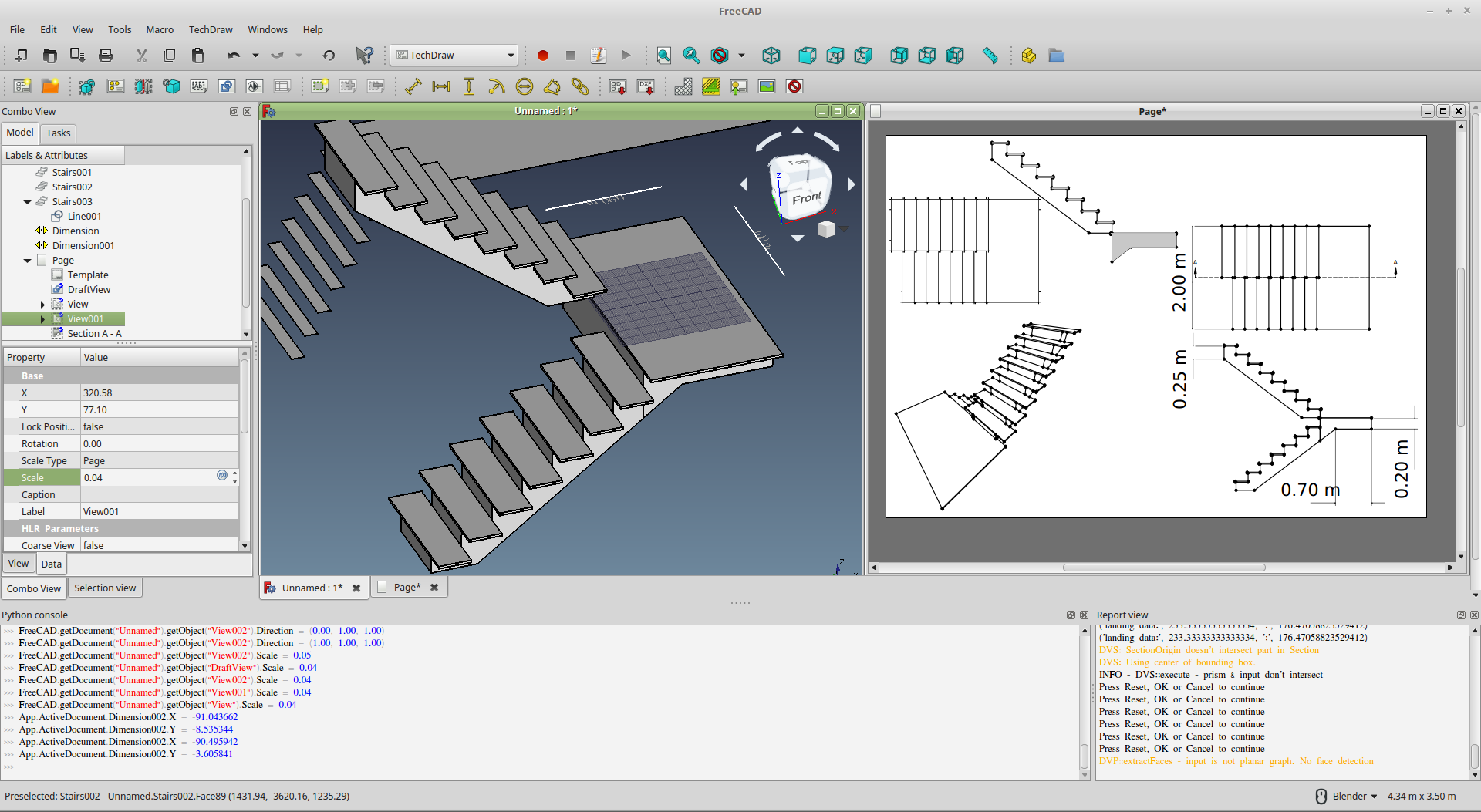
Got a bit carried away after my unsuccessful attempt to get the stair code working and decided to check out a bit of the latest in tech-draw. 
looking pretty cool the new way of putting drawings on a sheet. 

OK, hang on, I see the python report message… need some time this evening to investigate why this is it.
Before then, I think you can still ‘compose’ manually /test with the new features though it does not ‘automatically’ compose the full staircase.
- Create ‘in the air’ 3 Arch Stairs objects, by clicking the button 3 times.
- As I see you already have ‘Stairs’, Stair 007’, create just 1 more…
- In each of them, find Base property, and pick the 3 ‘edge’ object for each of them (so 3 Arch Object, each with 1 of the 3 ‘edge’ object
- In Stairs, you already have Line 001
- I don’t why but you have Nos of Step =0, set it to say 16, you will have steps now
- Then, set Structure to ‘Massive’, Struture Thickness to say '150, now you have the full ‘mass’
 (you may also try Tread Thickness…
- Then, set Structure to ‘Massive’, Struture Thickness to say '150, now you have the full ‘mass’
- For Stair007, you may now select DWire001 in the ‘Base’ Property for the ‘multi-edge’ 'Landing
- Now, you need to set similarly Structure to ‘Massive’, Struture Thickness to say '150 (not sure if need to set nos. of step = 1, I thought no but it seem it needs)
- You should have a landing (sit on ‘incorrect’ level’ though)
- Find 'Last Sgement in Stairs007, and select the ‘preceding segment’ i.e. ‘Stairs’ (in Window, it needs to force recompute, and you have the landing in ‘correct’ level.
- Repeat similarly for the ‘last’ ArchStairs…if you create the last one ‘in the air’, you should now select Line002…and the stairs alread there (since this does not frustrate the python code sequence I intend…), final touch select Stairs007 in this Object’s Last Segment
- Hopefully, you can have the full staircase now.
(Add another Stairs Object to ‘house the previous’ 3 is just an idea to further group the objects…)
BTW, exciting to see what it is produced on TechDraw 
Test_ ArchStairs_ code revision test_ regis_test_ rev.FCStd (223 KB)

Thanks I was able to follow some of the frew points but I get stuck here
for some reason this doesn’t generate or me
Test_ ArchStairs_ code revision test_ regis_test2.fcstd (244 KB)
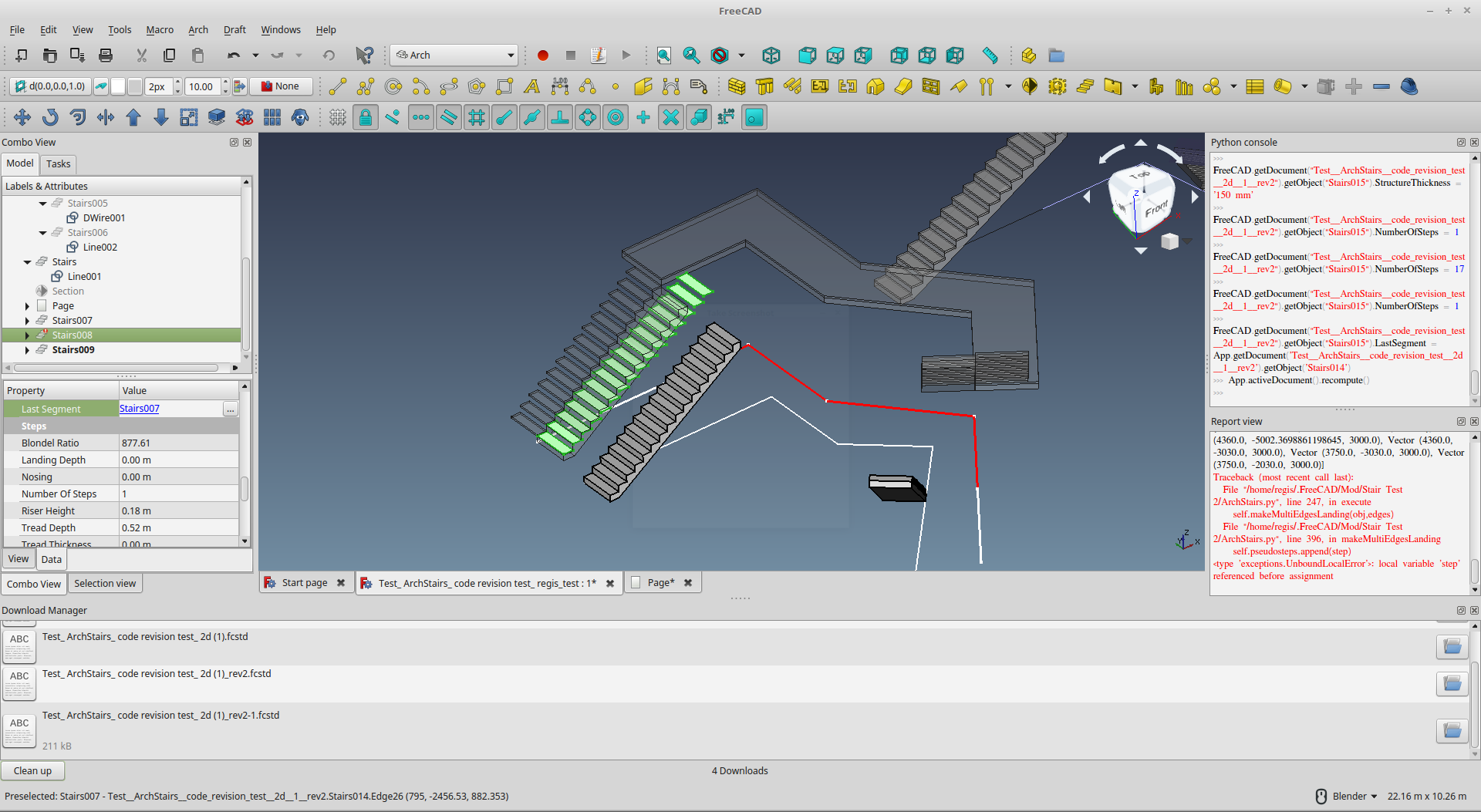
For this ‘manual’ method, I find the missing puzzle is need to set the supposedly ‘Landing’ object’s (Stair008) Flight property to ‘Straight’, otherwise currently it won’t generate - seem better ‘fix’ this as this attribute is not ‘meaningful’ in this ‘context’. EDIT: to let ‘Landing’ object (Stair008)to appear is just to let it ‘recompute’ - there should be something interrupted prevented it auto-recompute.
You have already the ‘Landing’ ‘Last Segment’ property set to last flight, so it pick up the elevation / z-coordinate.
What you need for the last bit is set the last flight ‘Stairs009’ ‘Last Segment’ to this intermediate landing (‘Stairs008’) and that’s it!
BTW, thinking why the python run differently on your pc/ FC from mine??? - I am still using the 0.17 AppImage (see details attached), I think you are on 0.18_pre right??? Can you post your version / about info?
Maybe need a mentor now…
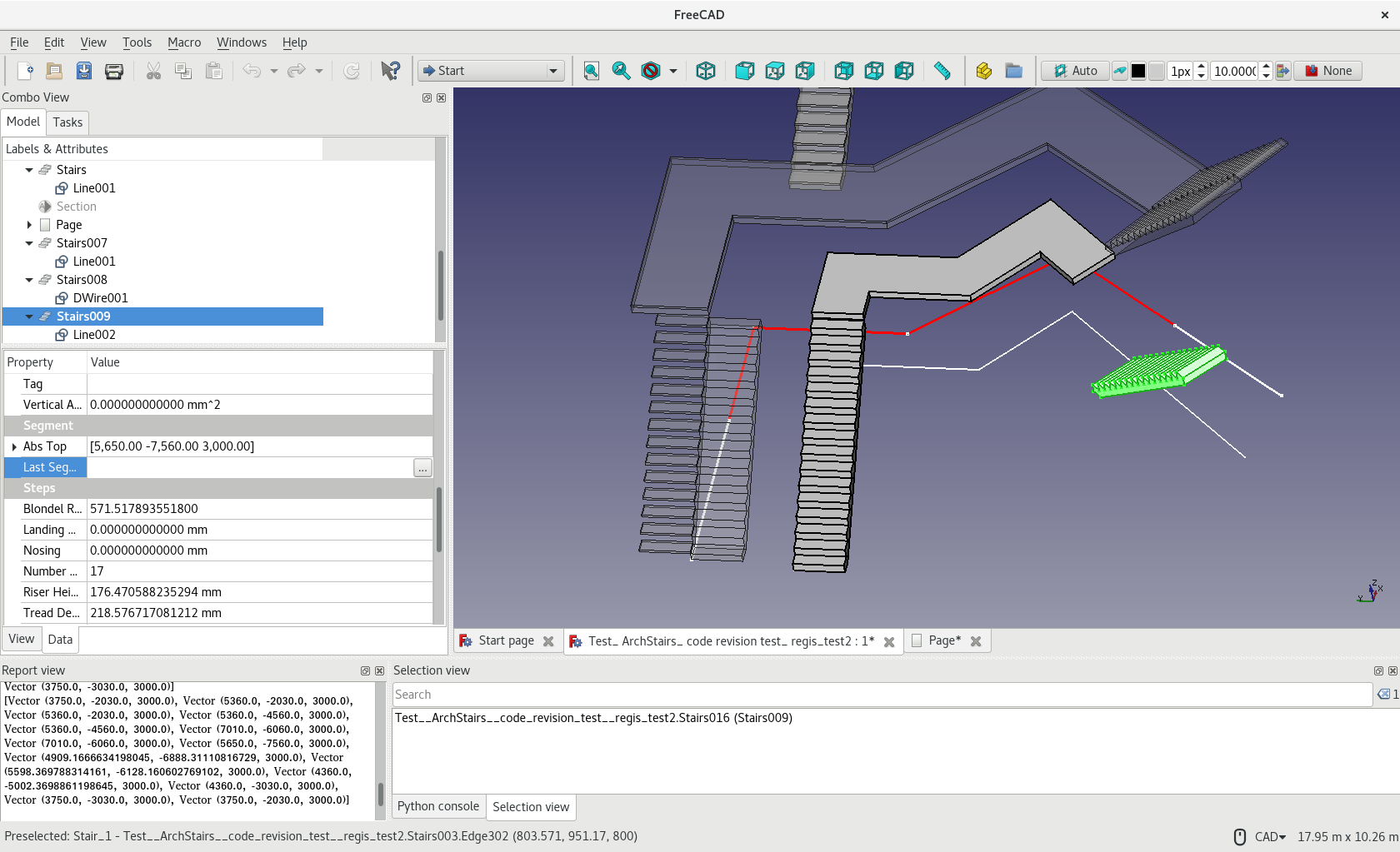
OS: “Fedora release 27 (Twenty Seven)”
Word size of OS: 64-bit
Word size of FreeCAD: 64-bit
Version: 0.17.13522 (Git)
Build type: None
Branch: releases/FreeCAD-0-17
Hash: 3bb5ff4e70c0c526f2d9dd69b1004155b2f527f2
Python version: 2.7.6
Qt version: 4.8.6
Coin version: 4.0.0a
OCC version: 7.2.0
Locale: English/HongKong (en_HK)
Test_ ArchStairs_ code revision test_ regis_test2_rev.fcstd (243 KB)
Fixed a problem - creating ArchStair with 1 base object no longer have error found in Report thus no need to recompute() to make it appear.
But still - creating a series of ArchStairs with > 1 (multiple) selection of base object no much clue why it fails on your side, normally here… 

Can you run with the ArchStairs.py below with 3 scenarios and capture Report output?-
- Select the Line001 (1 edge only) and run ArchStairs.py again - hopefully no more error as discussed above.
- Select the DWire001 (multiple-edges object) and run ArchStairs.py - the ‘Landing’ ‘should’ appear
- Select all the 3 objects you create and run ArchStairs.py again
Thanks!
EDIT: With an object having multiple edge, it will create a Landing now regardless of Nos.of Steps.
ArchStairs.py (40.7 KB)
Yes indeed you are right, I always like to mess with the Latest Free-cad builds when I decide to comb it down with testing parameters and features. How did you figure? Could that be associated to the problem of why It doesn’t work well on mine?
OS: Linux Mint 18.3 Sylvia
Word size of OS: 64-bit
Word size of FreeCAD: 64-bit
Version: 0.18.14014 (Git)
Build type: None
Branch: master
Hash: f0252c80c2f6408e9c64120c24b9de6091ec57fb
Python version: 2.7.6
Qt version: 4.8.6
Coin version: 4.0.0a
OCC version: 7.2.0
Locale: English/Canada (en_CA)
We all need one
Ok now acquired your latest code that is 41.7 kb in size, up from a previous 40.2 kb and 41.3 kb, making some progress

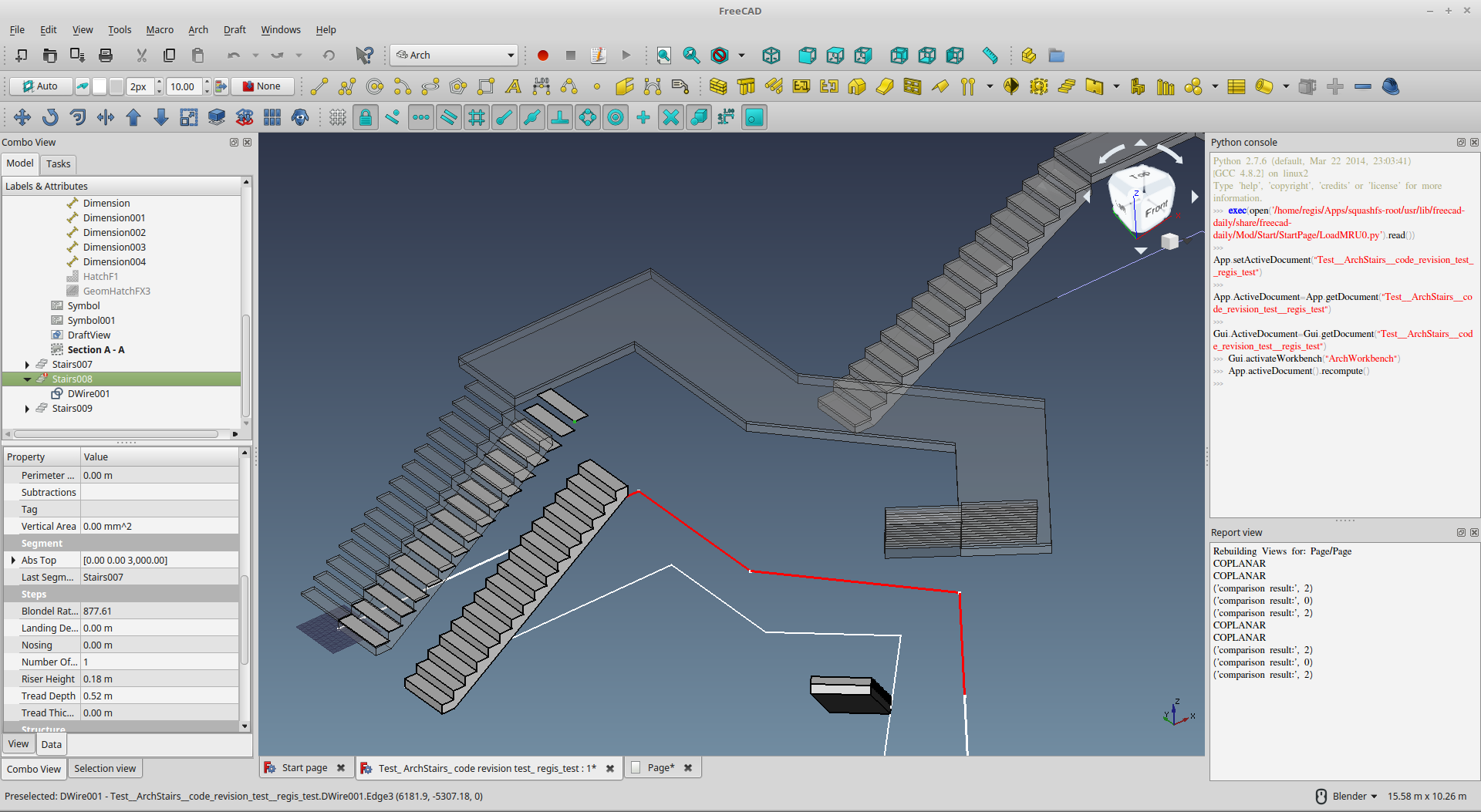

I was wondering, can you create the code in such a way that the multi edge landing will not be activated and we can manualy place it at it’s respective height?
I wonder if that could help lighten the code first make it work here, before repacking?
Yes for both, in fact manual always works … before discussion… for a while I do not have idea what go wrong thinking (same python for both of us…) whilst helping another solving the Arch Window problem… I suddenly have an idea which may be obvious but worth to test (I download the 0.18_pre AppImage, extracting it then have this idea  )…
)…
So 2 ideas, 1st like what you say the obvious - How to Run the Extracted AppImage, 2nd is Just Test the Simple Feature first
How to Run the Extracted AppImage
- The obvious - The AppImage should run double clicking it…BUT
- As you should have extracted it into folders and files, ESPECIALLY REPLACED a file therein…
- If you still run the AppImage file itself, the Original Arch Mod (+ Original ArchStairs.py) ‘inside’ the AppImage file itself is run
- INSTEAD, you should run the ‘AppRun’ inside the extracted folder ‘squashfs-root’
- This may explain why the python report output differently - I AM OUT OF IDEA IF NOT
- (I am thinking how to explain this ‘problem’ and write in the Python Scripting Macors)
Simple Feature First
- Ok, like what you says, test and make it works bit by bit
- I ‘added’ a few ‘features’, 1st I remember is ‘Landing Depth’ which control its depth / length as originally code only adopt the Stair Width
- Select a flight of Stairs I created in the file I post here… So, try this parameter…if this works, prove 2 things works
- a simple feature / some parts of the experimental ‘ArchStairs.py’ works
- also the FC /AppImage etc. setting are fine
- OK, set the Flight to ‘Straight’ which is most simple
- Landings to ‘At Center’ only this one works in original code I think
- You should have a landing, then Landing Depth should control its Depth / Length..
BTW, as Length is used somewhere, I use Depth which may not make sense to English Native speaker (similarly for ‘Return’ Stairs), do comment what terms should be…

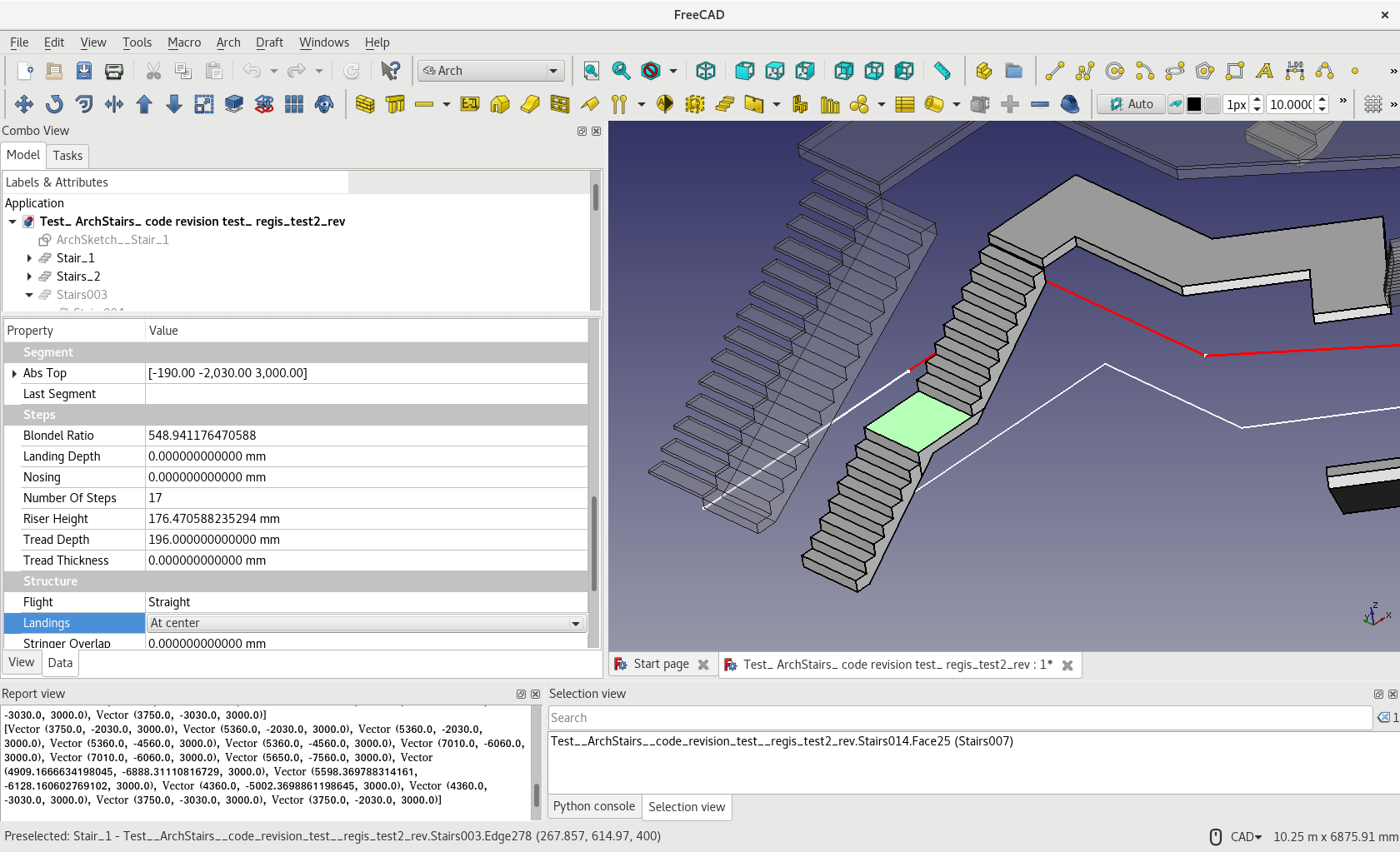
Thanks for showing me that i’m not in the wrong folder. I was beginning to wonder if there weren’t any .hidden folders somewhere.


Yeah with the normal stair tool it works
except, with the “draw a line → Push stair tool” it doesn’t generate
I thought that’s was what your method was suggesting?
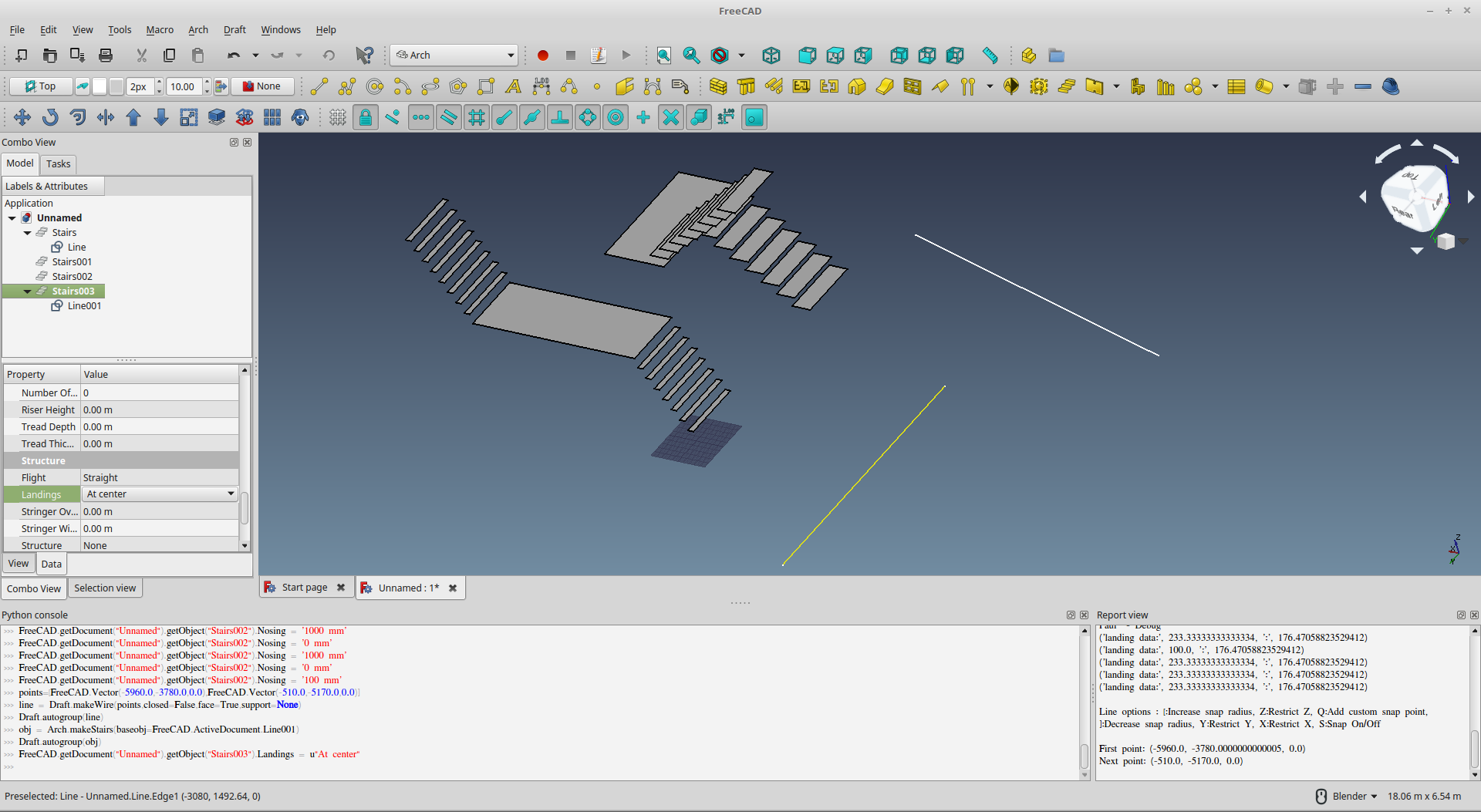
Haha, I just casually call it U-stair like U-turn, but according to D.K Ching, where I refer most of my nomenclature and basic fundamentals, it is called a “Half Return Stair”

Hehe a bit of nice perspective to appreciate the random, unplanned perspective yield of the stair enigma

Glad to know you had already figured out the AppRun - which I thought should be the root cause! 
Though glad to know the features are loaded. Only the 1st part of the code which automatically input parameters to set up each segment + link all segments fails…I should have another idea.
You can always tweak the properties in the Stairs Object to try all setting but need to set figure manually and correctly.
And thanks for D.K. Ching, study material loooong time ago! Then, I will keep Return Stair for short in the meantime.
And in the meantime, a glimpse on the progress on automatically generated railing…

good job guys! No time to test right now, but keeping an eye here…
I was playing with more of the simple stair settings available at the moment to discover what you can do. I’m pretty impressed at what is already currently possible. You can already do complex stairs of some sort.
Hi, the command should now add a simple railing on landing as experiment … on one side only 
(new ArchStairs.py attached)
That is, select a multi-edge object, click the button, there should be a landing + 1 railing.
Hi, see if you could offer some help on using Draft.MakeWire?
Basically, the experimental ArchStair use Draft.MakeWire on new OutlineLeft & OutlineRight attributes which include a series of vectors generated representing the path of railing …see below (hardcoded 90mm from edge 900mmH from landing)
For reasons I can’t figure out, it always return below for the ‘1st’ vector series -
- “Too many wires in the base shape. Unable to build the base path”
If I swap the sequence of OutlineLeft / OutlineRight ‘to Draft.makeWire’, the railing on the other ‘Hand’ side is created and the opposite side is not created then! I.E., there should be no problem on the vector series… no idea what’s wrong 
Thanks for any idea!
            lRailWire = Draft.makeWire(stair.OutlineLeft)
            rRailWire = Draft.makeWire(stair.OutlineRight)
            lRail = ArchPipe.makePipe(lRailWire,50)
            rRail = ArchPipe.makePipe(rRailWire,50)
Vectors
DEBUG - outlineP1P2, outlineP3P4, outline
[Vector (3750.0, -90.0, 3900.0), Vector (6160.0, -90.0, 3900.0), Vector (6160.0, -3032.8611542376734, 3900.0), Vector (8404.318303359612, -5696.499059728652, 3900.0), Vector (6674.949793716716, -8060.839990482926, 3900.0)]

[Vector (6013.099952389854, -7576.737948000551, 3900.0), Vector (7362.202356033304, -5732.285470158311, 3900.0), Vector (5340.0, -3332.262781736474, 3900.0), Vector (5340.0, -910.0, 3900.0), Vector (3750.0, -910.0, 3900.0)]

[Vector (3750.0, -90.0, 3900.0), Vector (6160.0, -90.0, 3900.0), Vector (6160.0, -3032.8611542376734, 3900.0), Vector (8404.318303359612, -5696.499059728652, 3900.0), Vector (6674.949793716716, -8060.839990482926, 3900.0), Vector (6013.099952389854, -7576.737948000551, 3900.0), Vector (7362.202356033304, -5732.285470158311, 3900.0), Vector (5340.0, -3332.262781736474, 3900.0), Vector (5340.0, -910.0, 3900.0), Vector (3750.0, -910.0, 3900.0), Vector (3750.0, -90.0, 3900.0)]

Too many wires in the base shape
Unable to build the base path
Only the Right Hand Side ! 

Or Only the Left Hand Side !!!

Hi, nice TechDraw output!
See if the railing feature works on your side. In fact, you may also try again selecting multiple object … I use ‘original’ Yorik’s method to ‘run’ FreeCAD command.
ArchStairs.py (45.7 KB)