Nice gradual development,
Just wondering how to follow this interesting progression from a code based angle.
It got me thinking, because this is a real challenge, even in the other programs i was so frustrated with the stair tool,
What if being a 1 step draw interactively, it can be a 2 or 3 steps interactive,
i.e, got one button for the stair flight, and another button click for the landing, etc?
that leaves the stair landing to only have horizontal properties of stair landings, meanwhile the stair flight will have it’s own properties independent of each other but complementary as in the “Grid, Axis, Axis system”, so both can just be added in the stair tool as one package.
Hi, thanks all. I am not sure I understand you completely…
In current experiment:
Can use an ArchStair Object for an ‘ordinary’ flight - with Step set to > 1
Then use another ArchStair Object for a landing - with Step set to ‘1’ (and other settings correct)
Now the landing if is based on a Wire, Lines, Sketch…of multiple edges, it adopted that edges to generate the full landing profile (with width etc. set of course)
Then, can have another ArchStair Object as another ‘ordinary’ flight…so on…
Then, with this series of ArchStair, the subsequent ones ‘point’ to the ‘previous’ one in ‘Last Segment’, the next one pick up the z-coordinate of the former one and they get ‘connected’ as a whole staircase
‘Final touch up’ is Use an ArchStair Object to ‘house’ all these ‘segment’ into one object like the example
With Addition properties, i think we can generate simple staircase ‘kerb’, ‘parapet’, ‘railing’ based on the original underlying wires, and also Arch Add into the ‘mother’ ArchStair Object - (I may have more complete idea in above post…?)
Oh yes, it seem it works like the Grid, Axis, Axis System - Staircase System, Stair (Flight/Landing), Stair Kerb, Stair Railing, Stair Parapet…
So, with this idea, other Arch Object may works similarly, so each ‘component’ is an ‘instance’ and could be fine-tuned… each
Anyway, I think the original ‘features’ should be checked and works as well together with the ‘new features’ before working more idea / experiment.
(Currently ‘new features’ like Landing Depth’ control, ‘Return’ profile control, ‘Last Segment’)
Then, make the 'command line ‘automate’ the above ‘steps’ to form these few parts (flight / landing / flight) rather than manually…
AGAIN, MAYBE SOMEONE ELSE CAPABLE CAN WORKS ON THE GUI ‘INTERACTIVE TOOL’
Oh nice, now that you’ve explained it with more details, I can see the steps indeed.
Yeah actually that’s not a bad approach to thinking “how to figure the stair tool”
It will retain a certain level of flexibility. How can I also test the code?
Thanks volunteer testing! You will find a lot of cases it hasn’t worked
Just download the latest version of ArchStairsXXX.py I attached in post above.
2 Alternatives I find:-
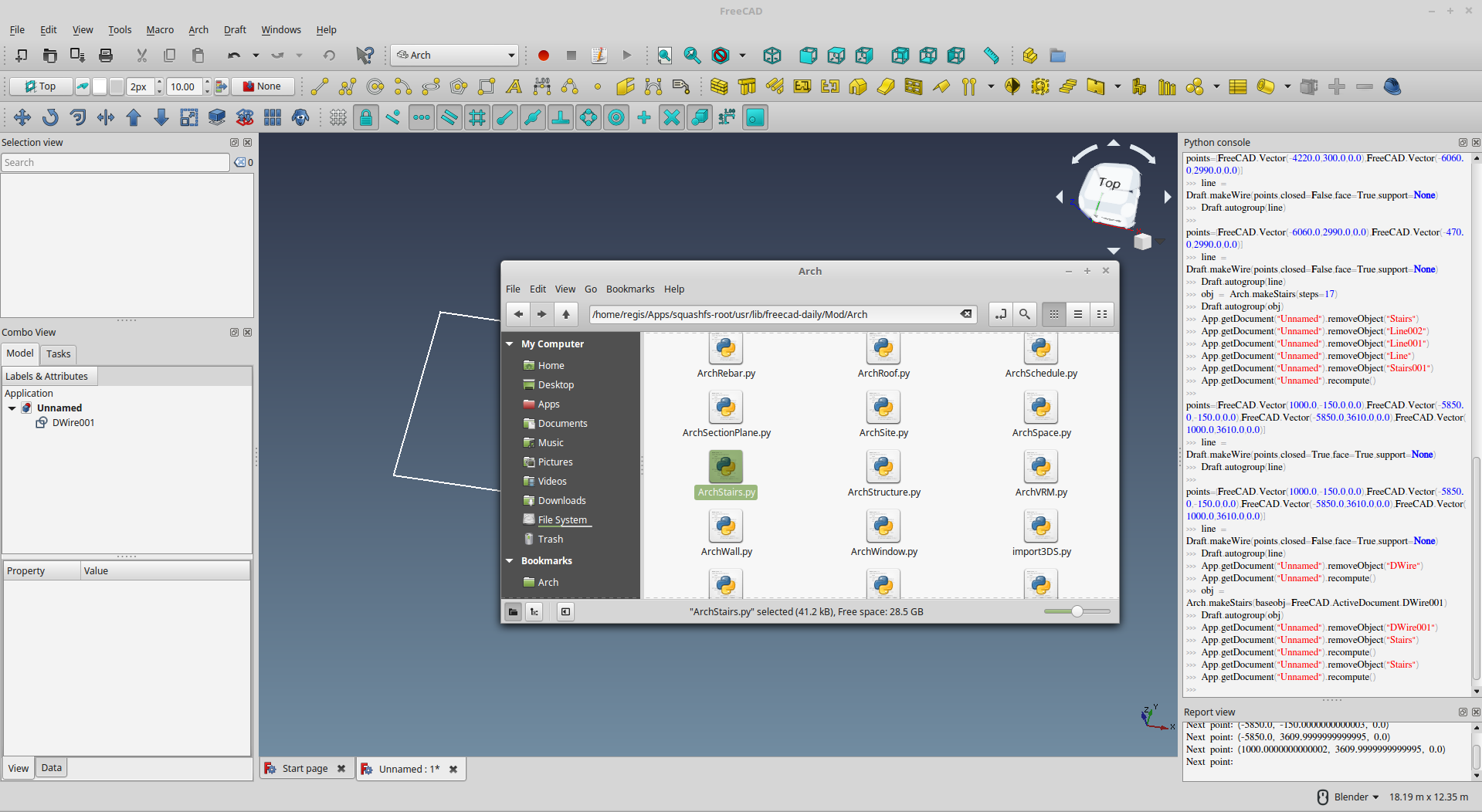
Back up the original ArchStairs.py in the …Mod/Arch folder in your installation and move my experiement (ArchStairs.py) there
Rename the original ArchStairs.py in the …Mod/Arch folder… to something else e.g. ArchStairs_BackUP.py. Move my ArchStairs.py to the Macro folder you assign.
So far tried but haven’t been successful, I follow the “Mod” directory from the freecad image app on my linux and follow your steps,
restart free-cad I still don’t see the macro. I’ll dig in some more how you plug and connect those macros and extra python code files.
OS: Linux Mint 18.3 Sylvia
Word size of OS: 64-bit
Word size of FreeCAD: 64-bit
Version: 0.18.13971 (Git) AppImage
Build type: None
Branch: master
Hash: 8e4dd8ca8496595d4718dc24c872f7ed668b2521
Python version: 2.7.6
Qt version: 4.8.6
Coin version: 4.0.0a
OCC version: 7.2.0
Locale: English/Canada (en_CA)
No, no need to find the ‘Macros’ - You just have replaced the original ArchStairs.py by the experimenting *.py…
So it works almost the same way as before - just click the Stairs Button and it produce the ‘new’ Stair Object. You will find the added Attributes / Features there.
In fact, if you open old files with existing Arch Stairs objects, the ‘new’ Attributes / Features are added also!
I am tweaking the ‘functions’ of the ArchStair button to automate a bit the steps I describe…
p.s.
Easier to search for the …/Mod/Arch folder where you should find the original ArchStairs.py (along with other Arch Objects python like ArchWall.py)
I think the reason I can’t find your .Mod folder is because I think it has something to do with the way that AppImages install. When the applicaion is running it creates a Temp folder somewhere and you can sort of access those like that but the moment the application closes to restart you loose what ever you were doing. So i’m still looking to how to install the AppImage so it creates it’s natural folders in the directory, or how to Unzip the App Image folder.
Wow you are making some impressive strides
Like the way you describe your points forms,
Makes a code illiterate like me sort have an a general idea what order makes the code possible
I don’t even get to this step, every trick I tried doesn’t seem to unpack this image app.
I followed your hints but still no yields thus far. Instead of unpacking it instead start freecad.
There is something I must be doing wrong somewhere.
I am not sure but it seem you rename the AppImage filename to include ‘–appimage-extract’…
Instead…
Open a Terminal (like Dos/Command Prompt you need to use simple text command)
cd /home/regis/Apps [Enter]- change directory to where it store the downloaded AppImage (the directory I note on your screencapture)
run following command - type in below and enter
(the filename you have currently seem have a space and ’ -appimage-extract’: better remove the latter part / use original download name
→ {the filename of the AppImage you have} --appimage-extract [Enter]
→ whole command should be something like below after your rename the file:
__ e.g. FreeCAD_0.18.14014.glibc2.17-x86_64.AppImage --appimage-extract [Enter]
…then you should have the AppImage extract all the files in your …/Apps directory
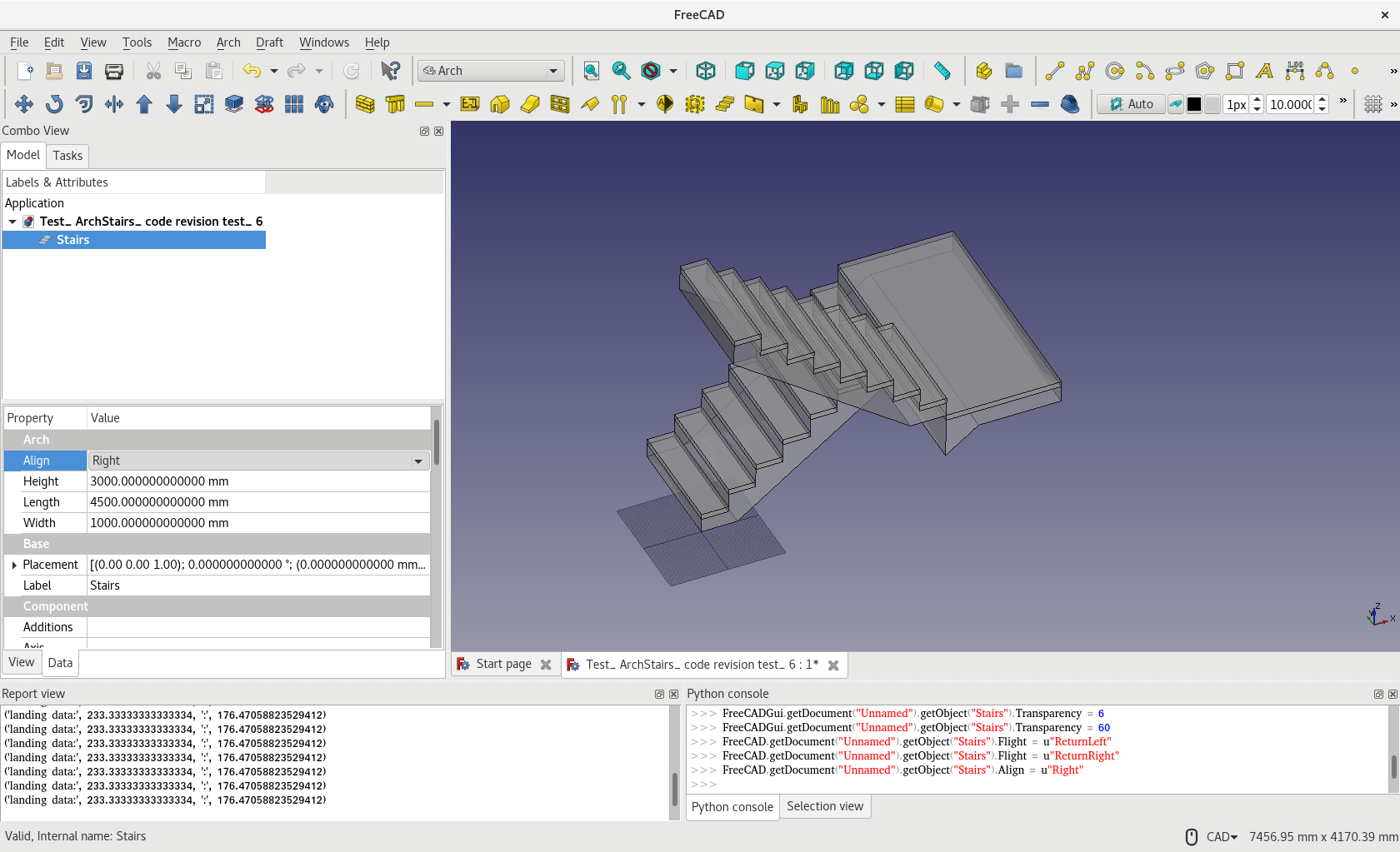
Now, the Massive Structure should respect ‘Align’ Attributes same as Tread already does.
Previously, when ‘Align’ was set to ‘Right’ e.g., the Tread shift in position but Massive Structure did not. Now, the Massive Structure and Tread would align against each other. ArchStairs.py (38.9 KB)
Flight attribute now have “Straight”, “ReturnLeft”, “ReturnRight” - found lastly added “Return” do not account for all cases…
Now, it works with Align attribute, for both all “Left”, “Right” and “Center”
Tread also works with Align + Flight attributes combinations
I think I am finishing ArchStairs and work on other else at the moment…
… do not have the courage + time to tweak the ‘connecting’ bit between landing and flight…
…but forgot control of the Tread and Riser dimension… which is originally my 2nd intention to tweak ArchStairs but just drop the ball…
Or try simple railing for more fun…? ArchStairs.py (40.3 KB)
Hehe after some good wrenching the nerves, and doing more mary go round internet search to find out why I still can’t figure what is meant to be obvious, the little detail I could not see all along was this “./” symbol.
Now I got it working, thanks a bunch for the tip.
I did replace the Archstair.py
Ok the original python archstair file is 25kb, yours is 41.2kb. You did quite some work/adding
Except I musn’t be doing something right as I couldn’t get a replicate of your stairs.
Long probably due to inefficiency in codes unnecessary repetition, and I insert lots of remarks to remind what I understand or does not understand Yorik’s code, remarks on my own additions…
Use the latest ArchStairs.py otherwise, ‘feature’ selecting a numbers of objects at one times to produce a Stairs was not available yet a few ‘version’ earlier.
If you share your file, may better understand what happens…before then, guessing what may have happened to you and maybe there is some ‘secret’ steps / requirements that I should have explained … (or further tweak the code to avoid…?)
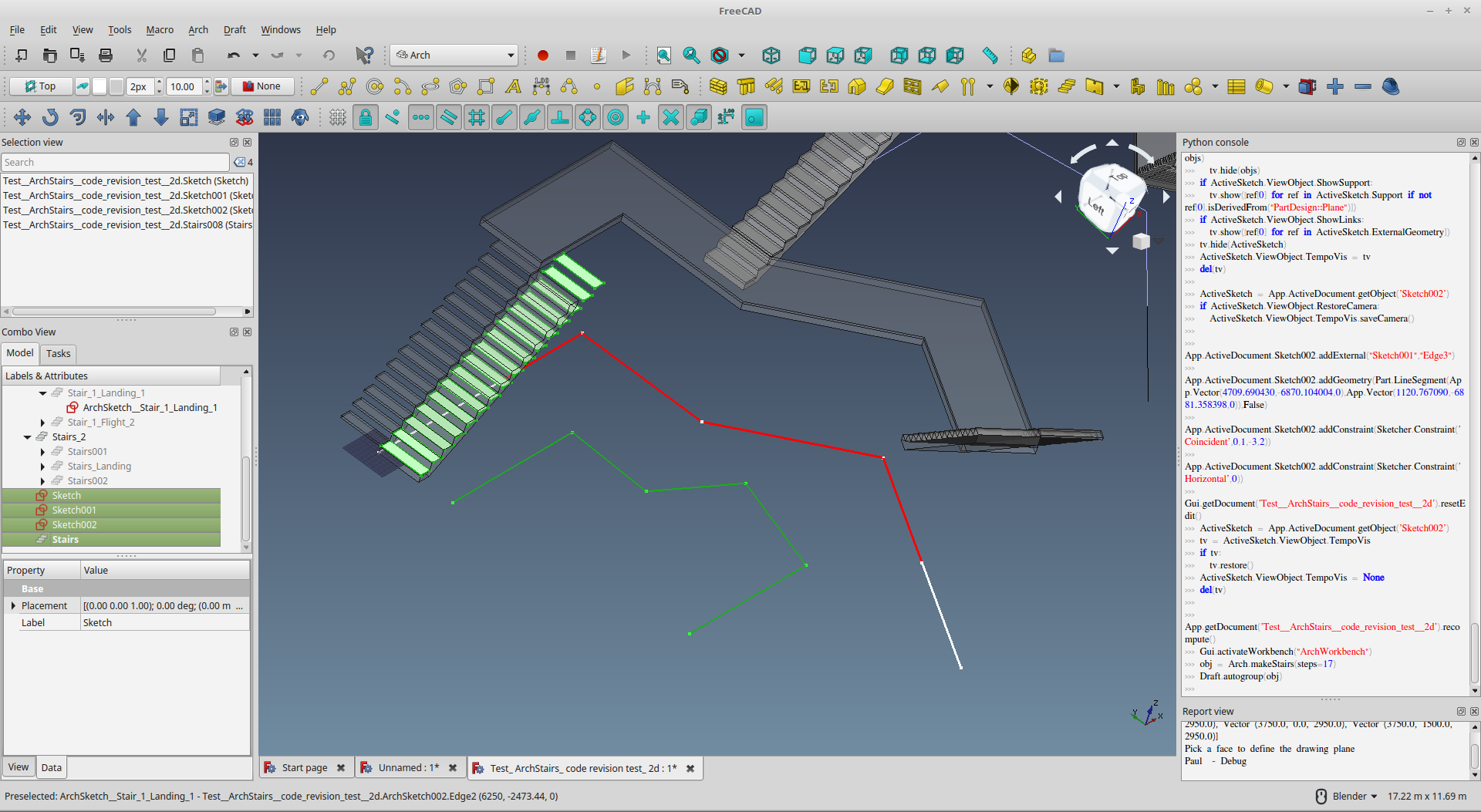
For the ‘3-segment’ staircases I produced in the example file:_
It is ‘created’ from 3 underlying objects, say the Edge, DWire, and Line objects
Press CONTROL to select these 3 objects ALL at one times, then Press ArchStairs Button
BTW, the ‘2nd’ object is one with multiple edges, just pick any edge will do - DO NOT SELECT every edges, it will produce a numbers of landing.