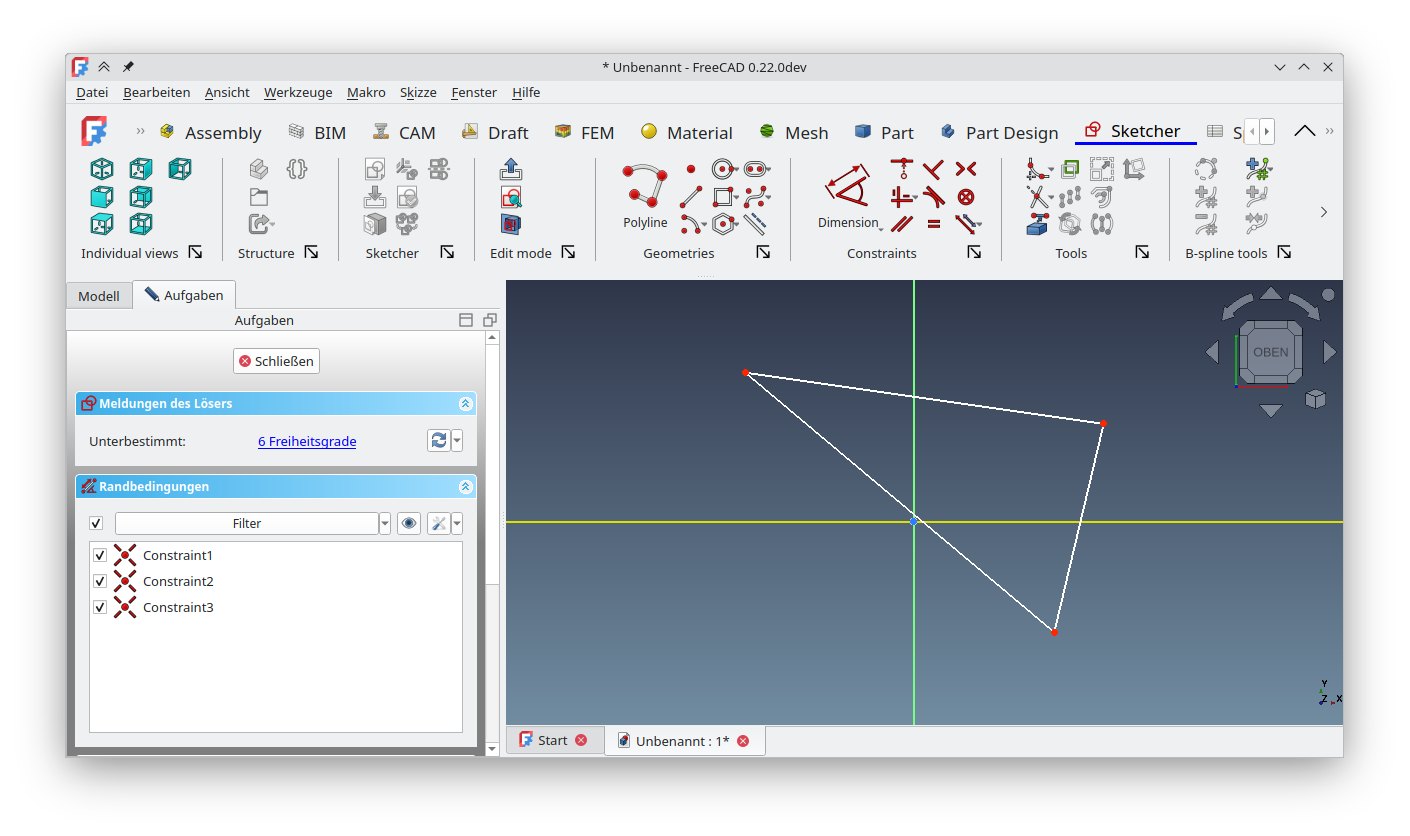
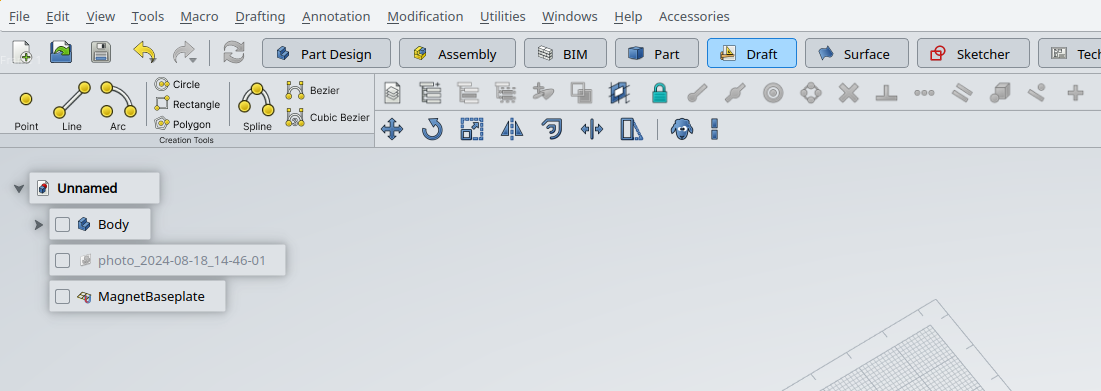
it would be best if this one can be applied as an addon in freecad 1.0, it’s not working on 0.21.2 but i don’t know about you guys. If some of you guys have this one worked, please provide me the step by step solution.
One could make a paid addon for this, like I know it’s really controversy. But having a free version that is broken isn’t helping anyone. Also Freecad works just fine without it so I have no issues with this being a paid addon by some external dev.
I am not going to do this because I suck at coding.
We are going to get paid addons anyway just a matter of time.
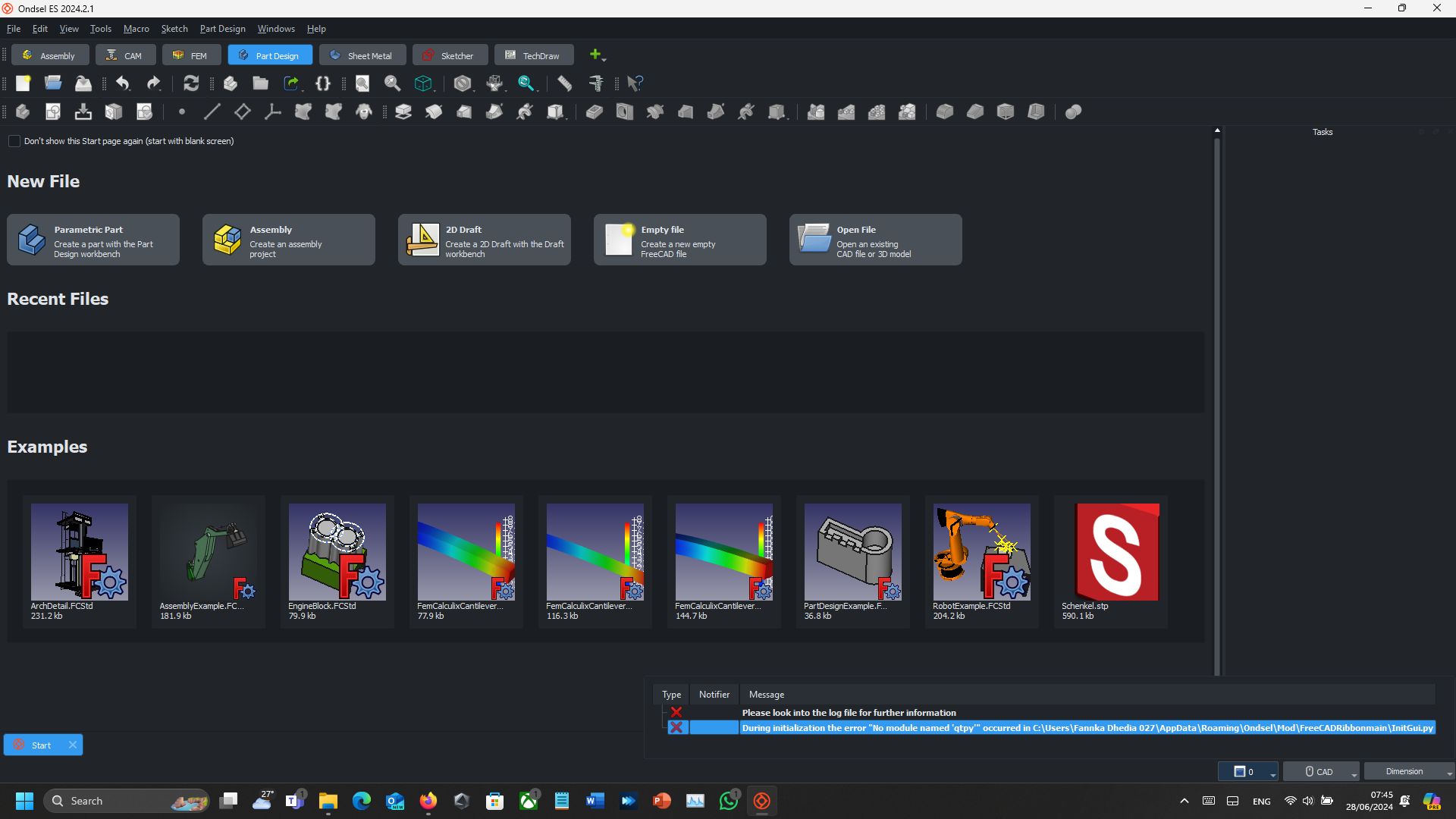
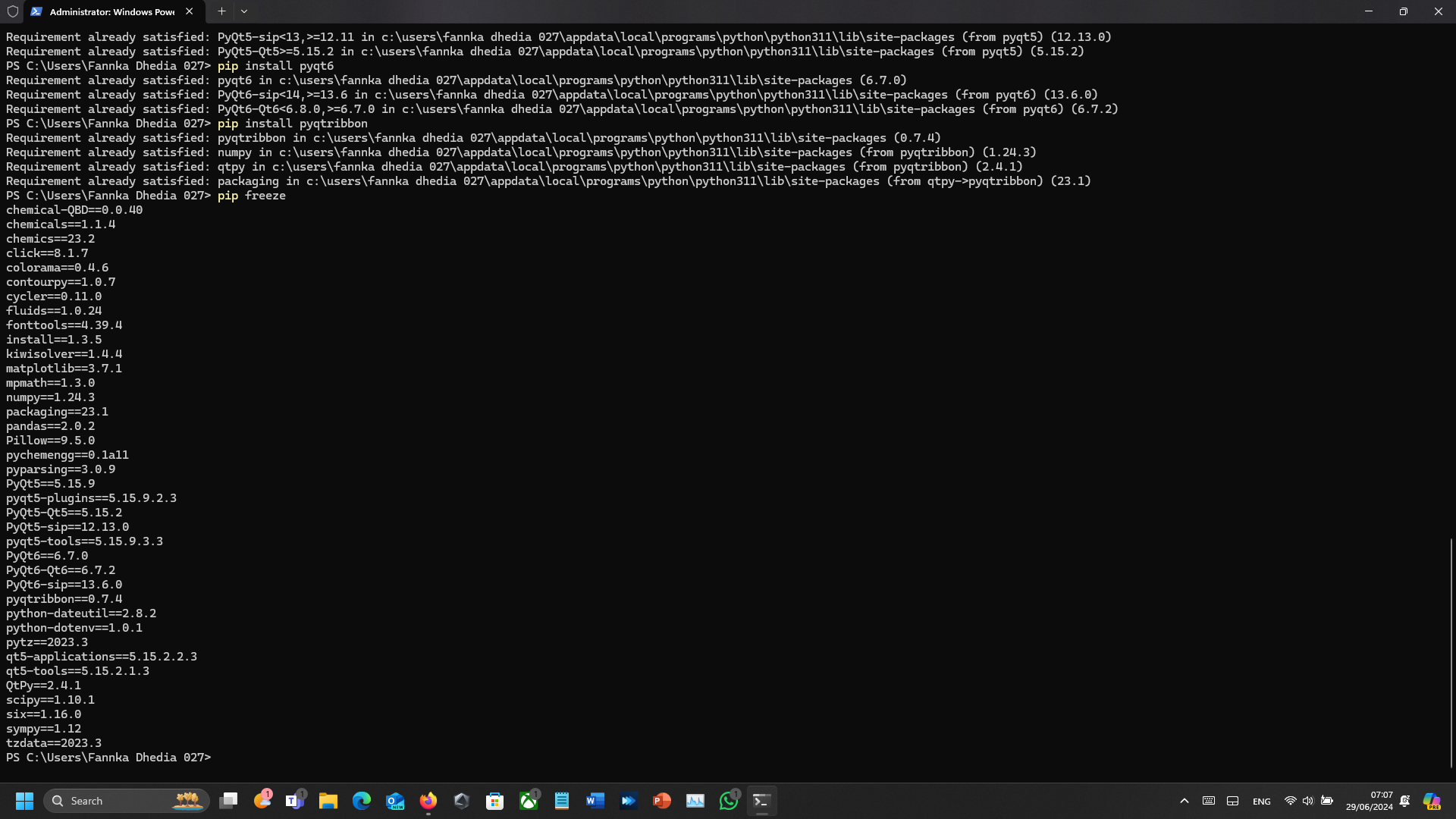
Recently i’m giving another shot for Ribbon Tab in Ondsel but it’s not working, look at the error and tell me what did i miss so i can checked it again
Hey guys,
sorry for the long silence, I was (and are) quite busy during the last few months. I made some changes and the ribbon should work again on the latest weekly build, so I hope it is prepared for 1.0. And the issues with qtpy should be resolved too.
I didn’t had the time to re-create the large icons so they look fine again, maybe I have some time next days (or maybe someone can do it and make a pull request )
I haven’t invested much time into a great order of the tools in the bar, but feel free to change that in RibbonStructure.json (and maybe even contribute that).
I want to suggest a few enhancements, that could make this ribbon menu more customizable.
if the author finds some of them useful and can incorporate them, it would be great. Hopefully, this ribbon will become a part of the main FreeCAD either as a default choice or at least as an option.
Let the user change the panel settings on the tab with the right-click menu. E.g. make the icon big, make the icon small, show text for the icon, create a custom group, move the command to the group, hide the command in auxiliary panel, promote command to the main pannel, move up in the group, move down in a group, etc.
Custom groups: Let the user make custom groups within the panel. E.g. Individual views. When the user does not want to see all the options, he can group them under a custom group. The default icon will be the first command added to the group and it can be either a big or small icon with the down arrow, where the user can expand other commands within the same group. The Icon shown in the main panel will be the last used icon (instead of showing always the default one) and it will be clickable, so when I have a vertical dimension icon selected as my last command within the dimension group, the main icon for the group will be vertical dimension and it can be clicked directly without the need to expand the drop-down.
Auxiliary panel. This idea is from Autodesk products. When you have some commands that you rarely/never use, you can hide them in the auxiliary panel. There is a down arrow under each panel, which expands the auxiliary panel. See the auxiliary panel under the modify button on the image from AutoCAD below.
Ability to hide the whole panel if there are no commands, that are used by the user.
Ability to promote a command from the default group into the main panel. E.g. the user commonly uses the constrain radius command from the sketches dimension group. He can promote that command to the main panel so that he can access it with fewer clicks.
I know that this ribbon UI add-on is created voluntarily, but I wanted to contribute some ideas, that could make it even better.
There is an initiative within the Design Working Group to study how a ribbon UI could be implemented in FreeCAD. There is no start date at the moment. It is likely to begin shortly after the 1.0 release. kadet proposed himself to work on it at the time it was discussed when Reqrefusion brought the subject. There is no guarantee of any kind though.
kadet said that he would prepare a grant proposal for this and that such a proposal would be possible after 1.0, but the first prototype would only take 2-3 weeks of work. You can look at the relevant history on Discord. My personal opinion is an interface that is more in line with design rules, rather than an obvious design like ribbon.
I didn’t want to give too much details because kadet hasn’t started yet afaik. He said that he wanted to start small with allowing toolbars spanning on several rows. It may not end up a being a classic ribbon interface, but for most people—myself included—it’s going to be close enough, and inevitably called a ribbon.
Indeed I have not started yet - there are more important things to sort right now. Good thing is that some of the prerequisites are already been done. The whole stuff around putting the toolbars in the menubar and/or statusbar lays grounds for implementation of stuff like this. Heck, we now even have our own custom toolbar class so it is way easier to extend and provide custom functions to toolbars. It still requires a lot of thinking and for me it basically means processing it in background for longer time. I won’t however post any serious proposal until I have some proof of concept done.
But to explain the general idea here. It is based on two assumptions:
We need something that gives us design flexibility of ribbon ui
We need something that works with current toolbars as we won’t be able to rework everything
The observation is that the sole thing that brings benefits of ribbon is that the action groups (which are basically toolbars) are higher and so can contain more variety of button sizes, labels etc. Thanks to that we can have big buttons for important stuff, smaller buttons with labels for less important stuff, grids of icons for stuff that is self explanatory etc. However with great power comes great responsibility - we will have more options but we will have to use it wisely. There is no way to provide automagically a good ribbon style UI based solely on what we have now - basically everything will have to be designed and not put randomly.
So if we somehow implement solution that allows us to create toolbars spanning across two rows and with custom layout we basically can have something that brings all of benefits of ribbons while still being backwards compatible. Workbenches that will provide two-row layouts for toolbars will be able to have ribbon-like experience, while for all others it will stay the same. This will allow us to transition smoothly and keep the old UI for those who like it. We may be even able to utilize some parts of existing libraries (that said - we will have to put them in-tree them in to have full control over the code) to ease the job.
What remains to be done:
Figure out how to implement toolbar rowspan in Qt
Find most edge cases and describe them
Implement layouts for all builtin toolbars
While I think that the first point is mostly for me (however if anyone wants to give it a go - please do it) help will be certainly needed for the later ones.
Nonetheless, concept for interoperability between ribbon and old toolbars looks something like this (only example, actions were chosen randomly). Notice that some of the stuff like tab bar for selecting workbench is already present.
Thanks kadet for your detailed message. I agree with you on every point. The mockup looks, there are only 3 comments I can make about it:
Buttons should have a label just for the ribbon, and it could even be necessary to have several if the same action is present in different places (e.g. new sketch). The ones currently defined can be unfit to a ribbon interface while still being perfectly good in standard toolbars or menus. Sometimes the label isn’t even needed.
Ribbon icons are limited to two sizes: the big one and the small one. Your mockup show 3: the big one, a smaller one for two-row groups, and the smallest one for 3-row groups. It’s quite minor but it would help for icon design.
Big icons feel like upscaled toolbar icons. They are, of course, but it doesn’t look good. It means that either all actions should have several icon sizes that can have different levels of details (hence the advantage of keeping only two sizes). IIRC obelisk79 wants to work on an updated icon theme, or at least guidelines to design new icons so he will most certainly take this into account.
I and the other DWG members are looking forward your first implementation draft.
Buttons should have a label just for the ribbon, and it could even be necessary to have several if the same action is present in different places (e.g. new sketch). The ones currently defined can be unfit to a ribbon interface while still being perfectly good in standard toolbars or menus. Sometimes the label isn’t even needed.
Ribbon icons are limited to two sizes: the big one and the small one. Your mockup show 3: the big one, a smaller one for two-row groups, and the smallest one for 3-row groups. It’s quite minor but it would help for icon design.
Big icons feel like upscaled toolbar icons. They are, of course, but it doesn’t look good. It means that either all actions should have several icon sizes that can have different levels of details (hence the advantage of keeping only two sizes). IIRC @obelisk79 wants to work on an updated icon theme, or at least guidelines to design new icons so he will most certainly take this into account.
Came to comment about labels not always being necessary and realized you already noted that. I agree with you on these points.
As icons are scalable vectors, this shouldn’t be a concern. I think we should entertain the idea of 3 sizes of buttons in the ribbon, even if eventually we ultimately design them for only 2. I think there are reasonable arguments in both directions.
Establishing art guidelines that specify a larger icon size would potentially resolve this. But honestly just better icon styling would render this irrelevant. Regarding new icons, I’d rather work on establishing high fidelity art guidelines that are relatively easy to follow with a repeatable style so it doesn’t fall on one or two people to create all of the icons which is a monstrous task.
My opinion: Implement a ribbon style interface that just works, I don’t think considerations for a hybrid approach should be made. Develop it in a sync’d but separate development branch and enable the Ribbon toolbar design to be easily constructed/manipulated via json or some other easy to read/understand text format. We spend time going through workbenches/addons and establish designs for each. Once relatively complete, it could be merged into the main development branch as a preference to get more thorough testing, feedback and tweaks. Being defined in a text format makes contributions to maintain ribbon bars for addons simple for unskilled contributors to help keep things up to date.
 )