[Discussion] A different approach to Arch modelling (Arch Assembly?)

Well, yes there is a de-facto dependency, but what’s the problem with this? If you delete the second wall, the first wall will just stay like it is, unless you force it to recompute it’s shape. Can you explain more this point?

And 2) A wall geometry would not be self-contained anymore. It would depend on another external to have its shape calculated. What if a user deletes the solver object? What if for any case it goes wrong? It could screw a lot of things. I really think that a wall should calculate its geometry itself, alone.

I got your point, I did this to avoid circular dependency, but if we use object names (App::PropertyString) istead of App::PropertyLink, this would be not necessary anymore. And yes, deleting the solver is an awkward perspective. So let’s go with App::PropertyString!

I’m thinking we could really implement your idea inside the Wall object.

:astonished: :astonished: :smiley: Very happy to hear that, but also a bit worried I’m able to finish it :confused: :confused: :confused: Let’s see!


what would you think of this:

  1. The wall object gains a PropertyStringList that holds the names of other walls this one should connect with
  2. For example, if Wall1 holds the name of Wall2, Wall1 is trimmed to Wall2 but Wall2 is not modified. If both Wall1 has Wall2 and Wall2 has Wall1, then it’s a corner case (both walls get trimmed to join)
  3. A function that tells the wall in which case we are above
  4. The wall object contains all the code to perform the trim
  5. The wall notifies all other walls that are in its PropertyStringList in case its shape changes

As for:
1 and 2) 90% agree, that’s exactly what I had in mind, but I’m not sure yet this can handle all usecases (but we’ll see when implementing it);
3,4,5) 100% agree.

I think we should also implement some basic methods in the wall object:

  • get_base_point —> returns the center point of the wall
  • get_core_axis —> returning a Part shape of the axis (Part.Line, Part.Arc, etc. )
  • get_wall_axis
  • get_inner_core
  • get_outer_core
  • get_outer_layer
  • get_inner_layer
  • and some more… what I think is that, in the usecase of the wedgewall, the functions could be forwarded to the BaseGeometry object, that will return the correct value to the wall… (but this could be performed also with a wall based on a sketch of course)..

Yes, I can understand this. But I think that’s good, because the graph will become a mess… we could eventually build our own wall joining graph in the future… And I don’t see any other option at the moment if we want to be the wall the actor who performs the joining operation.

Anyway, though my approach use Sketch which tackle many edges in one go, I had been thinking to treat the Junctions condition when calculating the baseplate profile for the Wall. So I hope if there is some mathematics codes could be shared here > :slight_smile:

Oh, I didn’t know that. For sure there will be!
Also, I was thinking a bit about the approach of integrating archsketch into this new prototype… but thoughts are not enough mature to share. :slight_smile:

Other different approach directly from a commercial BIM parametric software. Most other software woork similary. One is worth the other
The important things are:

  • the walls never are merged together, they always reman an indipendet walls and you can modify it
  • when a wall graft other wall, there are never a line of intersection
  • when an intersection continue behond a wall, the new wall will be split in two indipendent parts
  • the snap tools and guide lines are always active, in 2D or 3D drawing
    @paullee
    @yorik
    @carlopav
    @Renato
    example-min.gif

I think this point is really interesting: it’s not something common in many softwares, and I was not aware of any software having this approach, but actually this was exactly how I was thinking to solve the 2 intersecting walls problem without having to join the walls. :laughing:

good catch, thanks for pointing it out!

Almost, except when an intersection cut across another wall, it will not be split into independent parts :slight_smile:

But more, with Sketch, one can add / edit the layout by build-in Constraints and automatically update by its Solver :smiley:

https://youtu.be/uhf5TH3WKAc

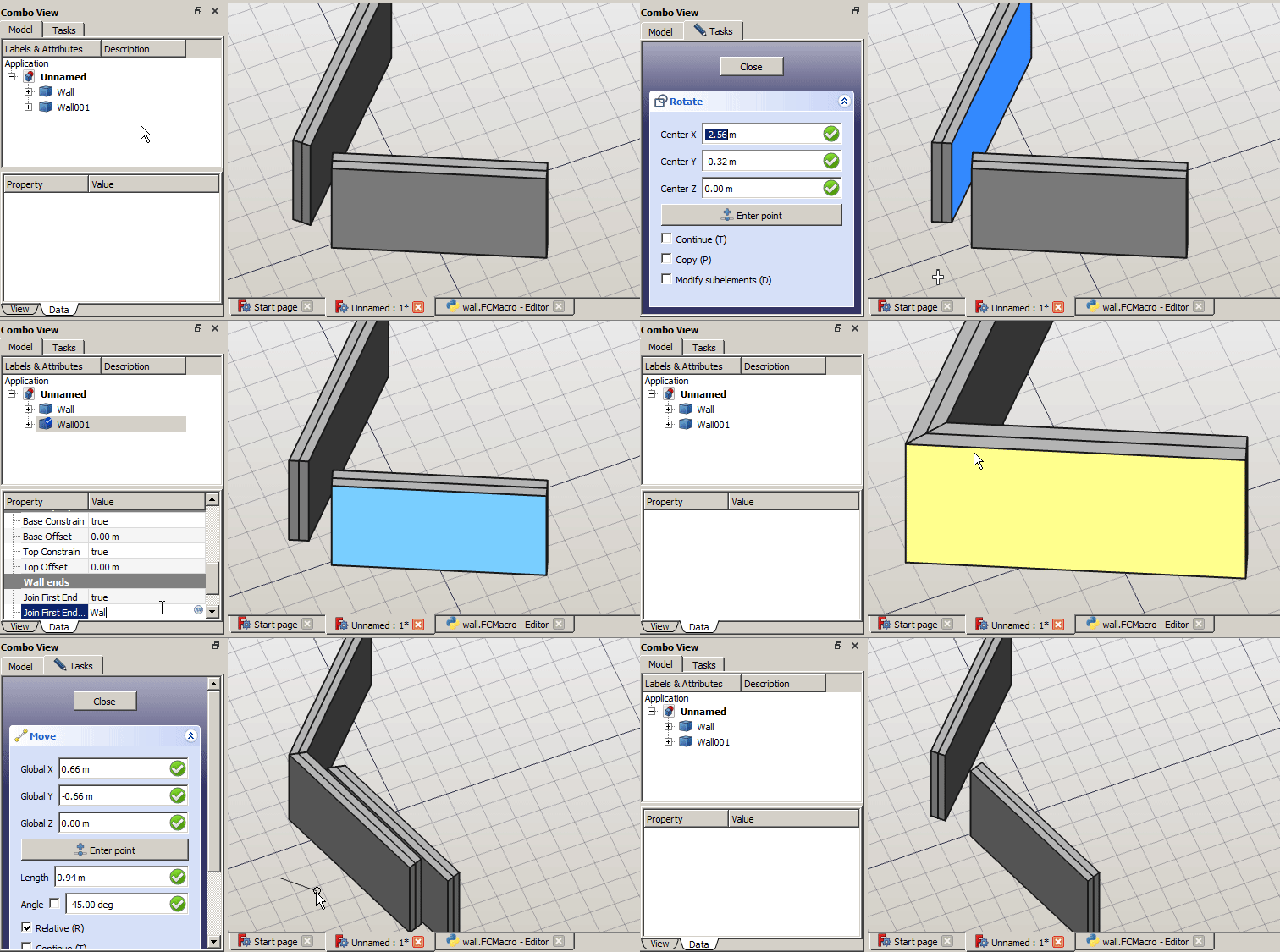
Today update. I’m having much fun with this little toy! It looks bad, but the signal system works quite good!
The ends are updated both if the wall is moved and also if the other name field is changed! And no additional objects at all :slight_smile:
We have also 2 switches to prevent wall end from joining… maybe they are just unuseful?

Ljoint signals.gif
wall.FCMacro (18.8 KB)

And Placing + Aligning a Window to Intersection of Wall

should be done with a few clicks

https://youtu.be/FWJ484S3e4M

Interesting :smiley:

1st question, how do the attribute identify when end of wall to ‘join’ ?

I was thinking: if we can make and App::Link (exactly a Sublink) of every sketch segment -and YES we can! - we can also build one wall segment for every sketch segment.
The complicated part is that is the whole Wall container that should be linked to the sketch segment, but I do not feel it’s something impossible.
So we will be able insert windows in every wall segment without any problem :smiley:
And also giving different width, or multimaterial, or different heights to every segment could be really simple in this way.
But before that we need to make the object i’m experimenting work at least decently :unamused:

p.s.

I am lazy to do the mathematics so for each Wall Segment created with the Sketch, I just Fuse them :laughing:

Yes ! Even w/o complication of App:Link, just with @abdullah’s Part Geometry Extension… long story.

BTW, may have a look at this mini-demonstration https://forum.freecadweb.org/viewtopic.php?f=23&t=44734&start=20#p385618

I was speaking about App::Link because my goal is that the wall always contain all the objects that it refer to, as real object or as Link to them. I think this helps the user to have it all clear and in-place.

1st question, how do the attribute identify when end of wall to ‘join’ ?

Check out the macro code, it’s the method Wall.guess_join_type(obj, target)

OK, but, have you solved the independent setting of the align and width for each wall?

Well done @paullee :smiley:
logically, this your interesting idea when integrated in FG can be added to the standard command of the windows tool? I mean that should be appropriate avoid a lot of click and setting. The dreem would be thath when I put a windows at wall all your constraint will be automatic activated.
Sorry my ignorance in programming field :unamused:

Now they work ok and they also return back to 90deg ends when emptying the joinTo fields!

update.gif
wall.FCMacro (19.3 KB)

I was thinking at other different approach to resolve the problem of union of multiple walls with different width or different alignment.
So, we know that the walls union work nice if they are on the same sketch but in this case we can’t modific width and allignment singly. Morever, if we draw the wall on different sketchs we can modific width and allignment but at intersection we’ll have displeasing lines.
But if we could able to use the constraints betwen different sketchs? Try to explain me better.
We could draw the walls - 30cm width in the sketch A and the walls - 50cm width on the sketch B. Inside of each sketch we’ll use the constrains togheter the walls with the same feautures BUT we’ll use just one o more constrains to connect the two groups at the specifich points; point to point, point to tangent, etc. from sketch A to sketch B

Is it too hard develop this feature? can this approac resolve the problem?

If YES you can reply this message … if NO this message will be destroyed in 10 secons … 9 … 8 … 7 … :laughing: :laughing: :laughing:

I am not sure if this can be done for the real programmers here. But somehow this can be done in different way.

  • Currently ArchWall already let you to alter each edges Align / Width - w/o the SketchObjectPython implementation (there are a few youtube video captures)
  • Or, You make a ‘Master Sketch’, so you have every constraints you need.
  • Then, the ‘classic’ way is to do another (dependent) Sketch(es) and only link to the edges there by Link to External Geometry as you want - this is subject to toponaming problem as you would expect
  • Another way I implemented is Link to the edges by the ‘Tag’ (clumsy in implementation) / Abdullah’s Part Geometry Extension (not yet implemented)
  • Then you can build the Wall on this / these dependent Sketch(es)
  • The very latest idea is just let ArchWall optionally select the edges of Sketch one would like it to build on (not implemented yet)

It seems this thread raise a numbers of ideas, hope a few approach would be agreed and get implemented for betterment of the WB :smiley:

This is the purpouse of the topic, but we have to bring it to the end!
I’m actually working on joining walls with different width, the algo is almost finished, but i still have some wrong joints related to the use of math.asin()… let’s see!

Here is my quarantine easter egg!
If everyone wants to try the macro and report back possible cases where joinings do not work, this will be appreciated! Edit: hmm quite found a lot of bugs, or bunnies? Uploaded the new macro file.
Anyway @Yorik, what do you think?

muri.gif
wall.FCMacro (29.8 KB)

I realy like it. It looks like a Smart BIM modeler.
Also. It makes a lot of sense if you create this link among walls. Therefore, you can do a lot of edition in a wall (like moving or changing the thickness) and the program just update the changes to the link. That is good.
Here, take my two cents.

Thanks bitacovir,

Absolutely! Even if what I like more with this approach is that everything is exposed to the user: the base geometry, the openings, the windows etc… We could even add a property to associate a sketch profile of the elevation of the wall and use it to perform a boolean intersection with the base geometry to obtain a variable height wall.