The beam mode is now fixed in master as of 60fae525b
The weird UI separation in the BIM workbench I did a few months ago didn’t seem to raise much enthusiasm  and indeed I think it was more confusing than anything else… So now I switched back to something more classical with 3 main areas:
- 2D drafting
- 3D modeling
- Modification
I think this is actually way better…

Also, you’ll notice several new tools there: Structure has been split between Column, beam and slab, and Window between door and window.
This is still the same tool, only it starts in a different mode and with different presets. Same as the move and copy tools.
In Arch, everything still stays the way it was.
It’s funny, because even being myself a power-user, I like having a different button for beam and column. It’s one click less, after all…
There were some underlying changes needed for this in Arch too, so you need a bleeding edge of FreeCAD for these new tools to work in BIM. Otherwise, they will all do the same thing…
Also: the BIM workbench is now fully translatable. The file is on crowdin!
http://www.nooooooooooooooo.com/

Just kidding… Let’s see how it works.
Power users like you won’t need the BIM WB anyway
But it’s not really a change in your workflow. The column tool starts exactly like the generic Structure tool. The beam tool is the same tool but already starts in beam mode, and the slab tool simply lets you pick an existing 2D object and extrudes it by 20cm (I’ll add a control later to choose a different thickness)
But have a try, I wouldn’t have believed it myself but I kind of like it actually…
I really like that now you have doors and windows as separated objects, as well as columns, slabs and beams. In some other BIM softwares, you do have that, but sometimes you can’t make a quantity schedule that contains these different objects together, which means that you would have, for instance, a quantity schedule for doors and another for windows. That doesn’t make much sense in my opinion, because in the real world the company that produces your doors and windows is many times the same, so you want all this info together in a quantity sheet but separated in your BIM model. It’s all about flexibility and FreeCAD has a lot of that. That being said, if you can have these objects as separate ones, like you have now, but with the possibility to have them together, for instance, in a quantity schedule (or material take-off, I don’t know the exact term in English) I believe it will be a major plus.
Note that only the tool buttons that appears in the FreeCAD interface have been separated. They still produce a same object for both windows and doors. However, they are easily distinguished (their IfcType property is either Door or Window), so it’s easy to separate them anywhere it’s needed, or to consider them the same.
Precisily, they are the same object but you can separate or not, as you need, as well has having different IfcType to distinguish doors and windows, for instance. Personally, I believe this flexibility is great.
Hey everybody
What about a BIMobject Plugin for FreeCAD?
I just got developeraccess to theyr network. However I didn’t yet find out how it works because I’m not very good at network stuff.
But It should be possible if they are allowing it. My account is for my work, where I will try to do the same, however I don’t see, why they shouldn’t allow to do the same for FreeCAD.
Would be awesome to have those libraries available here right?
Or is there any technical or licencing issue that makes such a thing a bad idea?
I know there are probably tons of other platforms, there might be better ones, and of course this would go to the plugins, since not everybody wants that.
Let me know what you think about it.
Be realized
Install the BIM workbench and have a look at the Library tool
However:
- You can only search objects, you still need to download them manually. the tool could be extended to do more, though, like display the results and even allow download from inside FreeCAD, it’s pretty simple HTML parsing, but this is usually very fragile (if they change anything to their HTML output our tool might stop working) so that also means a lot of maintenance. I’m not yet convinced this is totally worth it, given the other point below:
- IFC models found on BimObjects are usually of poor quality, usually triangulated versions of revit or archicad models. That’s my own experience though, if you have a different one I’d be interested to know
If you have access to their API, though, (if there is such API), things can be different, as usually APIs don’t change as often as the HTML output (the whole idea of an API is not to change often). But one has to look very well as the legal details of what they allow to do with that API.
hi guys,
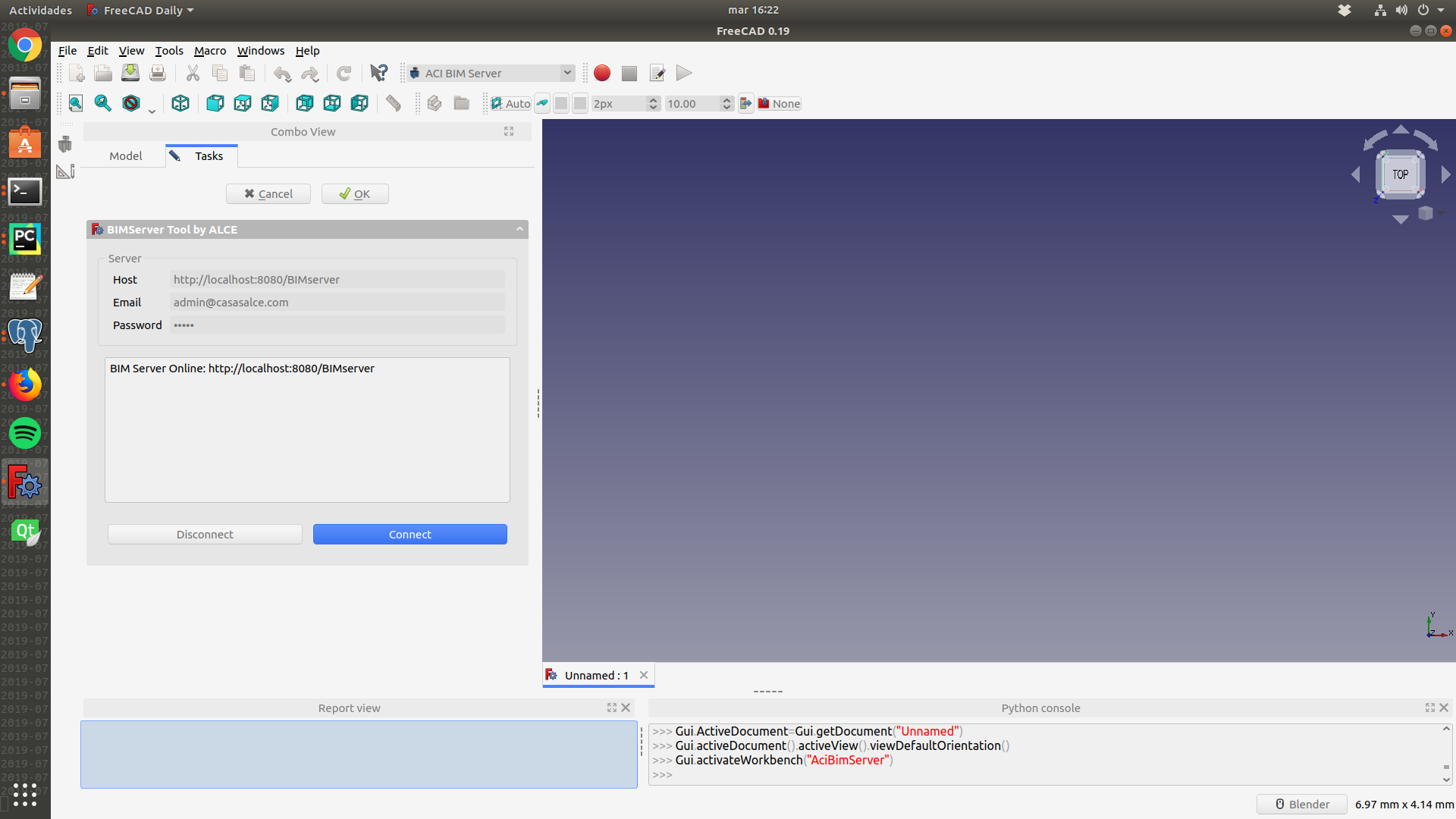
What do you think is the best solution to deal with the size of the files? Currently I am able to connect to my BIM Server (1.5) and keep the session open, then select my project and the revision that I want to download. (I divided the process in 3 steps since FreeCAD crashes dealing with big projects). But my main problem is importing the IFC file, sometimes it takes a really long time, so if I have 2 or more architects working on the same project it would take ages to download, convert to IFC, import the IFC to FreeCAD, and then the other way around.
I really don’t know how we can have a single file (project) that could be shared with the users. I thought BIM and IFC could be the answer but i am a little bit lost about how to do it, what do you guys think?

Hi Yorik
Wow, i knew FreeCAD Bim is awesome, but since i am not an architect i never really made a building. Otherwise i would have be stepped on that library tool sooner.
I have access to the API, but still trying to figure out how it works and what i am allowed to do.
You could have a look too at theyr proof of concept: https://github.com/bimobject/public-api-mvc-proof-of-concept
If i’m right you can upload a kind of filter App to theyr website and then access that one.
We have just startet with them, the output is .rfa and .lcf, which is kind of stupid because we have neither of them  . The plan now is to get IFC, so I will see what quality there will be.
The problem of huge IFC files is becoming more and more present…
There are several paths we can follow. One is of course that we need to make IFC import/export in FreeCAD faster. The current bottlenecks are 1) geometry is transferred from IfcOpenShell to FreeCAD as strings, which means extra encoding/decoding operation and 2) creating a lot of document objects in FreeCAD is slow and costly, since objects come with complex series of signal/slot processing.
Issue 2) Can be addressed very well with working with partial IFC files and using Arch References. You can save the contents of an IFC file as one FreeCAD file, place all the objects inside a few BuildingParts, and use an Arch Reference to reference those BuildingParts in another file. In the other file, all objects inside the BuildingParts appear as one object. This allows to scale things up petty far. But it requires a bit of planning as how to “compose” a project using different partial IFC files.
Issue 1) is a bit more complex. Although IfcOpenShell and FreeCAD speak the same geometry language (OpenCasCade’s brep format), the data is currently transferred from one to the other as strings.One solution would be to code a new IFC importer in C++, which would be able to manipulate OpenCasCade geometry directly from one app to the other, but there is always the downside of making the importer cryptic for non-C++ coders… The ideal would be to be able to still work in python. We should explore more ways to transfer OCC geometry more “natively” from one to the other, that would work in python (pythonOCC, etc…)
I’ll have a better look… It’s a pity that instead of writing nice documentation on how to access and use the API, they chose to write cyptic windows-only C sharp code
I agree that is hard to follow. There is a API Dokumentation when you get the access to theyr developer site, but as far as I can see it only describes how to filter theyr website with some JSON stuff. I will try out more with it when i find the time.
It is transferred as string because of the issue I am talking about here : Part.fromPythonOCC issue : Segmentation fault ?
For HVAC being able to compute an entire system is a very big advantage and honestly I was making fun of software which requiring to split system at each level to be bearable. 
I have been working on large projects. eg. I was working with and managing multiple 600-700 Mio (Revit->IFC) files for ventilation (4 files), hydraulic (4 files) and plumbing (4 files). I don’t expect FreeCAD to be able to handle this kind of project anytime soon but the current bottleneck according to your last blog post talking about 15.20 Mb files is really too low even for smaller projects.
I agree but we definitely need an improved version.
About your BIM bot I saw somewhere. Isn’t it possible to import/export a first heavy file then import/export only changes ? It would partially solve the import/export performance issue.
I was thinking about a hash for element element to see if they have changed but it would probably won’t work with IFC as exporter currently recreate everything even on identical elements hash is probably different. Or a «change tag» similar to when you become proprietary of an element on Revit (forbidding anyone else to modify it).
I must agree here.
Whereas our ifc files (as structural engineer for concrete) are not more than 20 MB even for bigger projects (FreeCAD handles them very well) the Architecture or HVAC for the same projects had 100 … 200 MB . FreeCAD did handle them (means it did not crash) but it just took ages to import.
Let’s be fair about this I never compared but Revit also takes ages to import / export. (often ≥ 15 minutes for large models I don’t know exactly as I took the habit to do something else and forget it for often 1 hour) And when you think it crashed just wait a little more just in case
In most scenarios where I worked with both FreeCAD and Revit, there is a huge difference in size.. A 100Mb Revit model can sometimes correspond to a 10 or 15Mb FreeCAD model… (I fail to understand where all that data goes… The other day I made a simple 200-verts polyline extrusion in Revit, it weighted 70Mb  ) So we must take care of what we’re talking about when we say “a 100Mb model”.
That said, indeed 100Mb IFC files are not rare. But it also seems to me that it’s hugely bloated and often the “real stuff” you extract and use from these files could hold in a couple of Mb. Specially with parametric stuff.
A typical example would be pipes where you actually would only need guidelines and a couple of properties like diameter to recreate the pipe. That would weight just a couple of Kb. In the IFC file, there is often a full triangulated mesh version of that pipe which can quickly go into the Mbs.
Maybe we could also do some heavier parsing of the IFC data prior to real import, and discard more stuff.
Actually that’s another point to optimize, the giant parsing operation that starts at https://github.com/FreeCAD/FreeCAD/blob/88a6e73f3b5e74f34e78e5689bec9d7702de62ad/src/Mod/Arch/importIFC.py#L340 is inefficient and takes a lot of time. We could optimize that a lot by using the inverse attributes of IFC objects, that IfcOpenShell now supports very well
It would be cool if there was a parser between .ifc and .fcstd on the server. So when FreeCAD try to download a project it would download as a .fcstd file. I know i am dreaming but that would solve all my problems 
What server?