Currently, the following is what I see:

As you can see, there are no vertices shown in the drawing. As such, I cannot properly add dimensions. I can add a dimension by selecting a line, but I need to be able to add directions by selecting vertices. I have tried with view frames toggled on and off to no avail.
TechDraw_ToggleFrame
full version ?
File ?
You can configure the size in Preferences>TechDraw>Scale>VertexScale.
I modified it from 5 to 25 and it doesn’t appear to do anything.
As I stated in the post, I have tried it with view frames both on, and off, but niether showed the vertexes.
If you mean full version of FreeCAD, then yes: 0.19.4-1
plant_label-stake.FCStd (28.4 KB)
What platform are you on, please? Your “About FreeCAD” info would be great.
The vertices are shown correctly on Windows 10 in both 0.19.24267 and 0.20.28193 when I open this file:
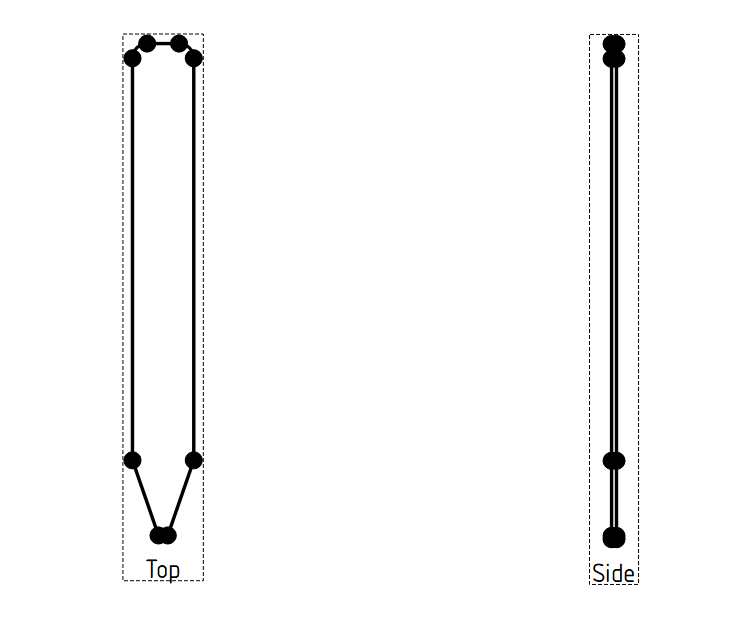
So the problem is likely limited to the OP’s platform (probably Linux of some kind).
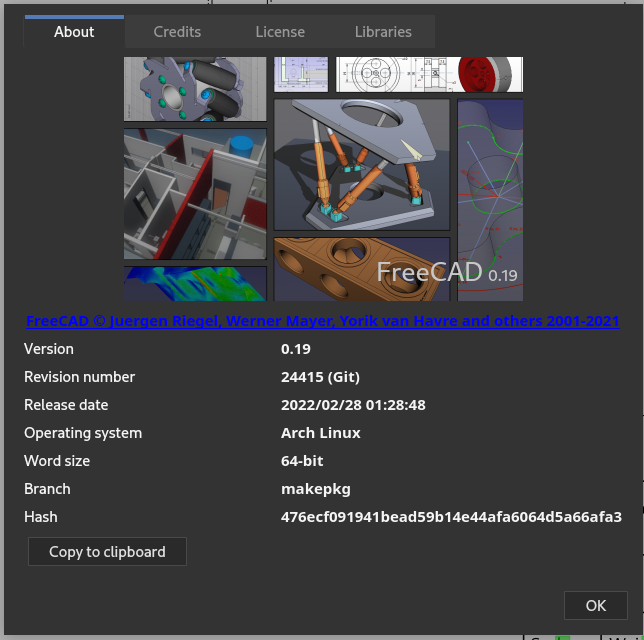
Please do not screenshot your About info per the forum guidelines. That is why we have a Copy to clipboard button. It also provides more info than the GUI presents. Thank you
Sorry about that. Here is the updated about info:
OS: Arch Linux (GNOME/gnome)
Word size of OS: 64-bit
Word size of FreeCAD: 64-bit
Version: 0.19.24415 (Git)
Build type: Release
Branch: makepkg
Hash: 476ecf091941bead59b14e44afa6064d5a66afa3
Python version: 3.10.2
Qt version: 5.15.2
Coin version: 4.0.1
OCC version: 7.5.3
Locale: English/Canada (en_CA)
I think this is actually an issue with the Arch Linux package of FreeCAD. I installed the Flatpak version of FreeCAD instead, and the vertices are now shown. I’m not sure exactly what is different about how Arch Linux packages it that would affect this.
If this is any help, here is the about info for the Flatpak version:
OS: KDE Flatpak runtime (GNOME/gnome)
Word size of OS: 64-bit
Word size of FreeCAD: 64-bit
Version: 0.19.14555 (Git shallow)
Build type: Release
Branch: (HEAD detached at 0.19.4)
Hash: 476ecf091941bead59b14e44afa6064d5a66afa3
Python version: 3.9.9
Qt version: 5.15.3
Coin version: 4.0.0
OCC version: 7.3.0
Locale: English/Canada (en_CA)
Can you please retry with a current AppImage from https://github.com/FreeCAD/FreeCAD-AppImage/releases/tag/weekly-builds ?
We have complaints about invisible vertices on:
Fedora KDE/Plasma Qt 5.15.2
Manjaro KDE/Plasma Qt 5.15.2
Arch Gnome Qt 5.15.2
Qt version as the common factor?
Tested with the appimage, and it works fine. Vertices are shown as expected in the TechDraw workbench.
About FreeCAD:
OS: Arch Linux (GNOME/gnome)
Word size of FreeCAD: 64-bit
Version: 0.20.28445 (Git) AppImage
Build type: Release
Branch: (HEAD detached at 8e285ad)
Hash: 8e285ada7b74a3bf1af5254c53de8abfd3dcd627
Python 3.9.12, Qt 5.12.9, Coin 4.0.0, OCC 7.5.3
Locale: C/Default (C)
I am seeing the same behaviour on FreeCAD 0.20.1 with Qt 5.15.5 on OpenSUSE Tumbleweed. No vertices are shown:
OS: openSUSE Tumbleweed (KDE//usr/share/wayland-sessions/plasmawayland)
Word size of FreeCAD: 64-bit
Version: 0.20.1.Unknown
Build type: Release
Python 3.10.6, Qt 5.15.5, Coin 4.0.0, Vtk 9.1.0, OCC 7.6.2
Locale: German/Germany (de_DE)
However, with the release AppImage downloaded from https://github.com/FreeCAD/FreeCAD-Bundle/releases, I see the vertices:
OS: openSUSE Tumbleweed (KDE//usr/share/wayland-sessions/plasmawayland)
Word size of FreeCAD: 64-bit
Version: 0.20.1.29410 (Git) AppImage
Build type: Release
Branch: (HEAD detached at 0.20.1)
Hash: f5d13554ecc7a456fb6e970568ae5c74ba727563
Python 3.10.5, Qt 5.15.4, Coin 4.0.0, Vtk 9.1.0, OCC 7.6.2
Locale: German/Germany (de_DE)
So the Qt version does not seem to be the issue. I was suspecting it might have something to do with running under Wayland, because the AppImage version does not seem to support Wayland and uses XCB under XWayland, but if I start the regular distribution version under XWayland as well with QT_QPA_PLATFORM=xcb, I am still seeing the same behaviour.
This is 6698. The best guess at the moment is that this involves the debian package building process which generates a different executable than a regular CMake/make build (which the AppImage uses).
Thank you. OpenSUSE does not use the Debian package building process, because it is a RPM-based distribution. The spec file is here. But the issue seems to be packaging-related either way.
I’ve filed a bug (OpenSUSE bug 1202861) against the OpenSUSE package.
Right-click on the TD page and “Toggle Frames” toggles the visibility of vertices. I wonder if the OP is related to that.
While I understand that there’s a bug report on this, reminding the “Toggle Frames” switch might be of some use.
could it be some missing dependency during compilation?
Hello,
I’m under Archlinux and I have the same problem herre with FreeCAD :
OS: Arch Linux (XFCE/xfce)
Word size of FreeCAD: 64-bit
Version: 0.20.2.29603 (Git)
Build type: Release
Branch: makepkg
Hash: 930dd9a76203a3260b1e6256c70c1c3cad8c5cb8
Python 3.11.3, Qt 5.15.9, Coin 4.0.1, Vtk 9.2.6, OCC 7.6.3
Locale: C/Default (C) [ OS: French/France (fr_FR) ]
Installed mods:
  * PieMenu 1.2.6
  * Render 2023.2.2
  * fasteners 0.4.55
  * Assembly4 0.12.6
  * Behave-Dark-Colors 0.1.1
  * Assembly3 0.11.4
I can’t select vertex in TechDraw because they are not shown.
On the contrary if I run the FreeCAD from an AppImage I can see the vertices using the “toggle frame” button on the same file as tested previously.
FreeCAD version tested :
* FreeCAd installd in ArchLinux via Pacman (see previous details) => No vertices shown in TechDraw either using vertex scale in Preferences or toggling frame.
* FreeCAD_0.20.2-2022-12-27-conda-Linux-x86_64-py310.AppImage => Vertices shown after toggling frame in TechDraw
* FreeCAD_weekly-builds-33593-2023-07-16-conda-Linux-x86_64-py310.AppImage  => Vertices shown after toggling frame in TechDraw
Any news from the cited issue or a way to fix it without using AppImage or snap one?
Onada So weird. Do you have Discord? If you have, I’d be happy to look into it, but I need your presence as I cannot reproduce it myself. https://discord.gg/Kpst6pnxMu