First one:
Turning the currently workbench toolbar that is in Linkstage in a overlay and turn it into a dock, just like we have on the mac and on some Linux systems. Probably not so hard to do for realthunder 

Second grouping the Property view and the selection view into pull down menu’s instead of tabs.

And/or using side tabs that let you open these panels on the go, this as an alternative too the autohide function in Linkstage.
Example from Ms Code.
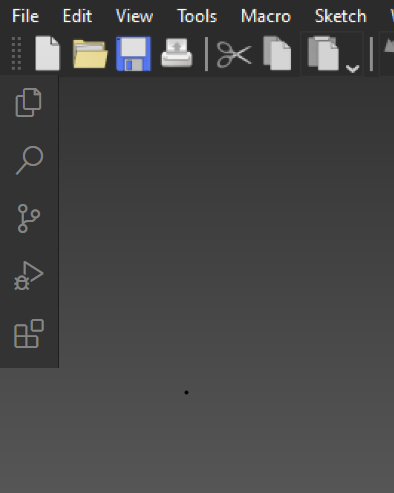

I like the idea of an overlayed toolbar, regarding data and view properties grouping i actually prefer the tabs, much easier to switch from one to the other. A sidebar to control active panels is also a good idea IMO.
Can probably do the sidebar with just macro buttons, I’ll try tomorrow.
Made the macro’s, wasn’t that hard with this macro:
https://wiki.freecadweb.org/Macro_Toggle_Panels_Visibility
Now I need 9 icons. 
Got it too work with custom icons, although no fancy ones just simple letters.
Demonstration here:
https://twitter.com/MisterMakerNL_/status/1550396930869583872
Macro’s below with icons.
Macro.zip (71.2 KB)