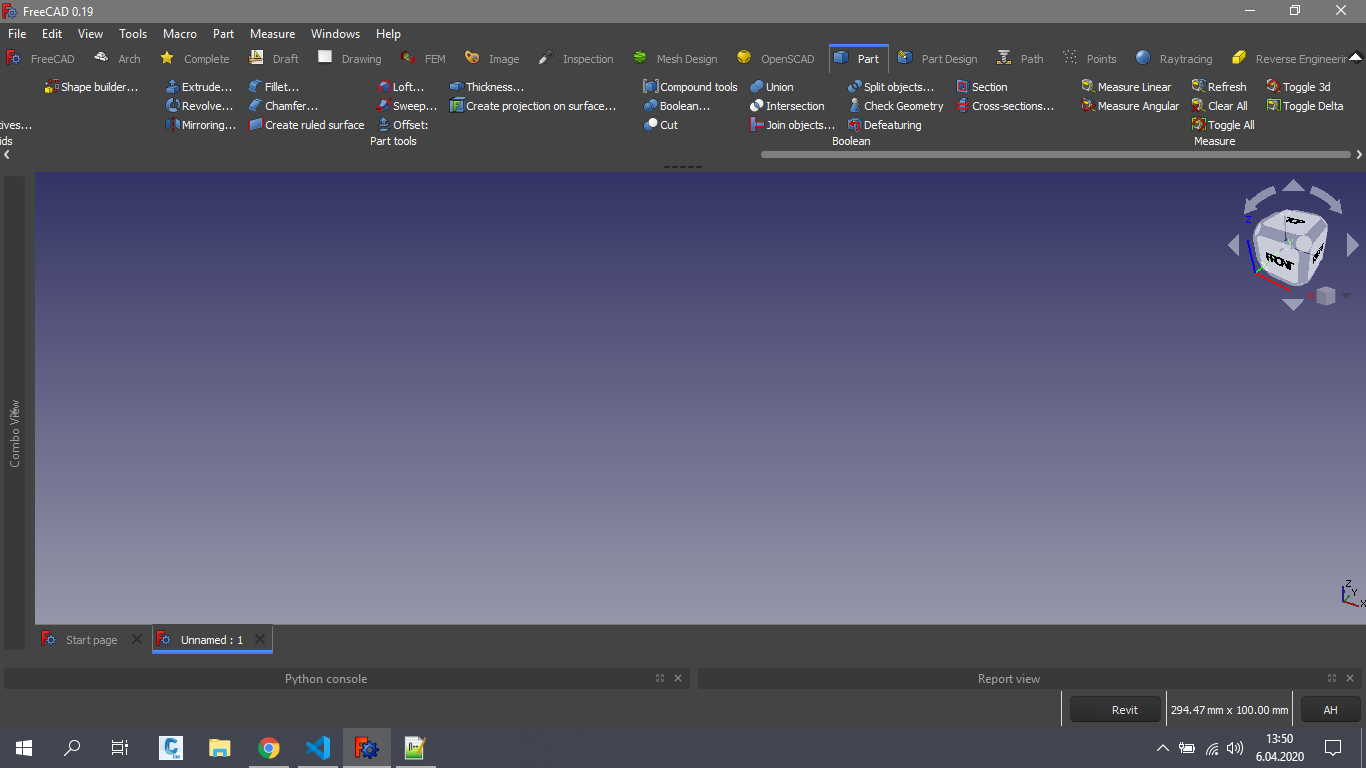
What is the Modern UI?
Honestly I don’t like FreeCAD default UI. So I started to look for alternatives. Firstly I created a macro for collapsible docks. You can find it here: https://forum.freecadweb.org/viewtopic.php?f=22&t=44659
After that I think “why I don’t do something for toolbar?” and I started to search for a solution and find this repository: https://github.com/RoadrunnerWMC/PyQtRibbon
Finally I created this UI and merge them at one place 
FreeCAD Wiki
https://wiki.freecadweb.org/ModernUI_Workbench
How to install?
Open ‘Tools → Addon Manager’.
Select ‘Modern UI’ and click ‘Install/update selected’.
Restart FreeCAD.
How to uninstall?
Go to ModernUI tab.
Open ‘Tools → Addon Manager’.
Select ‘Modern UI’ and click ‘Uninstall selected’.
Restart FreeCAD.
When you restarted you don’t see any toolbar.
Create a macro.
Paste this code in to macro.
from PySide2 import QtCore, QtGui, QtWidgets
mw = FreeCADGui.getMainWindow()
mw.menuBar().show()

WBList = FreeCADGui.listWorkbenches()
for WB in WBList:
    FreeCADGui.activateWorkbench(WB)
    for tb in mw.findChildren(QtWidgets.QToolBar):
        tb.show()
Execute it.
Restart FreeCAD.
Features:
Modern Docks
Modern Menu
File Menu
Recent File Manager (WIP)
https://youtu.be/7ruU8Fnd07M