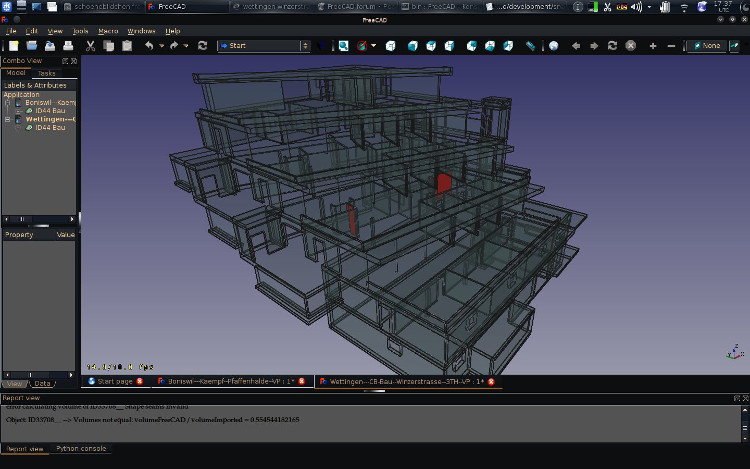
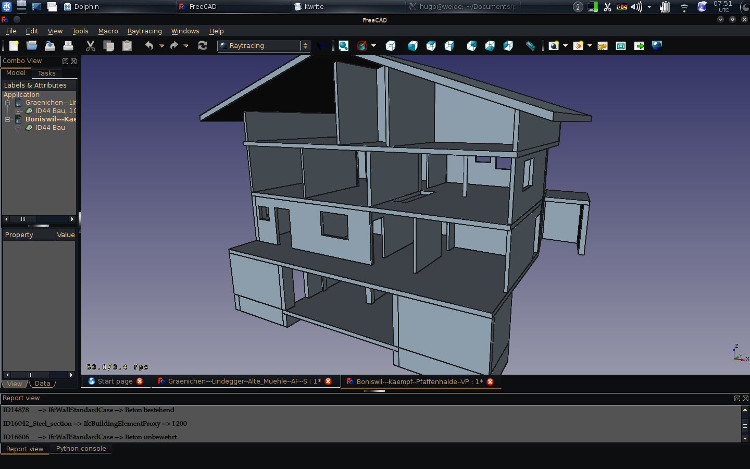
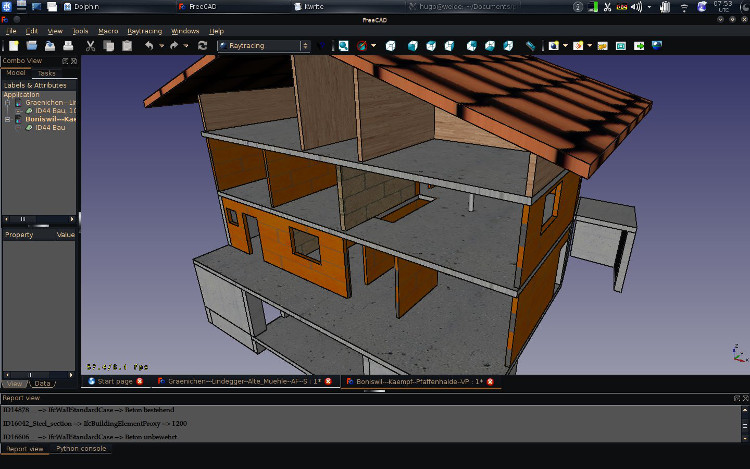
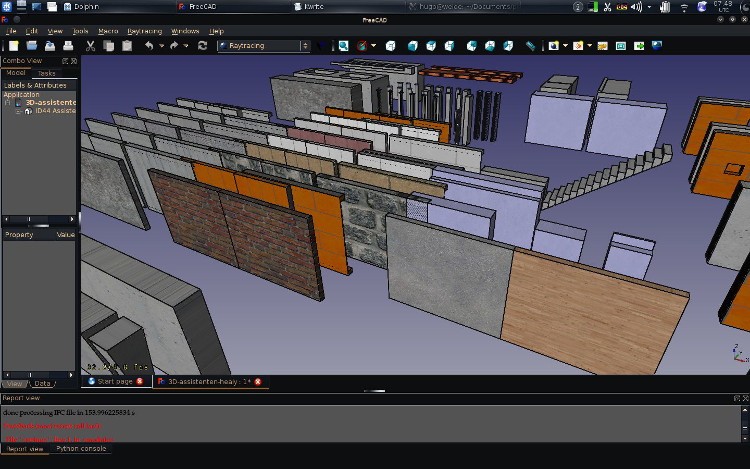
Found the Macro Texture Objects and tested with imported material from ifc-file. I could’nt helpt to post the screens. I still need to clean and post the code for importing materials and properties.
some problems left:
how to get rid of the textures without closing the file
scale of the textures (roof and bricks)
orientation (bricks sometimes going upwards)
def textureMaterial():
  """ Texturen nach Material setzen

  """
  import FreeCADGui
  from PyQt4 import QtGui
  from pivy import coin
  print "Texturen"
  texturefilepath = '/home/hugo/Documents/projekte--ifc/freecad/BIM--IFC/Texturen--Vorlageproj/'
  material2texture = { 'noMaterial'          : texturefilepath+'noMaterial.jpg',
                       'Beton'               : texturefilepath+'beton_bewehrt.jpg',
                       'Backstein'           : texturefilepath+'backstein.jpg',
                       'Kalksandstein'       : texturefilepath+'kalksandstein.jpg',
                       'Baustahl'            : texturefilepath+'stahl.jpg',
                       'Eindeckung'          : texturefilepath+'dachziegel.jpg'
                      }
  for o in FreeCAD.ActiveDocument.Objects:
    if '_FreeCAD_shape_body' not in o.Name:    # es waere cooler ein eigenes PythonFeature
      if hasattr(o,'Shape'):
        o.ViewObject.Visibility = True
        if hasattr(o,'IfcObjectType') and hasattr(o,'IfcMaterial'):
          o.ViewObject.Transparency = 0
          o.ViewObject.ShapeColor = (1.0,1.0,1.0)
          rootnode = o.ViewObject.RootNode
          tex =  coin.SoTexture2()
          tex.filename = material2texture['noMaterial']  # weisse textur

          if o.IfcMaterial in material2texture:
            #print material2texture[o.IfcMaterial]
            tex.filename = material2texture[o.IfcMaterial]
          else:
            print (o.Name + ' --> ' + o.IfcObjectType + ' --> ' + o.IfcMaterial)
          rootnode.insertChild(tex,1)
        else:
          o.ViewObject.Transparency = 0
          o.ViewObject.ShapeColor = (0.0,0.0,0.0)   # black
          #print ("  Object " + o.Name + " has no IfcObjectType or no IfcMaterial")
To remove the texture I think you only need to delete the texture node (parentnode.removeChild(texturenode))
For the scaling and orientation, coin has all the tools to do proper texturing, but I never looked very far there… The default behaviour is that the texture size depends on the object, but look in Draft.py at line 2925, I had found a way there (used for Draft hatch patterns) to set a scale to a texture that doesn’t depend on the object, by using a SoTextureCoordiantePlane node. Maybe yuo can use the same system.
Ah, I’m currently recoding the IFC export/importer entirely (will be ready very soon) to take advantage of the new interface that Thomas Krijnen has done. I also already introduced a couple of handy features that we can use later. One thing that might be of interest to you already is that all Arch objects now have a IfcAttributes property, which is a dictionnary (can only contain string:string pairs). I am already using it to store some basic stuff (the GUID of the IFC object, etc…), but the next thing to do with it will be to retrieve and store Ifc properties. Things like IfcMaterial or IfcType that you use in your macro, you can store there if you want…
At some point we could actually add a new “Textured” display mode to Arch objects… Since all objects are internally in millimeters, it would be quite easy to maintain an accurate scale… The biggest hassle would be to find a way to “detect” which material should receive which texture…
Textures by global scale (set units) IMO makes for Arch most sense, generally all building materials, from bricks to tiles and wood we actually know what is their “real world” size and so also should have that preset for the size they should render.
For sure it will be HUGE hassle. 5 Meters are 5 meters in inch in meter in cm in mm in what ever, but there are 100 words for concrete. But these will be the big hassle not only for us. In this regard we all are in one boot (FreeCAD, Revit, ArchiCAD, Allplan). It is a general ifc problem since the attributes are just strings. But there are solutions for this problem too …
My idea was to use one dictionary for one propertyset but I did not manage do code this … The name of an PrpertyMap ist used to refer to the propertymap, but the name is importet. But may be my data structure was just not as good as it should … At the end all properties off all propertysets and the elementquantities are imported in one dictionary.
The volumeTest() is off inerest too. If the volume of FreeCAD is not equal the volume of IfcElementQuantity the element is coloured red. See attached sceen. FreeCAD nealy imports all my geometry. BTW found not only bugs FreeCAD but in Allplan using the volumeTest() to test the import in FreeCAD.
EDIT: Ahh, Thanks for the tips regarding textures. I’ll have a look.
EDIT2: some simple sample ifc attached, which the code works with, could have posted in importIFC too … liftschachttuer-ifcos.ifc (20.3 KB)
At the moment not right out of the box, but it should become possible at some point in time. At the moment your only solution would be to program a custom python object that supports textures.
Thanks for this! As far as I can tell, the image is always expanded/scaled to the largest dimensions of a planar object/face. I would like a small image (like a single brick) to repeat/tile the image. coin has an option for this (“REPEAT”), but I can’t figure out how to use it. I think it involves changing the (0, 1) default “coordinates” of either the image or the object. This would be great as an option in the macro, but actually I’m not using the macro – I just want to be able to do it programmatically.
Do you have any knowledge about getting “REPEAT” to work? Thanks again, --Dan

 Love it how well this is moving forward!