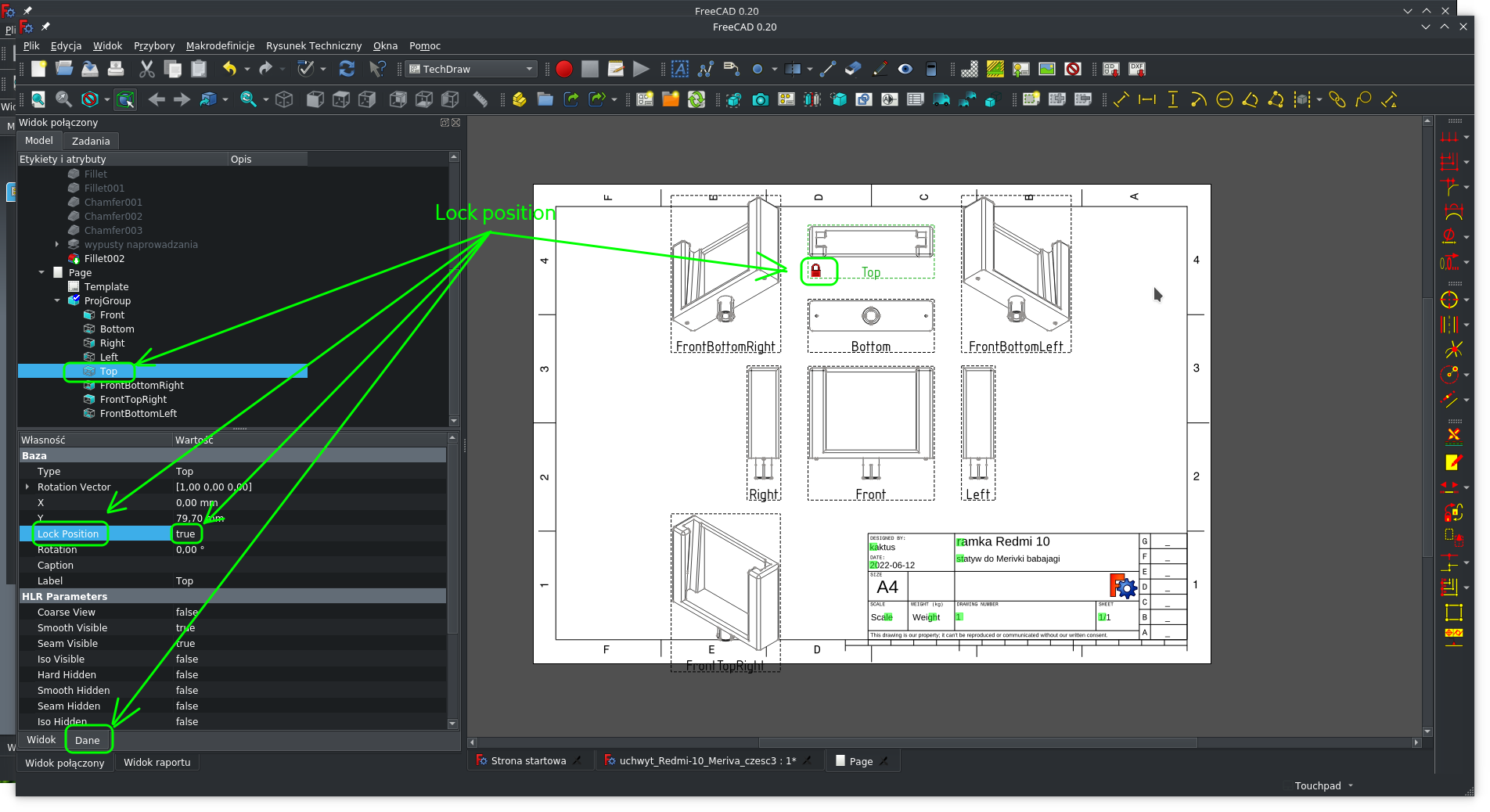
adding a switch for the Lock position function is a good idea
It will be an amazing convenience…
leave it in the Data tab, it is unnecessary.
0voters
The Lock position function is very helpful in many cases.
However, it is deeply hidden and not available directly.
.
I have an idea to add a toggle to it in the popup menu activated after clicking on the projection image
In order to find out the predisposition of other users in this regard, we can make a survey.
The survey will be open 3 weeks until July 3.
I’m not completely happy with the current context menu. Toggle Frames and Toggle Keep Up To Date are fine, but there are probably more useful functions than the 3 export options.
The current context menu works at the Page level. We would need a View level context menu to implement a toggle for Lock Position.
My suggestion for another option in the popup menu when you click on the projection image:
Add / edit the projection caption.
after using this option the user could enter a label for each of the projection. It would be displayed in place of the internal signature “Top” “Front” “Right” etc.
The default value could be this internal name. The default label can be made available to translators.
I use this function rarely, so for me it can stay where it is. It wouldn’t hurt me though if it was available in a context menu.
You shouldn’t call it a “hidden” property in the poll, because it is not actively hidden in the technical FreeCAD sense, where it would only be visible on “Show all”. So you would better say something like “leave it in the Data tab”.
In my opinion, the “Change Appearance of Lines” tool could also be placed in the pop-up menu.
The availability of these tools (whether they are active) would depend on what object is currently selected.
That is, I propose to add two items to the pop-up menu:
Change Appearance of Lines
Lock position
In addition, in the menu it will be helpful to mark whether the option is currently active, of course, if the option has the ability to switch (on / off).