Hello,
How can I see the internal nodes?
EDIT: SOLVED
Hello,
How can I see the internal nodes?
EDIT: SOLVED
From the mesh or from results mesh?
Hello Bernd,
Thank you for your fast response. Maybe I dont explain correctly, it was my first post  .
.
When I do a mesh, I can visualize the external nodes (on the surface) and it can be “selected” with the mouse. However, I want to be able to select both surface and internal nodes using the mouse.
I attach a coarse mesh of a simple cilinder to see the results.

OS: Windows 10
Word size of OS: 64-bit
Word size of FreeCAD: 64-bit
Version: 0.17.13528 (Git)
Build type: Release
Branch: releases/FreeCAD-0-17
Hash: 5c3f7bf8ec51e2c7187789f7edba71a7aa82a88b
Python version: 2.7.14
Qt version: 4.8.7
Coin version: 4.0.0a
OCC version: 7.2.0
Locale: Spanish/Spain (es_ES)
Hi,
I found a solution. ShowInner = True option allows to see the internal nodes and meshgrid.
The python API code is the following one:
FreeCADGui.getDocument("Unnamed").getObject("FEMMeshNetgen").ShowInner = True
thank you.
Ekaitz.
Yep thats it, but only if you have less than 50000 Faces. Above this you need to increase the Parameter “Max Faces Show Inner”
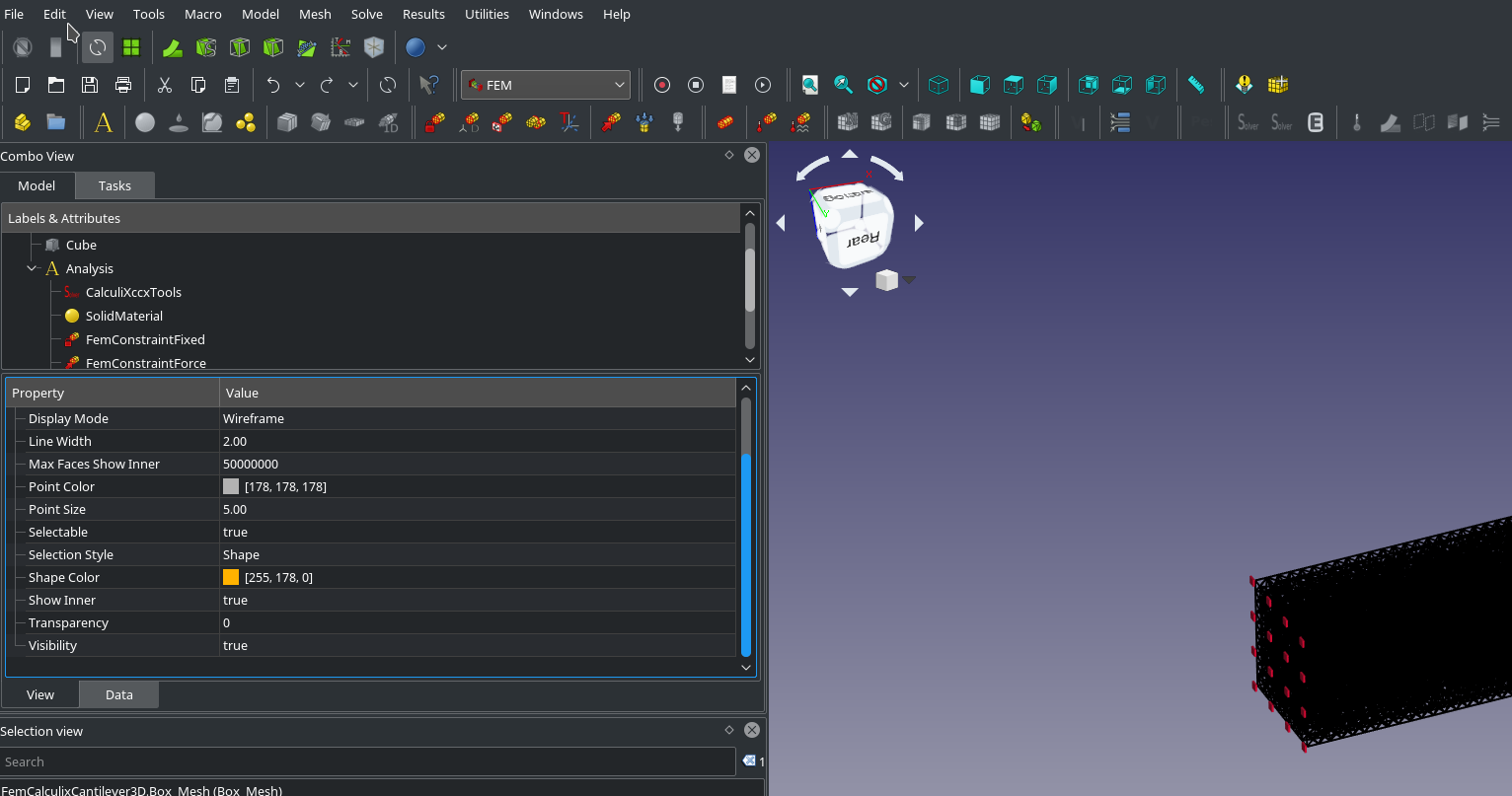
Thank you bernd
Not to forget. If faces are set to be shown the internal of the mesh can only be seen if trancparency is set to somewhat >> 0
The FEM clipping box works with the FEM mesh too. Just the selection of the clipping plane has to be done on a normal part. But this usually exists if there is a FEM mesh.

Thank you, very interesting for selecting internal nodes