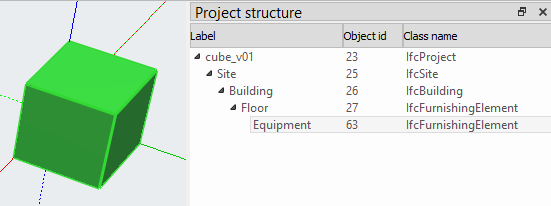
I would like to design simple equipment models to create a IFC library (furniture, electric machinery, etc.).
I can’t figure out how to correctly export it to IFC, even a simple WB Part cube… I always get:
wstring_convert: to_bytes error
This is the report log:
10:41:35  Traceback (most recent call last):
  File "<string>", line 7, in <module>
  File "/Applications/FreeCAD-asm3-Daily-20210615.app/Contents/Resources/Mod/Arch/exportIFC.py", line 1550, in export
    ifcfile.write(filename)
  File "/Applications/FreeCAD-asm3-Daily-20210615.app/Contents/Resources/lib/python3.9/site-packages/ifcopenshell/ifcopenshell_wrapper.py", line 1595, in write
    return _ifcopenshell_wrapper.file_write(self, fn)
<class 'RuntimeError'>: wstring_convert: to_bytes error
If I test @Yorik house in his FreeCAD manual, everything goes fine and I get a IFC, but not if I try to model something by myself.
Is there any tutorial about how to create this simple components and successfully export them as IFC?
This is my cube test: cube_v01.FCStd (23.3 KB)
Thanks
Any value in Address and Postal Code property or should it be formatted somehow?
You select the Site element and then export?
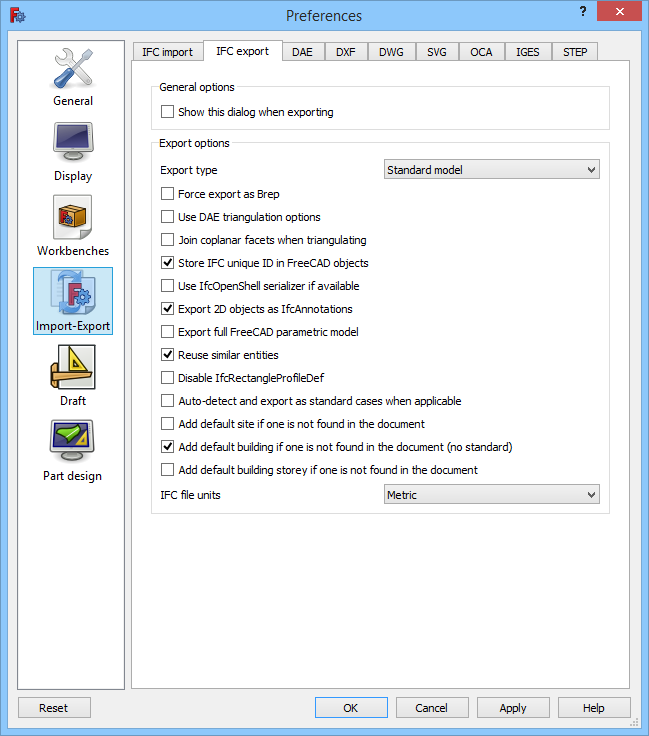
Do you have any special setup in Preferences/Import-Export/IFC export panel?
Could I get your modified FCstd file to test it here?
BTW: us the pref “FORCE_BREP” set to False could lead to corrupt geometry. We have seen various problems with this setting. If set to True you should not get any problem if your geometry has no errors in FreeCAD.