I was able to get it to work with polygons not circle maby circle and auto settings do not work with fem well.
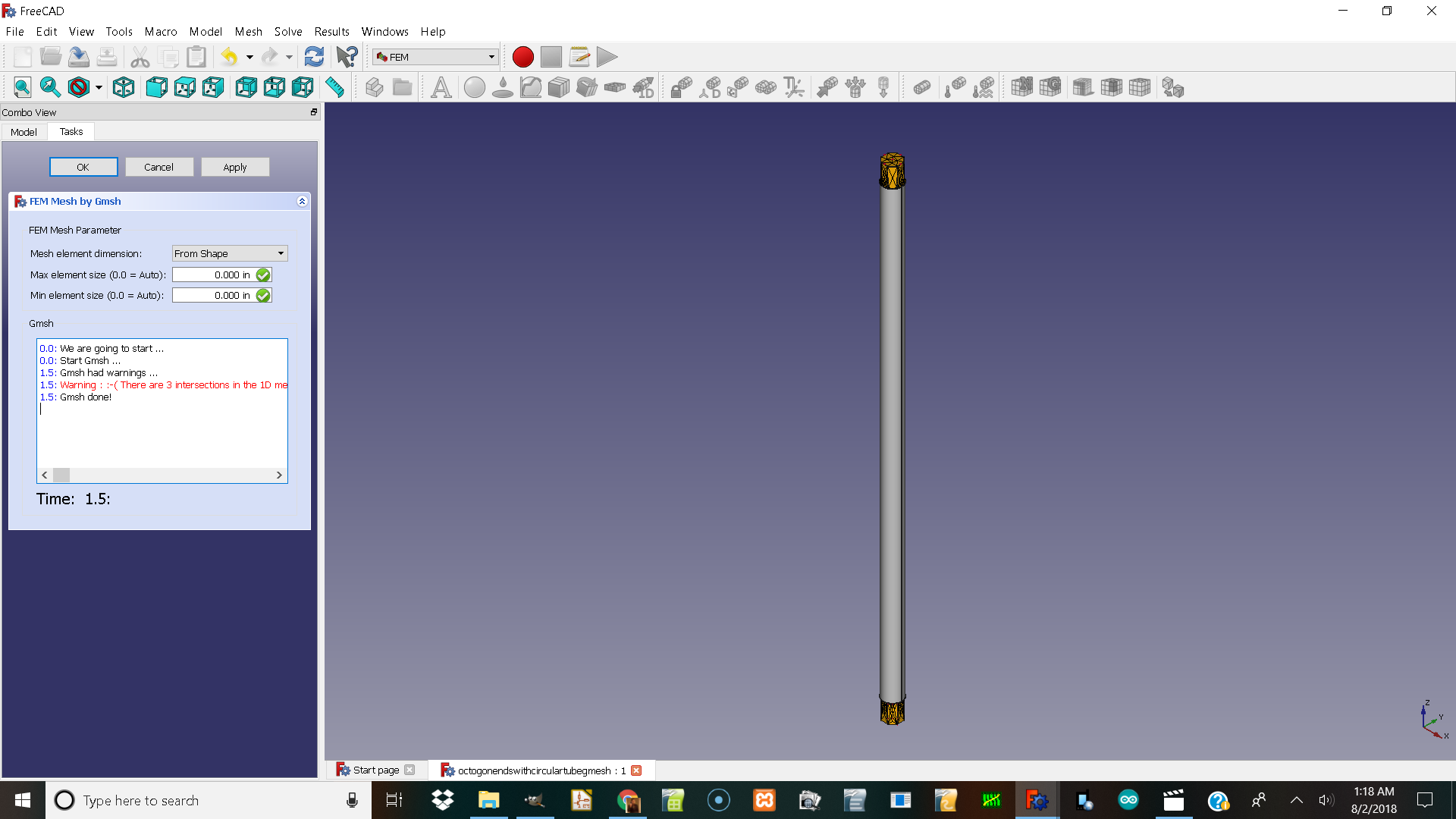
Here is the error with a tube and fem on the ends that are octagons.
I will include the file the error and the pic
windows 10 freecad .17
octogonendswithcirculartubegmesh.FCStd (71.1 KB)
0.0: We are going to start …
0.0: Start Gmsh …
1.5: Gmsh had warnings …
1.5: Warning :  There are 3 intersections in the 1D mesh (curves 24 20 25) Warning : 8-| Gmsh splits those edges and tries again Warning : Surface 10 consists of no elements Warning : There are 3 intersections in the 1D mesh (curves 27 28 30) Warning : 8-| Gmsh splits those edges and tries again Warning : Surface 12 consists of no elements Warning : There are 3 intersections in the 1D mesh (curves 16 20 25) Warning : 8-| Gmsh splits those edges and tries again Warning : Surface 10 consists of no elements Warning : There are 3 intersections in the 1D mesh (curves 27 29 28) Warning : 8-| Gmsh splits those edges and tries again Warning : Surface 12 consists of no elements Warning : There are 3 intersections in the 1D mesh (curves 18 20 25) Warning : 8-| Gmsh splits those edges and tries again Warning : Surface 10 consists of no elements Warning : There are 3 intersections in the 1D mesh (curves 30 29 27) Warning : 8-| Gmsh splits those edges and tries again Warning : Surface 12 consists of no elements Warning : There are 3 intersections in the 1D mesh (curves 12 16 25) Warning : 8-| Gmsh splits those edges and tries again Warning : Surface 10 consists of no elements Warning : There are 3 intersections in the 1D mesh (curves 30 32 27) Warning : 8-| Gmsh splits those edges and tries again Warning : Surface 12 consists of no elements Warning : There are 3 intersections in the 1D mesh (curves 14 16 25) Warning : 8-| Gmsh splits those edges and tries again Warning : Surface 10 consists of no elements Warning : There are 3 intersections in the 1D mesh (curves 31 30 27) Warning : 8-| Gmsh splits those edges and tries again Warning : Surface 12 consists of no elements Warning : There are 3 intersections in the 1D mesh (curves 12 14 25) Warning : 8-| Gmsh splits those edges and tries again Warning : Surface 10 consists of no elements Warning : There are 3 intersections in the 1D mesh (curves 32 31 27) Warning : 8-| Gmsh splits those edges and tries again Warning : Surface 12 consists of no elements Warning : There are 3 intersections in the 1D mesh (curves 24 12 25) Warning : 8-| Gmsh splits those edges and tries again Warning : Surface 10 consists of no elements Warning : There are 3 intersections in the 1D mesh (curves 32 34 27) Warning : 8-| Gmsh splits those edges and tries again Warning : Surface 12 consists of no elements Warning : There are 3 intersections in the 1D mesh (curves 33 32 27) Warning : 8-| Gmsh splits those edges and tries again Warning : Surface 12 consists of no elements Warning : There are 3 intersections in the 1D mesh (curves 34 33 27) Warning : 8-| Gmsh splits those edges and tries again Warning : Surface 12 consists of no elements Warning : There are 3 intersections in the 1D mesh (curves 27 28 34) Warning : 8-| Gmsh splits those edges and tries again Warning : Surface 12 consists of no elements Warning : There are 3 intersections in the 1D mesh (curves 35 34 27) Warning : 8-| Gmsh splits those edges and tries again Warning : Surface 12 consists of no elements Warning : There are 3 intersections in the 1D mesh (curves 27 28 35) Warning : 8-| Gmsh splits those edges and tries again Warning : Surface 12 consists of no elements Error : Self intersecting surface mesh, computing intersections (this could take a while) Error : Could not open file ‘intersect.pos’ Warning : Volume 1 consists of no elements Warning : Surface mesh: worst distortion = -1.53331e+14 (avg = -9.70701e+11, 5 elements with jac.
1.5: Gmsh done!
@josheeg, explicitly setting the maximum element size to 10mm or below will make it work:
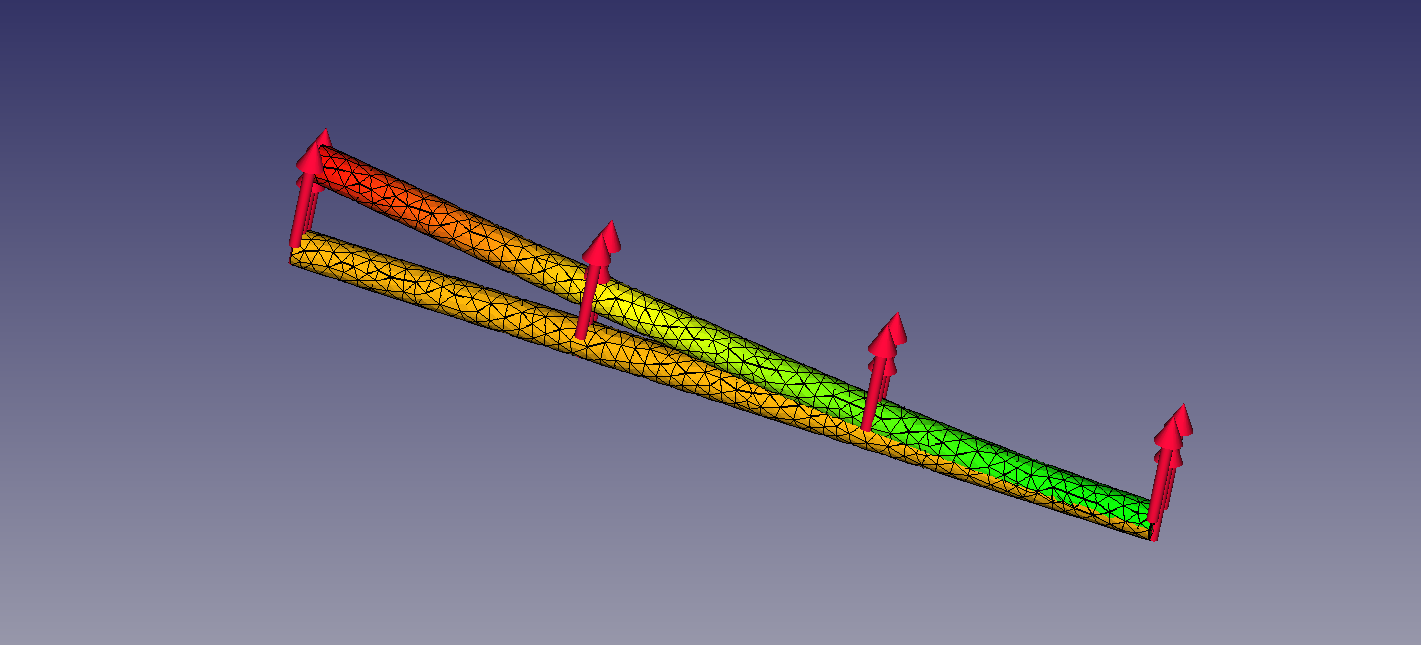
Wow now things are going  thanks.
Ok one more question I am using win 10 freecad 0.17
I get a error when I try to do analysis on a assembly2 assembly of tubes the id is 0.4" in and the connector od is 0.4in".
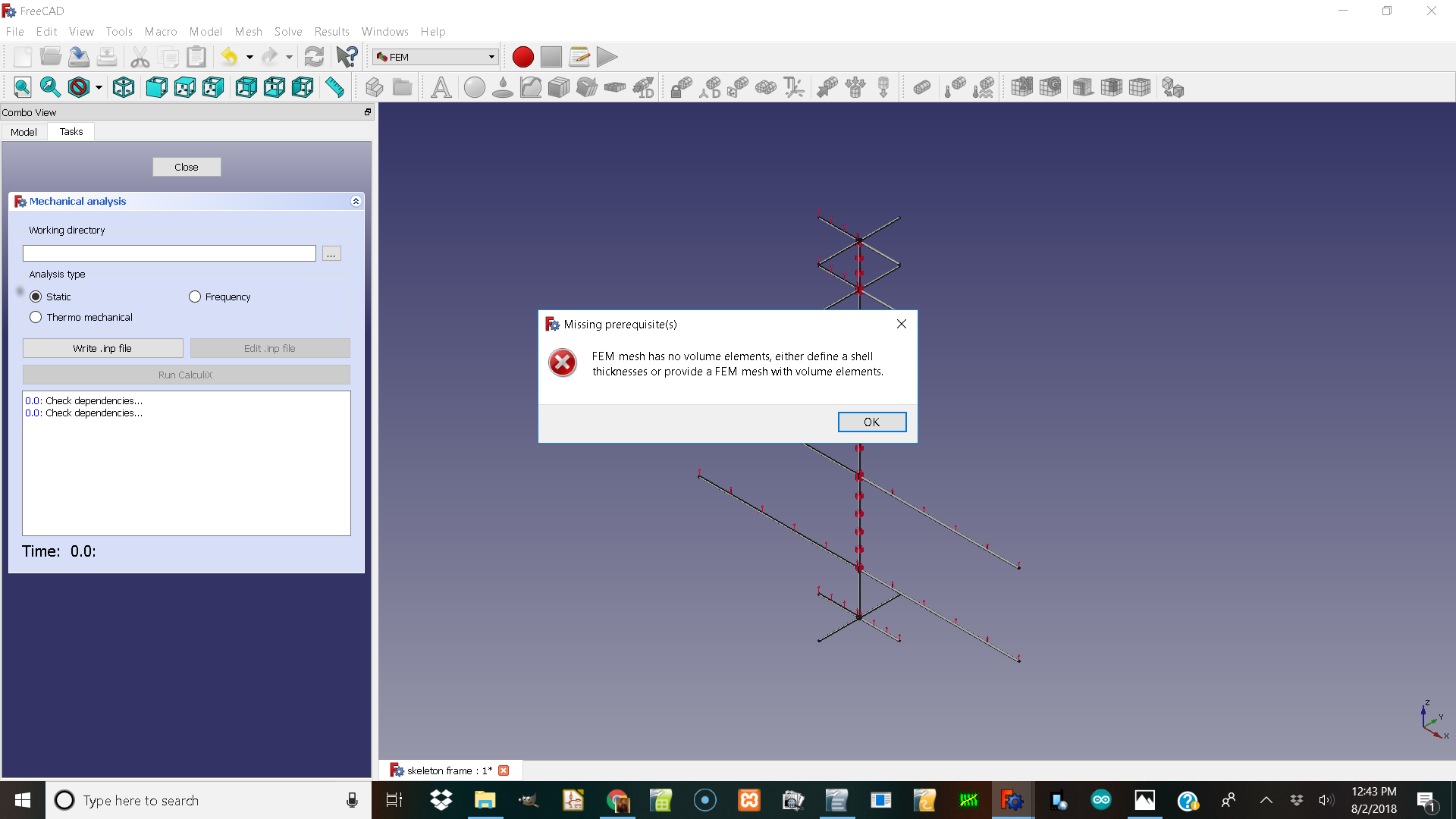
@josheeg, please post the FC file. The previous file had volume elements. No OD and ID.
Ok assembly2 requires different parts and then the assembly file so I will send the parts and the assembly2 workbench file.
windows 10 freecad .17
This is a carbon fiber tube frame from dragon plate allred in NY state.
threaded_tube_connector.FCStd (14.8 KB)
pcft__5_4_24_in.FCStd (10.8 KB)
pcft_5_4_48_in.FCStd (10.8 KB)
pcft_5_4_72_in.FCStd (10.8 KB)
pcft_5_4_98_in.FCStd (10.8 KB)
the skeleton frame is the assembly and I can only add so many files per post so this and the previous one.
THanks. 


cube_v_threaded_1_in.FCStd (38.3 KB)
skeleton frame.FCStd (208 KB)
File “skeleton frame” does not contain an Analysis Object or a Mesh. Just for demonstration purpose I combined 1 cube, 1 connector and 1 tube into a Boolean Fragment (mode Compsolid) to show that you can actually mesh and analyse the assembly:

The FC file for this (with meshes deleted for reasons of size) is also attached:
skeleton frame.FCStd (221 KB)
A few words of caution: meshing the whole assembly with 3D elements will probably get you in to trouble (time and/or memory)
Depending on what you want to achieve with the analysis, I would take an old-fashioned engineering approach. For example, if you are interested in the deformation or stress int the connections then first model tubular frame as beams with rigid connections and apply the resulting internal forces as external loads on the connections … i.e. apply the “expensive” elements where they matter (no different from how NASA managed to design the Saturn Rockets in the 60s )
I am trying to run a analysis on this frame it is taking a long time at max size .1 in but .05 is very long and .1 is the thickness of the tube in 3d.
cube_v_threaded_1_in.FCStd (38.3 KB)
pcft_5_4_98_in.FCStd (10.8 KB)
pcft__5_4_24_in.FCStd (10.8 KB)
threaded_tube_connector.FCStd (14.8 KB)
frame_VTOL_Plane_union_analysis.FCStd (227 KB)
here is the photo win 10 freecad 0.17
running after error running in auto running at .1" in max size. tube thickness is .1" so maby .05" would be needed but realy slow.

It says freecad not responding in windows any idea what I might be doing wrong?