While Importing, currently Freecad is Freezing and looks like it had crashed.
If possible, please give it its own Process in Task manager. Put it in background, so you could work on other files in Freecad.
I would recommend having an Importing Dialog with some details See Mock-up:
Anyway. The unresponsiveness while importing is only one part of my enhancement request. Another part is the Information Dialog. Sometimes I have Files whether I do not know what they contain. So it would be nice to have some Information while FreeCAD is importing.
And important → An abort button. I do not like to Kill application while they’re working as intended only because I realize that it need to much time to finish.
For the record:
OS: Windows 10 Version 2009
Word size of OS: 64-bit
Word size of FreeCAD: 64-bit
Version: 0.19.24267 +148 (Git)
Build type: Release
Branch: Branch_0.19.4
Hash: 476ecf091941bead59b14e44afa6064d5a66afa3
Python version: 3.8.6+
Qt version: 5.15.2
Coin version: 4.0.1
OCC version: 7.5.3
Locale: German/Switzerland (de_CH)
As workaround, I currently do it the same. But it seems that FreeCAD is designed to use one Application for several open Documents. But if the importing Process of one tab do affect the other tab, so this possibility is limited. The other problem is, that even you have two documents in the same application open, but you get a Problem in one of them, you could not kill this specific document. The task manager only shows the whole application. IMHO you should either be able to kill a document or kill a running sub-process.
Well, it doesn’t really affect the other tabs in the sense that data could be changed. An unresponsive program is simply unresponsive. There is not much that FreeCAD can do with this, because the geometric kernel doesn’t offer the possibilities to interrupt it. The minor possible improvements which could be possible don’t justify the major effort to achieve them.
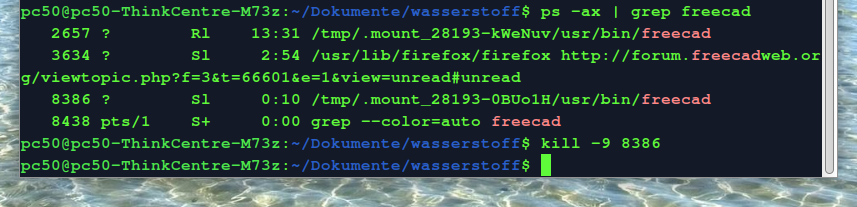
It is intended as a suggestion if you have launched freecad twice for a time-consuming import in the background. if it takes too long you can stop it and keep the freecad running while you work.
If you work with Different Application on Windows, there are some that kill a tab if it crashes. e.g. Firefox is such an app. And some which kills the whole Application. I’m not a developer but If I’m imaging an Application I would assume there is program code for the Appearance of an application (GUI) and program code that modify an open FreeCAD file.
Is it difficult to separate them, so the Crash of on part do not affect the other Program part?
in my opinion, freecad is sufficiently developed here to use it professionally. if time and energy is spent improving freecad, it should be done with techdraw, there are often regulations for drawings where something like techdraw is needed in companies.