I have put my all development logs of my GSoC project on regular basis here.
Also, you can also check my development logs (https://brlcad.org/wiki/User:Amritpal_singh/GSoC17/logs).
Regards,.
I have put my all development logs of my GSoC project on regular basis here.
Also, you can also check my development logs (https://brlcad.org/wiki/User:Amritpal_singh/GSoC17/logs).
Regards,.
As per according to my proposal (), before the first phase evaluation, I will cover the reinforcement of the footing. The shape of rebars which I have covered in this period are straight and C shape. At the end of fist phase evaluation, we have one drop-down list (present in the Arch workbench) in which different rebar shapes (straight and C shape) are present and after selecting the specific shape rebar, a dialog box in the task panel will open. After filling that form, user will click on the ‘OK’ button and reinforcement is completed.
TODO tasks list form 1 June to 13 June:
Comments are welcome. If anybody wants to add anything then please tell me.
Regards,
Looks perfect! As soon as you have code, please also share it here, we like to see code 
Here is code: GitHub - amrit3701/FreeCAD-Reinforcement: Reinforcement Workbench for FreeCAD
On studying again it deeply, I have found a couple of shortcomings in my present scripts.
I have used some constant in my code like if a user selected rebar along length then the sketch will be drawn on Face1 of the structural element and if a user selected rebar along width then sketch will be drawn on Face6. But due to topological naming problem Face1 always not along the length of the structural element and same for Face6.
I have defined things like the origin of the sketcher will locate on the left side for the Face1 and in the centre for Face6 because I unable to find the relationship between the sketcher origin with respect to different faces of the structural element. I explained this problem in more detail in the given below thread:
https://forum.freecadweb.org/viewtopic.php?f=8&t=21720#p170178
Can anybody help me how I can overcome all the above problem?
Regards,
Okay looks good so far. I’m duplicating below the screenshots from the other post so it’s easier to discuss here:
About your questions above:
I believe the best way is to make the user pick a face himself. As this can be confusing (the user might be in doubt what face needs to be picked), you could add a little svg diagram on top of the dialog to illustrate what he needs to do, a bit in the same style as the diagrams in the Arch structure → concrete prefab presets. So an easy way would be to (maybe) add such a diagram (how are your drawing skills?  ), and a “use selected face” button. When clicking the button, you check if a face is currently selected with Gui.Selection.getSelectionEx().
I don’t think the placement origin is really important, but it is doable, once you have a face, you could simply take its CenterOfMass attribute and its normal direction (normalAt()). With these two things, you can get a center point and a rotation (The App.Rotation object has several useful construction methods,one is by giving it a “from” and “to” vectors). Then you set the placement of your sketch from these two things (you must create a new placement, then give that placement to the sketch).
Other comments I have:
Bernd should have a look at your dialogs above to see if he thinks it’s right. I’m not proficient enough in reinforcing bars to judge, I’m only a simple architect
Instead of simple QLineEdit fields, you should use our FreeCAD Gui::InputField, which supports units, expressions,etc. These should normally be in your QDesigner if you compiled the FreeCAD plugin for it. Otherwise, you can also add them from the python code, after you loaded the .ui file:
ui = FreeCADGui.UiLoader()
myField = ui.createWidget("Gui::InputField")
I have fix all the bugs which I have discussed in my previous post and also use FreeCAD widgets to create UI of straight rebar taskpanel.
Here is the source code:
https://github.com/amrit3701/FreeCAD-Reinforcement/blob/master/TaskPanelStraightRebar.py
Comments are welcome. 
Regards,
I had a quick test, so far so good! I think you are attacking things the correct way. At the end, we should have a series of these python scripts + ui pairs, each one adressing a certain type of rebar.
A couple of observations specifically on the TaskPanelStraightRebar:
Some imports are missing: import FreeCAD, FreeCADGui and import Part. Attention, here there is a catch: FreeCAD and FreeCADGui are lightweight, because they are loaded at FreeCAD start anyway. Part, however is a heavyweight module (it loads good part of the OCC libs). So we try, in FreeCAD, to avoid loading Part at FreeCAD start. The solution is not to import Part at the start of the file (because when your tools will become official FreeCAD tools, these files will probably be loaded at startup), but inside the functions where you need Part. Even if that means there will be multiple “import Part” in a same file, that doesn’t harm (python will only load it once anyway)
The path to the .ui file can be found automatically (you first need to rename the .ui file with the same name as the .py file, but it’s good practice anyway): os.path.splitext(file)[0]+“.ui” (need to import os too of course)
Putting all your “real” code inside a try statement is bad practice. It makes it more difficult to trace the cause of problems. For example, on first run I was able to get the script tell me “Done!”, however nothing was done. To me it is better to remove the try statement entirely, and let the script fail when needed, it will be much better to fix its weaknesses as they appear and make it more solid.
It is not obvious to the user at all that he/she needs to select a face of a structural element before running the script, and it fails silently without informing the user. You should at least check, when the script starts, if the selection contains what you want. Even better, on your ui, the selected face could appear, and a way to change the selected face should be offered (a simple “use selected face” button maybe). There could be a small image illustrating what face should be picked too, I’ll try to make one for you.
The radio buttons amout/spacing are both unselected at script startup. I would set one selected as default…
EDIT 6) It is not clear in which unit the diameter is expressed
Now I have another, more general idea. That is more for the long-term but it would be good to add at some point, I think:
It would be good that, if the user created a Rebar object with one of your dialogs, it would be possible to edit that Rebar later, with the same dialog. To achieve that, we could do something like this:
We add a (hidden) property to the Rebar, for ex “UiModule”, which contains the name of the script used to produce the rebar, for ex. “TaskPanelStraightRebar”.
In all your script, there sould be a same function, for ex. editDialog(rebar). You must make sure that, given the rebar object, that function would be able to fill the dialog with correct values again. You should also change your current script so it is possible to import it without running anything.
When double-clicking a Rebar object, if the UiModule property contains something, the corresponding module is imported, and its editDialog() function is ran.
You must modify the Accept function, so if an existing rebar was provided, change its properties as needed instead of creating a new one.
How does that sound?
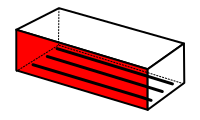
Something like this:
I still have problems running your script… even selecting a face, I couldn’t make it create a rebar yet. It finishes, says “Done” but there is an empty sketch created, the dialog is not closed, and no rebar object is created.
Okay, I will fix them.
Great sound! Actually, I also have the same idea like if a user wants to re-change the values present in the dialog box then they will double click on the rebar and then a dialog box will re-open in the task panel. I will try to implement this.
Regards,
It’s good. I will add more description in that image like what is front cover, side cover etc.
Regards,
Now, I have updated my scripts and removed try statements. Try to run my scripts as macros (Macro > Macros > change the macros location to FreeCAD-Reinforcement > select the StraightRebar.py > Execute).
Note: Before executing this scripts first select the face of the structural element.
Regards,
There is one more thing, the module “App” only exists in the console and the macro environment. You should use “FreeCAD” instead (FreeCAD.Vector, etc…)
I still cannot seem to make your script run… I chose a face, put 1 cm border everywhere, 2 x 5mm bars and nothing happens. The output windows says: Done!, the task dialog doesn’t close, an empty sketch is produced. No error message.
About the system I explained above, to make it possible to edit the rebar with one of your scripts, the idea is to add a App::PropertyString to the Rebar (it could be in the view provider, since it will work in GUI mode only anyway), that holds the name of the python module responsible (“StraightRebar” for example). The property can be hidden with setEditorMode(propname, 2)
Then in the same view provider, the setEdit() function must be reimplemented (currently uses the one from its parent class), and check if that property exists and if it contains something. If yes, it must try a “import ModuleName” and run “ModuleName.editDialog(RebarObject)”
Then you need of course to have such an editDialog() in each of your scripts.
I already fix it.
Now, I have updated my code and removed all try, except statements. Also added checks and image in the dialog box. Please follow the steps which I have shared in my previous post to run my code (https://forum.freecadweb.org/viewtopic.php?f=8&t=22760&start=10#p177102).
Here, what is ModuleName? Is it be a filename or class name of rebar (like _StraightRebarTaskPanel)?
Regards,
Okay, now it works!
A couple of minor issues are left:

EDIT Actually a revolutionnary idea is striking my mind now, instead of having the wall host the window, or the structure the rebar (the two emblematic cases now), why not do the contrary! Have the window remember which wall it is hosted in, and the rebar hold which structure it is part of…
The dialog is not closed after your script finishes. I think you might need to call FreeCADGui.Control.closeDialog() somewhere…
The normal direction in which the rebars are spreading is wrong in the example above (I picked the highlighted face)
It is a filename that you can import in python (ex. StraightRebar.py, so you can do “import StraightRebar”)
In continuation of the discussion at IRC (on 2017-06-09 at 19:25 - http://freecadlog.archivist.info/previous.php), following is my problem statement.
Creating reinforcement with my scripts in the structural element is actually quite tedious task for a structural engineer. For e.g. if a user wants to create reinforcement in the footing, then he/she has to select the face number of times, like to create rectangular footing mesh, a user has to select face two times or run my script two times. Further, footing may have a top mesh which requires further selection of face two times more.
IMO, if we can make our approach more natural to workflow of a structural engineer, then we can win a heart of a structural engineer.
On brainstorming with structural engineers, they suggested to take all the data of the footing from the user in the beginning through the form (dialog box) and then process all the values. I think this approach is good as compared to the current approach.
@Yorik and Bernd
What are your views on my above suggestion?
Regards,
I think you can have both: Something simple with presets, or let the user fin-tune things and select him/herself the exact face to build things on. In other words, we should of course make things simpler for newer users, but this should never restrict the possibilities for the power user.
Basically you could detect what input object you have: If you have a structure, look at its base shape. If the base shape is a solid, then it will be hard to apply presets because that solid could be anything. If the structure has a base shape but that base shape is flat (only faces/wires, no solid), you already know that the final shape is formed by extruding that. You might be able to automate something. If there is no base shape, then the shape of the structure is defined by length, width, height, then you can certainly automate much more.
I think in the last case, you might be able to automate quite a lot. And let the power user do things more manually in the other cases.
+1
This, plus a system to upgrade / downgrade between the two could easily become the mantra for everything we add to FC  And note that the preset “simple” things / workflow if made good enough can be very useful also for power users, indeed it can limit you in the freedom of the design but it can help you work fast and consistent (by some standard).
Yorik, I have sent a PR (Defined custom function (setpropertyRebarShape) in the _ViewProviderRebar class by amrit3701 · Pull Request #822 · FreeCAD/FreeCAD · GitHub) to FreeCAD master repository. Kindly, accept this PR.
After this PR, please test my code on straight rebar (GitHub - amrit3701/FreeCAD-Reinforcement: Reinforcement Workbench for FreeCAD). Now, a user can edit the rebar which he/she is created by using dialog box.
Regards,
Hi Yorik,
I think I should first complete a cycle of one rebar (i.e. straight rebar) by adding it to Arch workbench before start creating C/U shape rebar. By using this, the user will have the facility to create straight rebar reinforcement. Can you tell a way to add my code in the Arch WB as you said on the IRC?
Regards,