Here goes our fourth weekly update, showing what I have been doing this week with FreeCAD, specifically on the BIM and NativeIFC fronts. Here is what we have this week:
NativeIFC: Ability to create an IFC doc from scratch: For now, it’s available from Python only. The idea I have with the NativeIFC addon is not to have any UI tools on its own, but rather modify progressively all tools of the BIM workbench to work with NativeIFC. So the idea here is to have the Project tool handle this. But I’m still not 100% sure how to integrate that seamlessly and meaningfully, so for now this is not available via the UI. To test from Python, just run import ifc_tools; ifc_tools.create_document(FreeCAD.ActiveDocument). commit
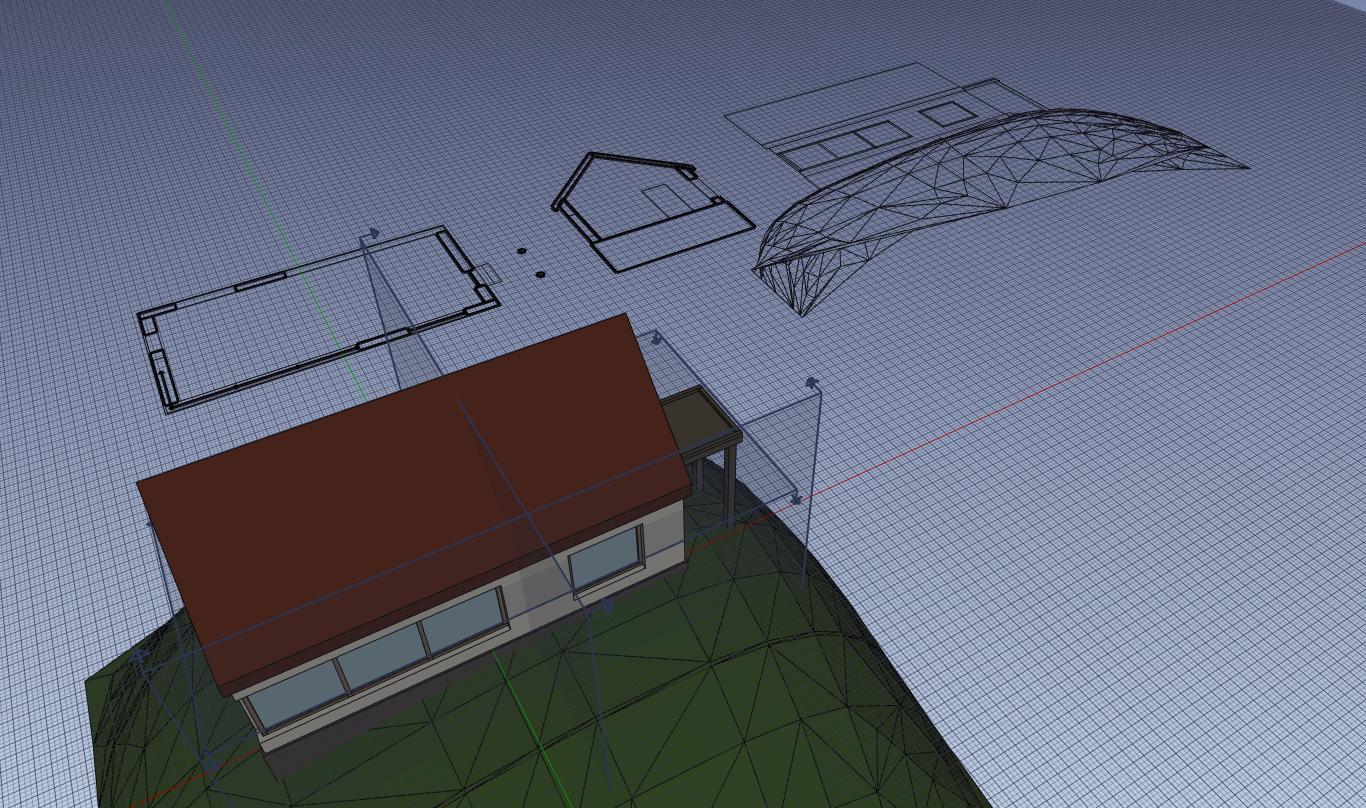
NativeIFC: Tested workflow to create 2D views: I tested a bit how easy it is to generate 2D views from a NativeIFC file. Basically it works out of the box, as long as the objects have their shapes loaded. More work is needed, though, to handle cases such as container objects (need to include subobjects), autoload shapes when needed, or handle materials for the “Arch Fuse” property.
FreeCAD: Fixed DWG export output message: There is now a more meaningful message when a valid DWG exporter is not found PR
NativeIFC: Documentation: I started writing documentaiton for the NativeIFC addon. So far it’s found on the NativeIFC README page but the idea is of course to elaborate and detail it further and move it to a more appropriate place later on.
NativeIFC: Handle change of properties: Each IFC type has a different set of attributes. Up to now, when you changed the IFC class of an object, the attributes were not rebuilt. This is now solved. commit
That’s it for this week! As always, thanks to everybody who sponsors me on Patreon, LiberaPay or GitHub!
Time for our fifth weekly update, showing what I have been doing this week with FreeCAD, specifically on the BIM and NativeIFC fronts. No new features this week but a lot of research and perparation:
NativeIFC: Exploring BBIM 2D output: One of the big stones in our shoes in a BIM workflow in FreeCAD, is the long time it takes for FreeCAD’s - actually OpenCasCade’s - HLR (Hidden Line Removal) algorithm to generate a 2D view of a model. BlenderBIM features a very fast 2D representation system, that is entirely done with IfcOpenShell. I am exploring how it works, and how it could be used in FreeCAD in place of the OpenCasCade algorithm. issue
NativeIFC: Enabled NativeIFC in BIM project tool: One of the original ideas of the NativeIFC mdodule is to not provide its own tools but rather integrate in the current FreeCAD BIM workflow. Since last week I implemented a Python method to create an IFC document from scratch, I now tied it to the BIM Workbench, as a proof of concept. Now, in the BIM workbench, if NativeIFC is installed, the Project tool will now create a NativeIFC project instead of the usual Arch Project. You will notice that the icon has an IFC overlay, to indicate that command is NativeIFC-enabled. Is it a good way forward? Tell me! commit
NativeIFC: Explored schema change: IfcOpenShell allows to change the schema of a file, currently only between IFC2x3 and IFC4. I am exploring how to integrate that within NativeIFC IFC documents. issue - branch
BIM: Prepared removal of units selector: A global, FreeCAD-wide units selector in the status bar has recently landed in FreeCAD’s master repo, turning the units selector in BIM obsolete. I prepared a commit to remove it, that will be merged once the main feature has arived to a stable release. PR
NativeIFC: Started translating BIM/FreeCAD objects to NativeIFC: Since the creation of a new IFC document works very well, it’s now time to attack other kinds of objects. Since we already have a good workflow in BIM, a first way of doing it is pretty straightforward and obvious: We let people create normal, usual BIM objects, then we turn them into IFC objects, and integrate them to an IFC document. Most of the work is there already, as we can use our current IFC exporter to convert BIM objects (or any other FreeCAD object) to IFC. So I started to work on a simple structure that takes an object, “ifcize” it, and adds it to a given IFC document. This should get us pretty far already, and enabling NativeIFC for existing BIM tools should be just a matter of adding one line that ifcizes the object after it’s created. Later on, the ifcizing system can also be used in drag and drop operations. And even later on, we can begin to think if any of those BIM tools needs to be adapted any further.
That’s it for this week! As always, thanks to everybody who sponsors me on Patreon, LiberaPay or GitHub!
Oh yes, sorry I forgot to mention this: I removed it (temporarily, the code is still there) with the idea to integrate it better with the project tool. Basically, you should be able to double-click the project object anytime and be able to make all that setup there.
Were you or anyone else using that project setup tool frequently? I had the impression nobody used it
I could restore it until we have something better in place..
Yeah, I definitely used it - i think, the wizard kind of approach is a great way to get up to speed very fast, giving you the layers and axes you need in a convenient and quick way. Definitely like it
Also think its a good way for ppl getting their first touch to BIM, having kind of a nice setup to start and orient themselves with. It also helps you when trying out a few small, new approaches. It quickly gives you a setup to work with. The Manage Project Wizard is definitely a “thumbs up”!
Think thats a good idea - would definitely apreciate and use it. At least until there’s another entry point to that
Time passes, and we are here already at our sixth weekly update showing what I have been doing this week with FreeCAD, specifically on the BIM and NativeIFC fronts. Much of the stuff I was working on last week is now ready:
NativeIFC: ifcization: The NativeIFC toolbox now possess a pretty important tool that will be used everywhere: an ifc_tools.aggregate(object, parent) function. It takes any kind of FreeCAD object as a first argument, and aggregates it to whatever NativeIFC object. The base object will be converted to IFC and added to the IFC document the parent belongs to. I just tested this with simple objects likes walls and cubes so far, but the idea is to support each and every BIM or FreeCAD object. So the idea here is that later on all BIM tools will ifcize their production if they are in an NativeIFC environment. Under the hood, the ifcization currently relies on the current Arch IFC export structure, so expect the exact same type of object to be created in your IFC file. We can see later on if this needs to be changed. commit
NativeIFC: schema switching: IFC document objects now have a “Schema” property which is set to the schema of the file when loading. It allows you to change the schema to any other supported by your version of ifcopenshell. A word of warning, though, this is done through some deep ifcopenshell magic, and I think it has not been extensively tested, and as far as I did test gives some strange and puzzling results. The functionality is there in FreeCAD, but use it at your own risk If you use this through the GUI, though, a warning message will be shown before doing it. commit
NativeIFC: Talk with Moult: I also had a great talk with Dion Moult, the main developer of BlenderBIM. We reviewed the FreeCAD NativeIFC code together, and I got a load of hints and ideas. Dion has an incredible understanding of the IFC file format, and it is always so refreshing when he says “remove all that crap, you don’t need it” The more I work with IFC, the more I realize how actually flexible and simple it can be, how the legendary awful load of complexity you find in many IFC files is actually pretty bad exporting by many BIM applications. If you ever worked, at the dawn of the internet, with HTML files generated by MS Word, you’ll know what I’m talking about It’s not entirely false to say those apps don´t give a shit, pardon the poor wording, about the quality of the IFC contents they produce… Anyway, don’t let me rant more. I got many clues to remove unnecessary stuff, use more built-in ifcopenshell functionality, and later on transfer some parts of the NativeIFC addon upstream to ifcopenshell, which is thrilling as it will give ifcopenshell natively more ability to work with FreeCAD.
NativeIFC: More unit tests: Unit tests now test creating a full IFC file from scratch, usinfg the aggregate tool above. This will ensure that the whole process is always well tuned and functional. commit
NativeIFC: Diff tool: When an IFC project is marked as modified with a red dot, a “View diff…” right-click context menu option becomes available, which opens a dialog window that shows the diff between the saved version of the IFC document and the unsaved version, the one that is currently being edited. Later on we can think of more fancy things, such as being able to hover or click the lines and highlight the corresponding object in the FreeCAD 3D view. commit
That’s it for this week! As always, thanks to everybody who sponsors me on Patreon, LiberaPay or GitHub!
Here is the seventh weekly update showing what I ham doing this week with FreeCAD, specifically on the BIM and NativeIFC fronts. Sorry about the missing update last week, school holidays and kids got the priority
NativeIFC: Edit placements: This has been a bit of a headache, because of several aspects: 1) Placements in IFC are notoriously a complex affair, 2) Placement matrixes are different in FreeCAD and IfcOpenShell, and 3) Placement properties are triggered pretty often in FreeCAD, and there was a whole question of sorting out when the IFC placement of the object needed to be updated. This is now all (hopefully) sorted out, and you can now edit placements of IFC objects in FreeCAD, which will correctly reflect on the stored IFC placement. This means changing the placement of an object manually works, but also all other commands that work on placements, such as the Move command. As this is using the IfcOpenShell API, all needed internal complexity of dealing with local and relative placements is taken care of magically! commit
FreeCAD: Draft memory leak: The Draft workbench has since a very long time a nasty memory leak, which means the memory usage is increasing during use. Usually this is normal when running a program, as structures (data, variables, etc…) are created during the execution, that take space in memory. However, there are usually destruction mechanisms in place, for example all variables or objects created inside a function are automatically destroyed when the function ends, or there are garbage collection systems that automatically clean up unused variables and data structures. A memory leak occurs when something escaped these mechanisms and is not automatically destroyed, and is recursively being created, which makes the memory consumption raise over time. The Draft workbench has had one of these for a long time. To see the effect by yourself, you just need to start a Draft command such as Line, click a point and simply hover your mouse around instead of clicking the second point. If you watch the memory consumption (for example running top -p $(pidof freecad) in a terminal), you will see a small memory increase. This used to be huge, and is now mostly solved, as the garbage collection manages to keep it under control and on the long run, memory usage does not increase anymore. There is however still some minor leak happening, that I couldn’t pinpoint yet. There are so many things happening in Draft, with so many different parts of FreeCAD involved (Qt interface, widgets on the Coin3D view,…) that it turns debugging very difficult. issue - PR
NativeIFC: Allow to delete objects: Deleting an object in FreeCAD now correctly deletes the corresponding object in the IFC file. As usual when using the IfcOpenShell API, everything is taken care of automatically, and all needed subobjects and dependencies are deleted automatically too. As always, when you perform an operation that affects internal IFC objects, the project object is marked as modified, and by right-clicking it in the tree view you can select “Show Diff…” to see the modifications that have been made to the IFC file. This is a great way to make sure the right operation was done. commit
NativeIFC: Allow to collapse children: You can now perform the reverse operation to “Expand children”: When an object has its children expanded, you can now reverse the operation by right-clicking the object and choosing “Collapse children”. The child objects (and all their descendents too) will be removed from the FreeCAD document, causing the base object to gather and show the shapes of them all. This allows you to keep your FreeCAD document fast and light, even when working on large IFC files, by shrinking the structures you don’t need to edit. commit
That’s it for this week I guess! As always, thanks to everybody who sponsors me on Patreon, LiberaPay or GitHub! As a side note, the OpenToolChain Foundation grant I have received to help funding this project has officially ended, but I am a bit late on schedule and have not finished the entirety of what I had promised them (What is missing is basically be able to create NativeIFC elements with the BIM workbench tools) We are very close to it anyway, all the internal structure is in place, we just need to tie that up to the BIM commands. This will be done in the next weeks (I still want to work on drag & dropping first to make it really perfect).
I am really liking posting these weekly updates, for once it motivates me a lot to produce stuff every week, and also it syncs nicely with the weekly updates on the FreeCAD blog. So although this had started as a form of reporting related to the OTCF grant, I’m going to continue this for a while. Thanks to all of you who show support for this!
Here is the eighth weekly update showing what I ham doing this week with FreeCAD, specifically on the BIM and NativeIFC fronts. Only one real update this week, but a pretty important one:
NativeIFC: drag and drop: This took quite some time to thoroughly test and fine-tune, but it is now working satisfyingly. It is basically the GUI counterpart of the aggregate() function I added last time. It allows to take any FreeCAD object, BIM or non-BIM, and add it to a NativeIFC document just by dropping it onto any NativeIFC spatial structure (site, building, storey or space) or object (in which case the new object becomes aggregated to the host object). This basically allows to create just any kind of NativeIFC object. If you drop a non-BIM object such as for example something created with the PartDesign workbench, it will be added as an IfcBuildingElementProxy, which you can then just change to any other type afterwards. In a sense, it is now even more powerful and simpler than using the BIM component tool to “bimize” any other FreeCAD object. One important detail to know, upon doing this, the original dropped object is converted to IFC (currently using the Arch IFC converter, but later we will add that functionality directly to IfcOpenShell), added to the IFC document, and a new FreeCAD object is created from that IFC element. So the original object is lost and cannot be edited with its original tools anymore. This is just temporary, and i’m still looking at a strategy to allow the editing of all IFC elements, not just the ones added from FreeCAD. Maybe making them inherit Arch objects functionality too? I am not sure yet. As of now, we still have workarounds, such as the BIM reextrude tool, which allows us to turn any extruded object editable, but the idea is to have something more robust. Nevertheless, we can already author NativeIFC files fully from scratch in FreeCAD, and it’s a big mark now achieved. commit
NativeIFC: Better documentation: I started working on bettering the NativeIFC documentation too, which is also very important. Since there is no real workbench, or UI tool in nativeIFC, I’m thinking of the documentation as a series of “How do I do this?” articles, that would answer common questions you ask yourself when working on a BIM model. Have a look, and would you think of something that needs to be documented, please tell me! (or, even better, make a pull request! )
FreeCAD: per-view working planes: I have worked further on this issue too, which is slow due to how complex the Draft workbench has become But eventually we’ll get there, and have the proper, flexible working plane system we should have. issue
That’s it for this week! A big item on my todo list is to make a short video showcasing all of the above workflow, but for a better result I’m waiting to have editing capabilities in place, which should basically signify “version 1.0” of this NativeIFC addon. We’re getting there!
As always, thanks to everybody who sponsors me on Patreon, LiberaPay or GitHub! This really helps this to go forward, more than you think.
It seems in BIM WB, the Project button creates a Native IFC project object. In Arch WB, the Project button just a FreeCAD Arch Project object. Correct?
However, trying to drag and drop some Arch objects, like Wall, Site to the Native IFC object return error as shown below. Any idea ?
Thanks again.
Test_ Native IFC Project_ 01.FCStd
Screenshot from 2023-04-26 03-12-52.png

 )
)


 happy to have it back though!
  Please check again, it should be there now.