Asm4: BOM functionality prototyping

In another thread a few months ago, Zolko suggested that BOM creation functionality would be a good place to do some hacking on the Asm4 workbench. I’ve had some time to prototype an implementation, and I’d like feedback/suggestions for further features.

Here’s what I have so far:
Assembly4 currently has a GUI command to assign metadata to parts using properties, that get stored under the ‘PartInfo’ group. The command is only partially implemented, so I did some work it to make it more usable

note that in the above screenshot, only one of the properties is able to be deleted. I’ve added a new property to the ‘Parameters’ group of the Model object, that enforces some required Metadata fields.

this list of field can be blanked out to give the user complete free-form control over the metadata that is added to parts.
Now, on to the actual BOM creation bit

I put the code in a seperate file (makeBomSheetCmd.py) for now, as it seemed like a better choice than appending to the existing makeBomCmd.py, which functions very differently to my code.

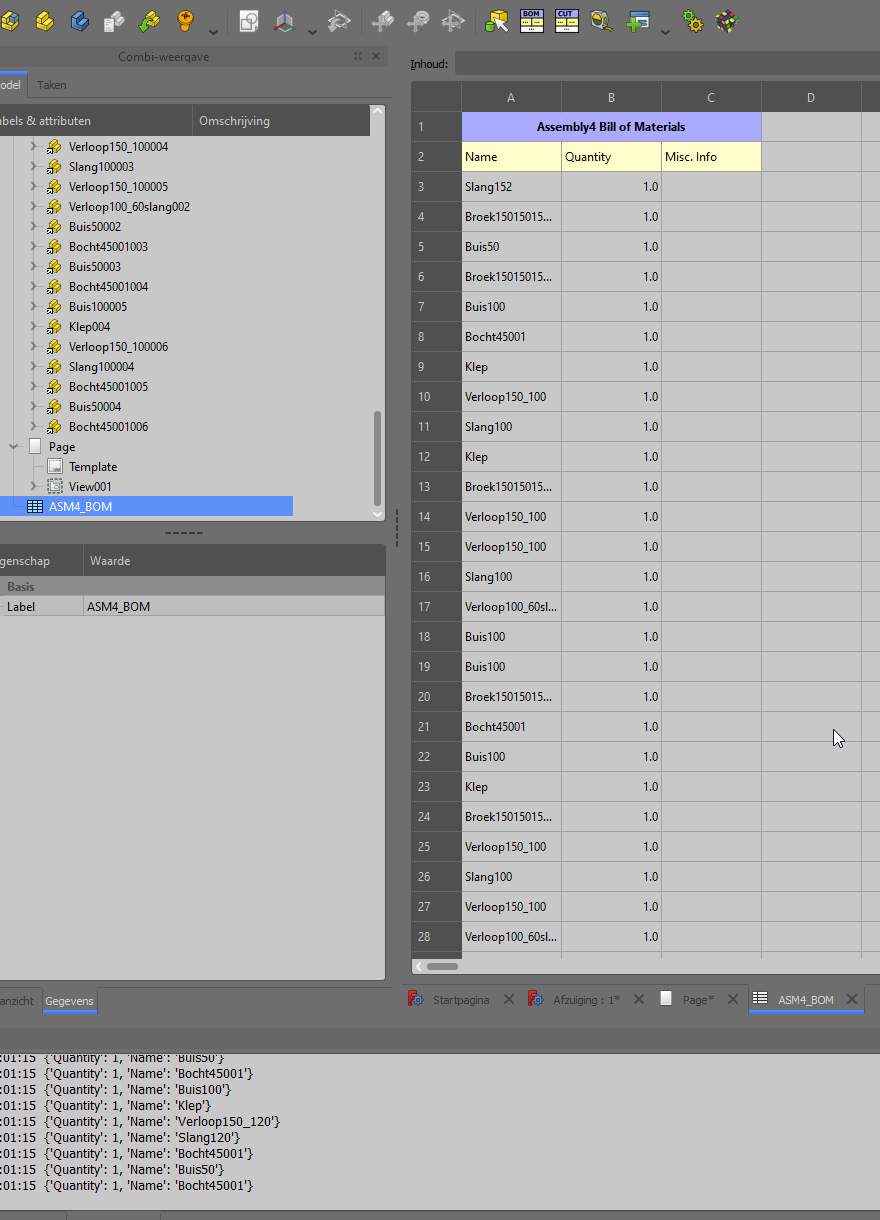
As the name implies, this command creates a standard FreeCAD spreadsheet. Here’s an example of what it produces:

Note the rightmost column, misc. info. The best part about this prototype is that it builds the spreadsheet based on the metadata that is actually available in the parts of the assembly, as opposed to just filling in a predetermined set of fields

    # properties that have assigned values for most of the parts (we set an 
    # arbitrary minimum of 50% for now) will get their own column in the
    # spreadsheet. properties that are only assigned to a few of the parts get
    # compressed into a single column at the end
    # at least X% of parts must have a property for it to get its own BOM column
    minDataCommonality = 0.5 
    keydump = [i for sl in list(map(lambda x: x.keys(),datablock)) for i in sl]
    keysCount = collections.Counter(keydump)
    commonKeys = []
    for key,ct in keysCount.items():
      if ct/len(PartsCount) >= minDataCommonality:
        commonKeys.append(key)
    commonKeys.sort(key=sortf)
    sheetdata.append(commonKeys+["Misc. Info"])
    for pdct in datablock:
      row = [""]*len(sheetdata[1])
      misc = ""
      for key,val in pdct.items():
        if key  not in commonKeys:
          misc += f"{key}: {val}, "
        else:
          for i,x in enumerate(commonKeys):
            if key == x:
              row[i] = val # this whole block is hacky ATM. fix it!
      row[-1] = misc

Fields that exist in a set ratio of parts get their own column, while fields that are only set in a few parts get compacted into one cell. This way, you don’t have to worry about your spreadsheet becoming many columns wide if you assign some specific fields to only a couple parts.

Some more notes:

  • The spreadsheet is automatically placed in a ‘Metadata’ group, which works like the ‘Parts’ group that parts of the Asm4 model are placed in by default. For now, I just wanted a more organized feeling place to put the spreadsheet.
  • My fork of the repo also has a prototype of a command that auto-generates a techdraw drawing of the entire assembly. I’m sort of thinking ahead to a point where we have the tools to generate multiple ‘metadata’ things about a model, such as dwgs, BOM, materials cut-lists, etc.
  • further functionality to generate a fasteners list is already planned. Should be just a simplified subset of the already developed BOM code

At this point, I am looking for general feedback and ideas as to what community members would like to see in Asm4 BOM functionality. If you have suggestions or examples of nicely formatted BOM sheets I can take style inspiration from, send a reply. You can test out the code if you like, though it’s still rough around the edges:
https://github.com/alexneufeld/FreeCAD_Assembly4/tree/development

This is great news, I’ll check it out ASAP.

Although I must admit that I don’t work with BoMs so much, therefore other people’s opinion might be more valuable

Haven’t tested it but this i great news!

I like the BOM addition to A4 WB and would like to test it, do I need to install all files or just a few of them?

I am also looking for a Cutlist where the maximum sizes (lenght, height and width) per part are listed and how many parts of that size.
The sizes need to be sorted (biggest size 1st, etc.).
And sorted per material type, say ply wood, oak etc.

The cut list will be exported to cut list optimizer e.g. for sawing wood panels.

@alex_55 do you mind rebasing?

I rebased to new branch with a name that indicates its function. commited some more code as well. I want to get the UI for InfoPartCmd running nicer, but will hopefully have a pull request ready within the week.

Fasteners BOM is working:


I think I can get some of the functionality you described working: We could pull, for example, the length of a cut part into that part’s PartInfo using an expression, something like “=Pad.Length”, where Pad is a partDesign feature of the part in question. The BOM maker already counts duplicate parts. If you want to test out what I have done so far, dowload this branch https://github.com/alexneufeld/FreeCAD_Assembly4/tree/BOM_spreadsheet to the Mod directory of your FreeCAD install. Detailed instructions in the ‘Manual Install’ section of this wiki page: https://wiki.freecadweb.org/How_to_install_additional_workbenches

I have computer problems right now, I can’t test very much. Therefore, if you make a PR to the Asm4 development branch I’ll merge it as-is. This BOM functionality has been requested many times, it would be really great to have it. Thank-you

Alex,

I installed the modified workbench and below is what I found.
The edit part produced an error and I did check what went wrong, see 3rd screen.
The BOM worked after I commented out 2 statements at the end, see attachment of makePartsBOMsheetCmd.py and 2nd screen.
The BOM does not add the same parts to one row with the right quantity yet.
I modified the BOM sheet to produce a 1st version of a Cut list, see 1st screen, works fine with the same restrictions as the BOM.

Hope this helps.
makeBomSheetCmd.py (9.15 KB)
makeCutSheetCmd.py (6.54 KB)
2021-02-16 20_01_36-Window.png
2021-02-16 20_01_18-Window.png
2021-02-16 20_03_40-Window.png

Alex,

Just found out that infoPart did not work because I used an existing A4 model, where the RequiredPartMetaData doen not exist.
It would be nice when the software can handle that case.

Herman

Unless someone responds here, open a ticket on https://github.com/Zolko-123/FreeCAD_Assembly4/issues

Adapting the command to work with existing ASM4 models is an easy fix that I will implement before opening a pull request. Thank you for testing!

Alex,

Thanks.
Can you include the dimensions also, as I did in the cutlist ?

Herman

alex_55

I saw your post and decided to send you a message
This is my first post in FreeCAD FORUM.

I’m interested in developing CAD data management tools.
I think ASM4 BOM functionality is a very nice feature. I would like to import this metadata and save it on the CAD data management tool as E-BOM.

So the question is
(1) Please let me know if there is an API to export metadata.
(2) I think it would be great to have a function to output in STEP-AP242 XML format. Do you have any plans for that?

For AP242, Please refer to page 60-76 of the pdf below.
https://www.cax-if.de/documents/rec_prac_ap242xml_assy_struct_v2.0.pdf

thanks.

Yshim

Hello! Super cool addition to Asm4!
If it will work - FreeCad could become very useful tool for a real production. One of the biggest request from customers - “how much materials does the product contains?” For example, furniture & interior production implies one-type objects, with the same structure - Asm4 - is an ideal instrument for joining hundreds of such objects in one assembly! A2Plus can not include so much parts as in usual production is needed (I’ve tested it with some metal frame and got the legendary “topology naming issues”). So the BOM of ASM4 - is a very needed feature!!
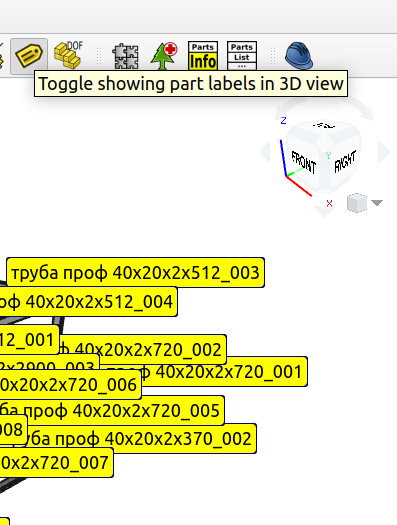
Here’s an example of the steel frame, I’ve don in A2Plus + TechDraw. (overall view with the part’s names I’ve made from a screenshot of A2Plus assembly with labeling feature enabled and pasted it in to the TechDraw’s list as an a picture):
https://disk.yandex.ru/i/ixCm5105YtOGnA

May be it could be possible to add a position labeling in Asm4 as it exists in A2Plus as a part’s name labeling tool..(just an idea).? @Zolko?

Great thanks, Mr. @alex_55!!!

can you please elaborate ?

I mean this tool (the column “POS” is created in the PARTLIST table in A2Plus - could be nice to have the “POS” column in Asm4’s BOM and use this numbers in the Asm4’s assembly instead off cluttering parts names):
1.png
2.png
positions.png

Hello Alex, any news on this BoM front ? Something that we could test ? Do you need help ?

Hello, @Zolko!
How much the BOM feature is implemented in Assembly4 today?
I’ve downloaded version 0.9.17, 2021-06-21 and got this icon at the BOM button:
Screenshot from 2021-07-19 23-37-04.png
This works somehow, but I can’t find how to “Edit Part Information” and also the BOM does not add the same parts to one row with the right quantity.

There has been no progress on the BOM functionality lately. But the buttons shows for me … can you try to uninstall and re-install the workbench ?

Thanks, @Zolko!
I’ve reinstalled FC 0.19 completely & installed fresh A4 - every icons have come alive! Thank you! It’s a pity that this thing is still not developing///