Yes, @kkremitzki updated the wiki these days. We must do the same with the forum soon.
The FreeCAD theme apparently doesn’t work anymore with this new version, that’s why he removed it. We still need to find a solution…
Can someone test if the tpt-unknown-page is still there? I can’t make it appear…
It’s been switched to the error message Renato mentioned.
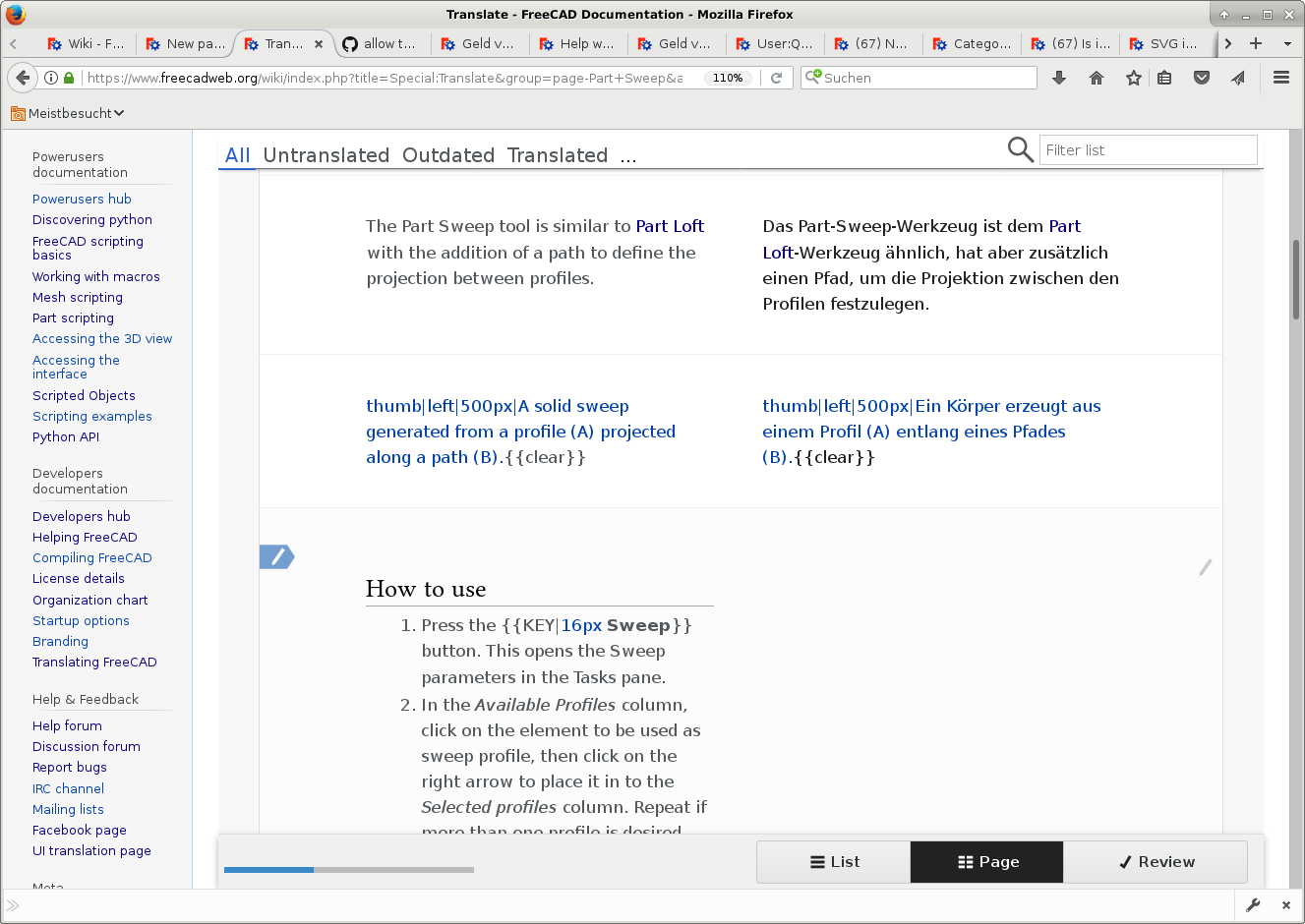
I just made changes to the Part Sweep page, and was trying to translate it in French (Part Sweep). In translation unit 16 which is a new unit, I’m getting the error
Échec de l’enregistrement de la traduction : This namespace is reserved for content page translations. The page you are trying to edit does not seem to correspond any page marked for translation.
This sucks, big time. 
EDIT: closed the Translation page, opened it again… My translation for unit 16 is now gone. I was annoyed, now I’m pissed.
Possibly related? I’m guessing we’re not using the CentralNotice extension?
No, I had been looking into this issue since your last post and it isn’t that extension causing the issue, although it could be another one or another setting… you can see all the enabled extensions at https://freecadweb.org/wiki/Special:Version.
I just got done updating https://staging.freecad.io/wiki to MediaWiki 1.30 so if anyone can replicate it there or give me steps to replicate the issue I can troubleshoot it in the staging VM better than I can on the shared hosting for the main wiki.
I am having no problems to translate https://www.freecadweb.org/wiki/Part_Sweep/de .
But the translation page looks different, as I did remember from the past. I can not see the numbers of the translation parts. Do you use the translation menu, in order to change something?
Ulrich
I have another question. I am working on the tools to generate the off-line-documentation. It seems, that I get every week another format of the wiki-html-pages. I suspect this is related to the changes in the wiki?
Ulrich
As I posted, the problem was only with translation unit 16, which is “How to use”. I just checked https://www.freecadweb.org/wiki/Part_Sweep/de, and you have not translated that section. It’s labeled Translations:Part Sweep/16/de. To translate it, you need to click somewhere on the section you want to translate. Then you get the translation window.
There is no problem with entering text, the problem is that it is not recorded. In the Page view, once you click on the Record button (whatever it is called in your language), the translated column to the right stays yellow. When you edit it again, that’s when you see the error shown in renatorivo’s screen capture, not before.
But I just tried again the French translation, and now it worked! 
The translation unit number appears when you click on it, see renatorivo’s screen capture.
Your screenshot shows you are in Page mode, maybe you remember the List mode which the black button to the left at the bottom of the page.
Sorry, I have no clue what you are talking about. What are those wiki-html-pages, and how are you getting them?
Now it seems to me that everything works. Can you confirm?
Renato
I only had the trouble with the Part Sweep/fr page, and the bug went away yesterday.
I’ve only edited two pages so far, so I cannot tell you if the problem is fixed, I’ll have to edit more pages and hope it doesn’t come back.
I’m getting the namespace error again on an existing page I added translation units to. All the new translation units have this error.
PartDesign Revolution
I waited 24 hours and tried again to translate the page, still the same issue.
EDIT: I was able to fix this by making minor changes to the new translation units in the original English page, then marking the page for translation again. This time I was able to translate the new translation units.
