Material overhaul

I think wood and other anisotropy should be represented by a field (can be spatially varying), and certainly not a vector defined in the material. Wood can be bent (e.g., steamed to make ribs in a boat), carbon fiber can be oriented arbitrarily, etc. Note that a vector (field) is not sufficient for general anisotropy. Equivariant constitutive models (those satisfying reference frame invariance) are typically modeled using a material tensor field.

Good point. The material card would only have the properties that result from direction; such as different compressive, tensile, and yield strength. Or for cutting, fracture toughness?

“Anisotropy” is my new word of the day. It’s not a term used by woodworkers much; but perhaps it should be. :smiley:

At least in the browser, user defined, workbench defined, and system defined all have different icons.

Orthotropic properties are easily defined, and I already have a sample model that does this. There needs to be some thought given to how that will be applied to shape objects. One way is to be able to specify a reference plane. This is not a far in the future feature.

One of the first people I talked to works on the Path workbench, but what you’re looking for will be up to them to implement. This will make that easier for them though.

It will similarly allow for an expansion of features in other workbenches like FEM or CfDOF too. That will be up to the implementers but my goal is to make their lives easier.

The UUIDs are assigned on creation. For the models, this shouldn’t be an issue since most people will not be creating their own. Versioning in this case can be handled with a naming convention or similar. You can change the UUID, but that would now be considered a different model. You can also override an existing model replacing the parameter you want changed.

It is clear that the cards will need some versioning capability. This could be handled with a version UUID for example. Inheritance will also allow you to override specific values of existing cards. A newer version would effectively be a new card overriding the original. This could then be embedded in the document and exported when sent to a colleague. There are a lot of options in this workflow that still need to be examined.

Probably best approach is to have some versioning, or to include appropriate “material cards” in the file only if you use a specific material.

This will reduce file dimension.

But if the file you use is part of a multifile project, some versioning should be used, as if you as example use an Assembly file that inherits solid (with proper materials) from other files, you could take in account that some solids could have been created with older versions and have “older material cards” on them.

Alternative, would be to have a “Material library” that will be loaded as an “AddOn” and keep updated, and have only reference stored, but even in this case, you have to “manage complexity” as example having a way to manage different material version avoiding duplicating too much informations contained.

as example you have a “wood Material” with some “charts” that holds data you intend to use in a project, and these charts are changing, you could have a reference for these type of data that will be stored and used only if “chart version001” is used to make the “solid” in “fileA” and in another a “chart00002” that us used by a “solid” in “fileC”, (other material data remain the same).

This sort of things, could be managed using a database, probably even leveraging the Python interface to sqlite3 databases that could old “binary blobs” on them so you could have a “material field” that will relate to “chart0001_wood” and “chart002_wood” without duplicating too much data, but you have to taylor a good way to organize the database. Side note sqlite3 databases could be saved as a single file, so even providing an external file could be an option provided there will be an unified place where a similar file could be hold an retrieved, as example you could think of having a simple sqlite3 file for most of the usual use, small and supplied with FreeCAD and a more “full fletged” file for specialized uses, with a bunch of specialized data, charts, binary things, like video or technical documentation, all in a unique file.

Regards

Carlo D.

Hooo boy - - - - was hoping that the quote would retain the .png file (it didn’t) - - - hopefully I can explain.

There are a (imo too large) number of nomenclature systems for materials.
For eg - - - in steels - - - are you going to use AISI numbers or are you going to use DIN numbers or are you going to use . . . .
(I have at least one cross reference book!!)
This problem seems to exist in lots of materials.

Don’t know what to suggest but if I’m referencing something like EN30B or 8620 or 6061-T6 Aluminum - - - - well to some people those numbers make sense - - - to others they don’t.

Given this nomenclature issue - - - - it is necessary (at least imo) to label materials using as many of these synonymous descriptors as possible.
If only one system is used - - - - then the tool will just be less useful.

It will be possible to attach searchable tags to each material. Alternatively, it’s possible to inherit cards, so a 6061-T6 could have an inherited model with a different name and description but with no other changes. So there are many ways to handle this already.

There are two real problems with what you’re suggesting. One is just cataloguing the different systems. I don’t have the knowledge to do this so it will be up to others.

The second may be the most important. We’re unlikely to provide an exhaustive list of materials. If you look at matweb.org, one of the most common sources of material information, their license precludes redistribution. You can use the information for personal use, but FreeCAD can’t publish cards based on their published data. I asked a materials researcher where they get their data, and their response was lab testing. Most of us won’t have that option. So all I can do as a developer is make it as easy as possible to add that data.

So what does that mean? Importers. There are a few formats that could be supported, like Solidworks.These files are accessible but documentation is not readily available. If you have documentation, by all means forward it! Most will need reverse engineering to figure out. And files to test against. Even matweb supports this, having an export capability for paid members to a variety of formats (Solidworks being one of them) These can be added at anytime even if they’re not part of the initial version.

Importers can also be added as external modules allowing third parties to add their own (or database interfaces, or web APIs, or…). Remember that all of this will be accessible through Python. The limits will be time, effort, and imagination!

Just in case this fell off the face of the Earth, there’s a new post at Ondsel’s blog that covers this project, with grandcross’s direct involvement.

https://ondsel.com/blog/freecad-needs-a-better-materials-system

Mostly useful for people who want the back story and an overview of the state of affairs.

[
It will be possible to attach searchable tags to each material. Alternatively, it’s possible to inherit cards, so a 6061-T6 could have an inherited model with a different name and description but with no other changes. So there are many ways to handle this already.

There are two real problems with what you’re suggesting. One is just cataloguing the different systems. I don’t have the knowledge to do this so it will be up to others.

The second may be the most important. We’re unlikely to provide an exhaustive list of materials. If you look at matweb.org, one of the most common sources of material information, their license precludes redistribution. You can use the information for personal use, but FreeCAD can’t publish cards based on their published data. I asked a materials researcher where they get their data, and their response was lab testing. Most of us won’t have that option. So all I can do as a developer is make it as easy as possible to add that data.

So what does that mean? Importers. There are a few formats that could be supported, like Solidworks.These files are accessible but documentation is not readily available. If you have documentation, by all means forward it! Most will need reverse engineering to figure out. And files to test against. Even matweb supports this, having an export capability for paid members to a variety of formats (Solidworks being one of them) These can be added at anytime even if they’re not part of the initial version.

Importers can also be added as external modules allowing third parties to add their own (or database interfaces, or web APIs, or…). Remember that all of this will be accessible through Python. The limits will be time, effort, and imagination!
[/quote]

There may be many ways to handle this already but - - - - if I may - - - something like threads.
So very simple - - - - ubiquitous - - - very very common.
Yet from my background (trades guy - - - - NOT engineering - - - - so I make – I don’t just push paper!!!) threads are a hugely complex system.
60 degree that’s both stuff based on the inch system and the metric stuff but then there are ALL the variants!!! (So far what’s available in the FreeCAD environment is a largely truncated set from the metric systems.)
When I raised the point one time in the past that there were a lot of other options besides what had been proffered - - - I was politely (and coldly) informed that I didn’t know what I was talking about - - - there is quite a difference between pipe and tubing based upon very old usage patterns - - - and those patterns effect today’s specifications - - - - and for some goofy reason - - - they are quite NOT interchangeable.

You list as your source for information as matweb.org - - - - I hadn’t even heard of it - - - yet. I’m more than a touch old school - - - I use my Machinerys Handbook and then some other physical references. There is likely some information that takes more work to find but what’s frustrating is things like I mentioned - - - there are at least 4 or 5 major steel definition systems - - - at present FreeCAD reads like its only usable for Europe and maybe some other areas as an afterthought.
Its frustrating to me to have to learn about IEC but I must because NEMA doesn’t do well in certain segments (one area that I’ve stumbled around in is fractional hp inverter duty rated wash down capable 3 phase electric motors). I tried to connect with a major international supplier - - - - their website was totally garbage - - - almost impossible to find anything - - - visited their somewhat local sales office where the person I talked to said that he doesn’t use the website - - - sounded like he still had old catalogs - - - - except you can’t get them anymore. There’s my rub - - - the web is today considered the repository of all good things - - - - except it sure isn’t - - - - its called competing regulatory environments and you are expected to pay for any and all information - - - its a way for a bureaucrat to justify their existence.

Maybe instead of importing all this information - - - - users might be allowed to input the variant listing(s) - - - but - - - - I fear I have tread on enough toes already - - - - I will cease and desist.

There’s a lot in there but to address your concerns it is important to break this down into two components.

The first is the material subsystem in terms of how the cards are defined and applied. The current card system can handle what you describe just fine, although in a limited fashion. IEC, NEMA, Metric, Imperial… it is agnostic to all of this. You just need to enter the data in your format of choice. It’s a horrible editor, but that’s why this project is underway.

The second part is the piece that appears to concern you, and that is the data itself. Nothing I do will solve that problem for you. As you mention, there are any number of sources of information, and no matter what I supply someone is going to be left out. To further complicate things, common sources of information, such as MatWeb, the Machinists Handbook, etc. are all copyrighted sources. I and others contributing to FreeCAD, are not legally allowed to republish that information. All I can do is provide tools to make that task easier, such as providing importers and improved editors.

At some point everyone using materials for serious modelling in FEM, CfD, etc. is going to have to enter their own material data from their own trusted source for the material variant they are working with. It’s not ideal, but it is reality. It’s a pain at first, but most people use the same materials over and over so the pain lessens with time.

This looks really good.
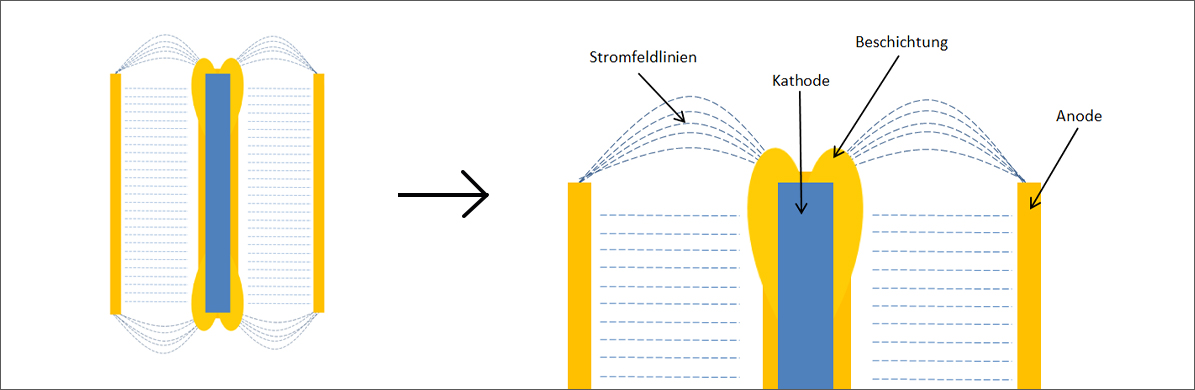
Iuse the freecad often to extract the surface area from details to calculate the cost and metal consumption (in excel) for example gold plating. if it is easy from one of the toolboxes to be able to adjust the layer thickness on different surfaces (this is called dog bone effect in electroplating).
that would have been nice. Of course, it will not be as accurate as a simulation, but it will go much faster (time is money),
And in the future it would be very useful if could have parameters for properties you change for the detail. for example surface hardness at different metal layers and thickness, etc.

Here is my simple rough implementation of manually adding custom properties for applying “Material” (sort of materials database storable with the file in a form of drop-down list) and calculating “Mass” (as Mass=Volume*Density) using Expressions directly in Property editor, without need to install any addons (such as Macro FCInfo, etc.).

How to add properties for Body (see attached FCStd-file sample* file):

  • "Material (Physical_Material) type is App::PropertyEnumeration
    where “Enum” should include a list of properties for choice (its ID numeration starts from 0), like this:
1060 Aluminium Alloy
ABS
Plain Carbon Steel
  • “Density” (Physical_Density) type is App::PropertyDensity
    Density formula:
(Physical_Material == 0 ? 2700 : (Physical_Material == 1 ? 1020 : (Physical_Material == 2 ? 7800 : 0))) / 1000000

where 2700, 1020 and 7800 means 2700 kg/m^3, 1020 kg/m^3 and 7800 kg/m^3 accordingly.

  • “Mass” (Physical_Mass) type is App::PropertyMass
    Mass formula:
Physical_Density * Physical_Volume / 1000

To show mass in lb, Imperial units has been set to in FreeCAD’s Preferences.

  • “Volume” (Physical_Volume) type is App::PropertyVolume
    Volume formula:
.Shape.Volume

Thanks rmn_hr for his intro on how to add custom properties: https://devtalk.freecad.org/t/how-do-you-set-material-properties-of-a-model/66436/3

I suppose, it might be possible also define Color properties with some expressions using Physical_Material as an input.
FreeCAD-Material-Density-Volume-Mass.png

I agree with almost all of this, but an enum is not going to cut it in the long run. It’s useful when the number of materials is small, but even with my relatively minor rocket workbench I’m adding several hundred materials.

What you will see is actually something similar… instead of an enum it will be a UUID. And instead of a combobox it will pop up the editor shown previously. The rest will be exactly as you described. :slight_smile:

I don’t know how to work with UUID’s and how to convert it in drop-down property list yet.

Pop-up editor looks nice.

Should have been following this topic from the outset, very remiss of me, I apologise.

Wondering if the new implementation could be used by an updated version of the GDML workbench i.e. How flexible it is?

Materials in the Geant4/GDML World have a hierarchy currently implemented as Groups
55BD9799-D443-4EAE-85C9-1452BBE0E239.jpeg
A Material is made up of a number of Elements and or Isotopes. Elements can be made from a number of Isotopes.
In general the lists are too long for ComboBox, enumerate Properties but that is how they are implemented at the moment.

Geant4 comes with a predefined Materials, Elements and Isotopes. In the case of Materials these have been split into subgroups

  • NIST
  • Element
  • HEP
  • Space
  • Biochemical

The screen shot shows Space which is not too bad but a number of the others have very long lists.

All the GDML/Geant4 objects are implemented as Feature Python Objects and there is a need to be able to select the material for the object , this is currently done using Enumerate Property which is less than Ideal given the number of possibilities, especially were there is no obvious way to sub group.


This second screen shot is for a imported file where the Material, Elements, Isotopes have been defined in the file rather predefined Geant4. So the workbench NEEDS the ability to define Materials, Elements and Isotopes on file import, rather than is some FreeCAD database or file.

845EE6F0-4A5E-400F-9293-28FEA4B3BD87.jpeg
Users sometimes use Materials defined in the NIST database see https://www.nist.gov/srm US Government definitions,

Geant4 has a number in its NIST subgroup of pre-defined materials but if the user wanted to use ones in the NIST database but not one predefined by Geant4 they would have to code up the definitions for import. A way to import straight from the NIST web site would be better.

I did look at this while doing my research, and I have both good and bad news for you.

Building up materials from its constituents is an interesting concept, but it is both too complex for the average users needs and too inflexible for the advanced user. So that method of material construction will not be supported, meaning the GDML workbench would still be needed. This will definitely break it so work will be required.

But, on the positive side, once you’ve built up the materials you can definitely use this system. The system will have an API (still under development) that will allow it to interact with workbenches such as GDML. Whether the final material definition is stored in files, a database, or an in-memory data structure is irrelevant. The final material definition should conform to a standard data model to maximize compatibility. It is possible to define your own material definitions but that might limit its usefulness.

We should talk more once the APIs are in a stable state.

Just to clarify it is not my idea to do it that way, it is the nature of dealing with materials in the physics domain, materials are made up of elements which are made up of isotopes.

Hello,
I’m currently developing a product using the ASM4 work bench, and I needed to extract out a flat Bill of material to so I can understand my material costs.
The Bom functionality, is pretty broken, and spent a significant amount of time, hacking the code to get something that works for me (as well as thinking about how to make it better)

It occurred to me , that components that are made with subtractive manufacturing and use raw material from wood, or steel plate, slugs, or part stock, could code be generated from a code, that had all the material characteristic in them. It seems to me that would be of great benefit to many people.

If we could have a workbench? similar to what’s done with Fasteners except that it would generate a raw material body, that would be really cool.

I have some detailed some of the issues, in this thread:
https://devtalk.freecad.org/t/assembly-4-bom-bug/70855/1

I thought perhaps, this could be the mechanism that could get material characteristic information into a part. Are there any plans for a raw material object?

Part of this initiative is that if a part has a shape, it has a material. This will help with BOM, and can include costing information though the existing models and support for this are minimal at best.

I believe what you’re asking for would involve a little more work, so a workbench might be the solution. A part has a bounding box that can be the basis for your stock, and you now know the materials, so the rest is iteration and calculation. The material can use a costing model that you would query the user for current prices, etc… The support is there but it’s indirect.

I believe what you’re asking for would involve a little more work, so a workbench might be the solution. A part has a bounding box that can be the basis for your stock, and you now know the materials, so the rest is iteration and calculation. The material can use a costing model that you would query the user for current prices, etc… The support is there but it’s indirect.

For my immediate need, I was able to hack together a usable tool. Thinking longer term, I don’t think using a bounding box will work.
Take for example, gear making. If I understand a bounding box, you get a rectangular box of the finished model.. Commerical gears are often made from bar stock..
There are various things that go into the diameter/length of the raw material chosen. Raw length allowance can be a function off of the process, band saw, cold saw, turn and cut off from a bar feeder. Diameter of stock, can be affected by availability and spec. Some specification require a minimum amount of peeling to make sure that surface inclusions don’t make it into the gear teeth.

If you’re make parts from flat plate, it would be nice to able to identify that to be able to extract those parts as Dxf, in order to have potentially laser/water cut etc..
My point is if you had a standardized raw material body that encapsulated all the raw material information,
(Thank you for the lightening fast reply btw.)

You’re right on all those points, but the starting point is that bounding box. Adding allowances for removed material will be required, and that’s out of scope for this effort. Similarly any matching to “standard” stock sizes. That would be up to the workbench to handle but it would have the information needed to figure this out.

What you’ll be able to specify here is for example, “steel”, and it’s engineering properties. There is no link to stock sizes or manufacturer ordering information. That would be a worthwhile effort but not the focus here.