Do you mean to have an angle offset, say in the PlaneAlignment, such that once set, the two planes form an angle instead of being coplanar? Hmm… should be doable if I understand you correctly.
Hi @realthunder,
here a simple comparison between loading a board with 50pcs of the same switch with:
- the old method (using a copy-paste chaching)
- the new method with Assembly Links
No need to say a word! 
- old one
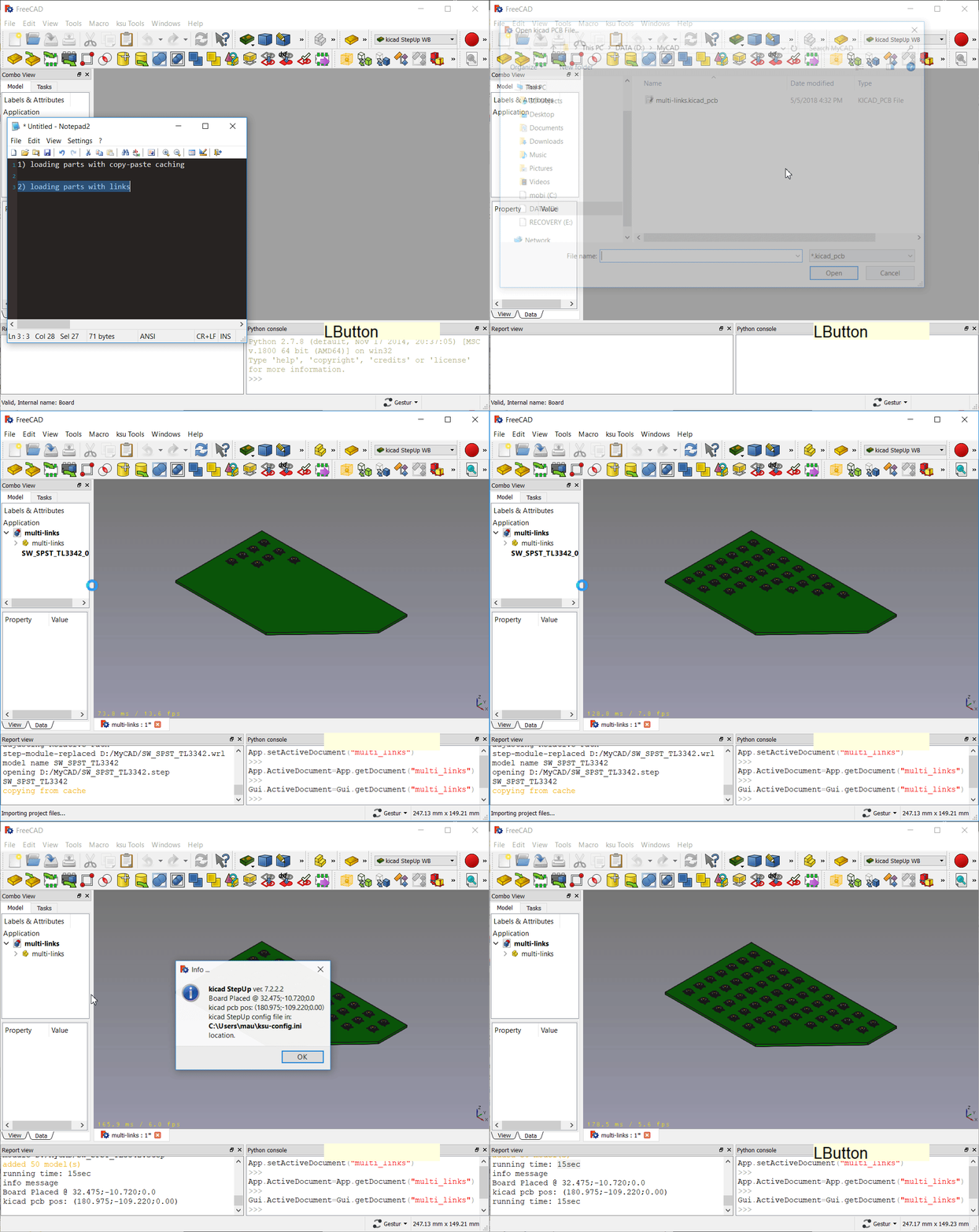
- new with Links

Hi @Turro75 @realthunder
I’ve developed a macro to convert an Assembly of Parts with Body & Links to a Hierarchy of Parts with Shapes.
This can then be exported to STEP
here a small screencast of the Macro at work:

and here the two files:
bride_hydrau_asm3-r2.FCStd (518 KB)
bride_hydrau_asm3-r2-STEP.zip (221 KB)
@Turro75 … I would like to test it with complex Assemblies… would you mind to share some?
Maurice
Well, actually I mean that an anglealignment between 2 planes requires to specify if the angle is on pitch, roll or yaw, sometimes this can be handled with additional constraints, but not always.
the assemblies I usually handle are 30MB to 100MB, I have one >400MB which I wasn’t able to handle unless I switched to a 64bits OS…
I’m really curious to see how it work.
Unfortunately there are a lot of company objs in my steps, I’m not allowed to share them.
By the way I can (have to) test this macro, if You send it to me.
I see now. I’ll add a new composite constraint for that.
The macro is here:
https://gist.github.com/easyw/049e0a2f82751963b9c27b918bfbfb94
Configure a toolbar button with it, select an Assembly container an click on the button.
For your type of files it could take quite a long to copy the structure… It is doubling the project… but then you could export the project to Step with a hierarchy until this will be natively supported
Backup your project before any test 
Let me know how it works…
M
Hi Realthunder, or anyone else who is running the preview that might be able to help.
I’m having some problems getting basic constraints to do what I think they should. I’ll post examples as separate messages in case it’s easier to answer that way.
My first problem is-- the “lock” constraint doesn’t seem to really lock. Hopefully the screencast makes it clear what I mean. I select a plane in the “Link_reference_frame” part, hit the lock constraint, and am still able to move the part around.
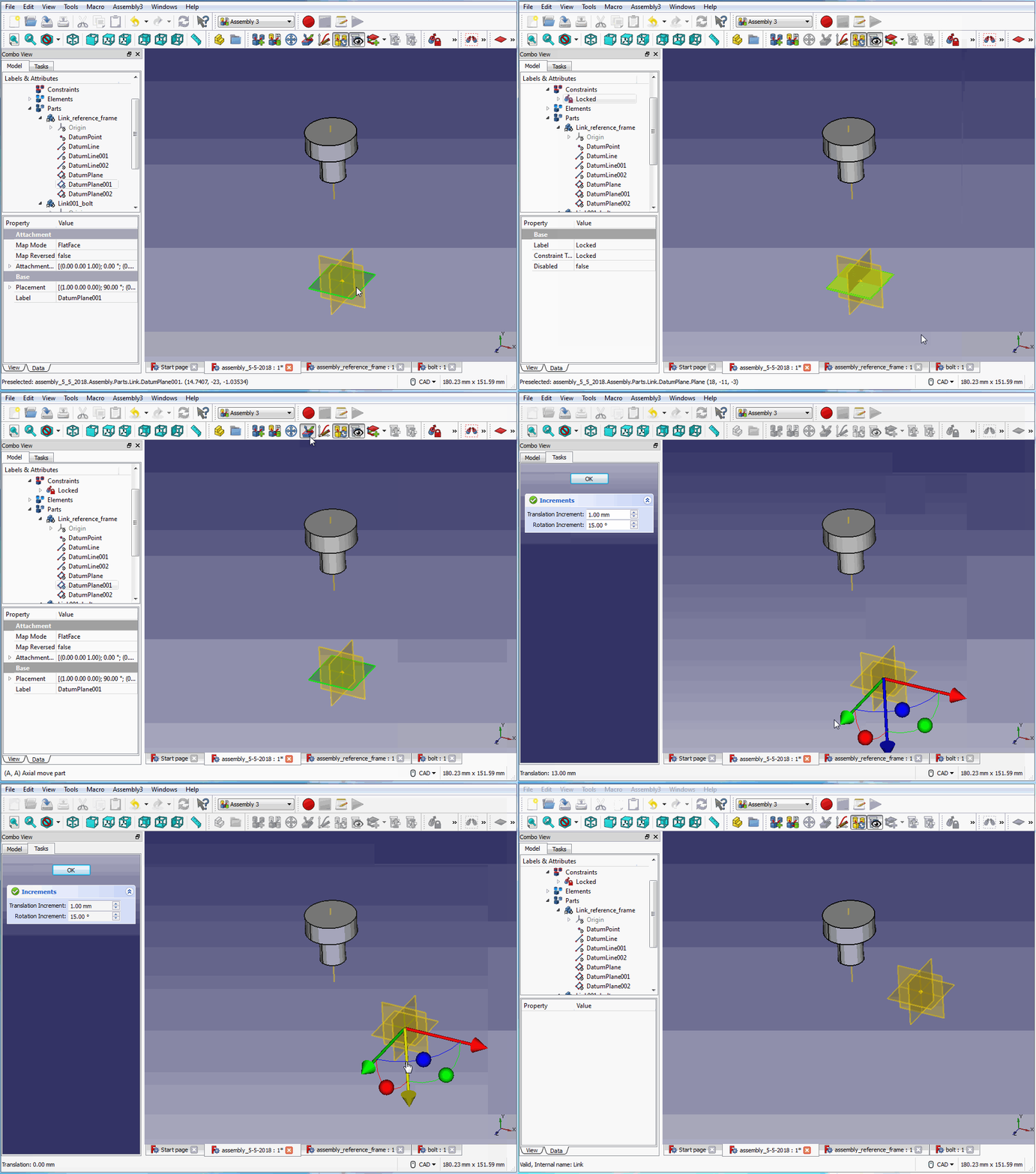
The lock constraint is to prevent the solver to move the constrained part. You can of course manually move the part, which causes the solver to gather other movable parts around the newly located fixed part.
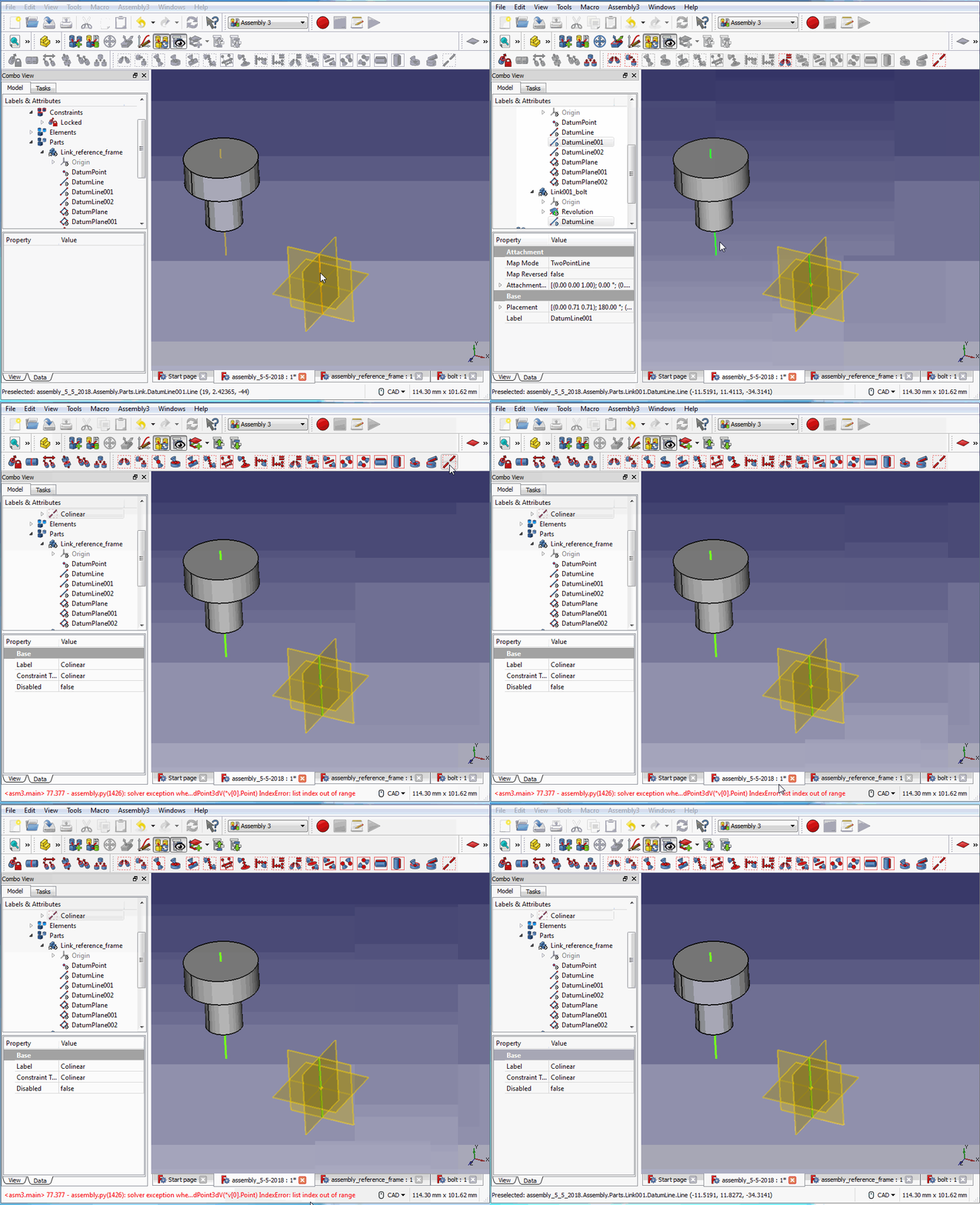
My next major problem is- I can’t seem to find any way to define a simple concentricity constraint between two axial features that doesn’t depend on the global coordinate system of the two parts.
In other words, I would expect to be able to select a cylindrical surface on each of the two parts being constrained, or an axis of one part and cylindrical feature of another, or two axes, etc…, and be able to constrain these so that the associated axes are collinear.
As this is an early preview I could understand not having the functionality to be able to infer axes from cylindrical or conical features yet. But even after defining explicit axes, I can’t seem to force them to take the collinear constraint. I just get an error “list index out of range”
I may be completely missing something, would really appreciate a hint if so.
Okay, thanks very much for the insight.
Is there a way then to constrain parts with respect to an absolute, global coordinate system of the assembly, so that there is some unchanging frame of reference to depend on?
The colinear constraint has a bug, and I shall fix it soon. The AxialAlignment constraint, right now does not accept cylindrical or edge as constraining elements, and I shall fix that too. Meanwhile, you can use the bottom plane of a cylinder to constrain it on the normal axis of another plane, using the AxialAlignment.
Why do you want that? Anyway, you can always have a top level assembly container with no placement, and put some locked object there for ‘absolute’ reference.
In some branches it is common to have a common place of that product as the reference point. That point is the reference point for all geometry.
For my feeling all objects should have a reference to an point otherwise the objects are floating around. A lot of CAD packages are able to place the first part on origin for that reason.
I think when Freecad can use of skelton parts that it make it easy to work even on lower levels with global coordinates.
Yes, that’s it. In the CAD packages I’ve worked with, assemblies and parts have an origin point, 3 axes, and 3 planes that define a fixed (absolute and unchanging) frame of reference, so that no matter what changes are made during the modelling, there is always a “home” location and orientation to refer to.
When starting a new assembly, the first thing I do is place the first part and orient it with respect to the coordinate system of the assembly. Usually that part will contact the origin point somewhere logical. The planes have meaning to me as well: XZ is a horizontal plane, parallel with the “ground”, XY is the vertical front/back plane, and XZ is the vertical side-to-side plane.
Once positioned and oriented with respect to the assembly coordinate system, that first part is locked in place and remains completely immovable. The next part placed will be placed with some relation to the first part- maybe fixed or maybe with freedom with some relative movement. But there is always at least one part that stays where it is, and always a coordinate system to define where “where” is. 
Here a full designed vise I drew.
If you want to try to assemble it, for this moment I resign 
https://cloud.freecad-france.com/index.php/s/AE5QriVKvDWQ6Nm/download?path=%2F&files=EtauNonAss.FCStd
http://philippe.berger2.free.fr/productique/ressources/pieces/etau/Etau_serrage_rapide.htm

This more of a workflow type of thing. With assembly3, you can adapt to a similar workflow with some self-discipline. Since you always put some part fixed somewhere around the origin, I’ll presume you create a separate file for each assembly. Just like I said, you do not set any placement to that top level assembly container, so its local coordinate system is identical to the ‘global’ one. If you want X-Y-Z plane, you can use the ‘Workplane’ button to create all the plane you want. Set the plane width or length to 0 to get axis. Set both to zero to get the origin point. I didn’t pre-create those things like App::Part because not everybody want that. Like any other part in the container, you’ll need to manually lock those planes if you don’t want them moved by the solver. When you want to manipulate any sub-assembly, always jump to the file containing the actual assembly so that that parts are at the correct ‘global’ position.
I can make all these easier, by adding a button to automate origin stuff creation, and maybe another button to disable moving fixed part by the mover.
Thanks @GlouGlou
for fun I assembled it using my Manipulator WB

But I would need something aligned with A3 to make my tests
BTW I had an issue with @GlouGlou file if opened in A3 build… I had to open it in FC0.18 and then save it.
Followings the errors I had in A3
Thread size out of range
Thread size out of range
Thread size out of range
Thread size out of range
Thread size out of range
No extension found of type 'Gui::ViewProviderLinkObserver'
No extension found of type 'Gui::ViewProviderLinkObserver'
No extension found of type 'Gui::ViewProviderLinkObserver'
No extension found of type 'Gui::ViewProviderLinkObserver'
No extension found of type 'Gui::ViewProviderLinkObserver'
No extension found of type 'Gui::ViewProviderLinkObserver'
No extension found of type 'Gui::ViewProviderLinkObserver'
No extension found of type 'Gui::ViewProviderLinkObserver'
No extension found of type 'Gui::ViewProviderLinkObserver'
No extension found of type 'Gui::ViewProviderLinkObserver'
No extension found of type 'Gui::ViewProviderLinkObserver'
No extension found of type 'Gui::ViewProviderLinkObserver'
No extension found of type 'Gui::ViewProviderLinkObserver'
......
No extension found of type 'Gui::ViewProviderLinkObserver'
No extension found of type 'Gui::ViewProviderLinkObserver'
No extension found of type 'Gui::ViewProviderLinkObserver'
No extension found of type 'Gui::ViewProviderLinkObserver'
No extension found of type 'Gui::ViewProviderLinkObserver'
I don’t know why people would not want a fixed part. The CAD packages I use have it and it is standard to get graded on whether you have done this or not in classes and course work. Second, I do not think most want or need added “self-discipline”. The less the better. I still remember the title of a famous book on GUI (web page) design from years ago “Don’t make me think” which basically means make it like people are use to it … if what they are use to was good already of course.
Anyway, thank you realthunder for your work on the Assembly 3 Workbench. You picked up the ball from where it was dropped or fumbled years ago and are heading for a touch down. You are awesome!
I agree with this completely. Assembly capability is a fundamental must-have thing. It’s awesome to see this progressing, so yes-- thanks!